TL;DR
- New apps often fail because they spend everything on one tactic: only reviews, only installs, or only one big keyword. When that tactic stalls, the budget is gone.
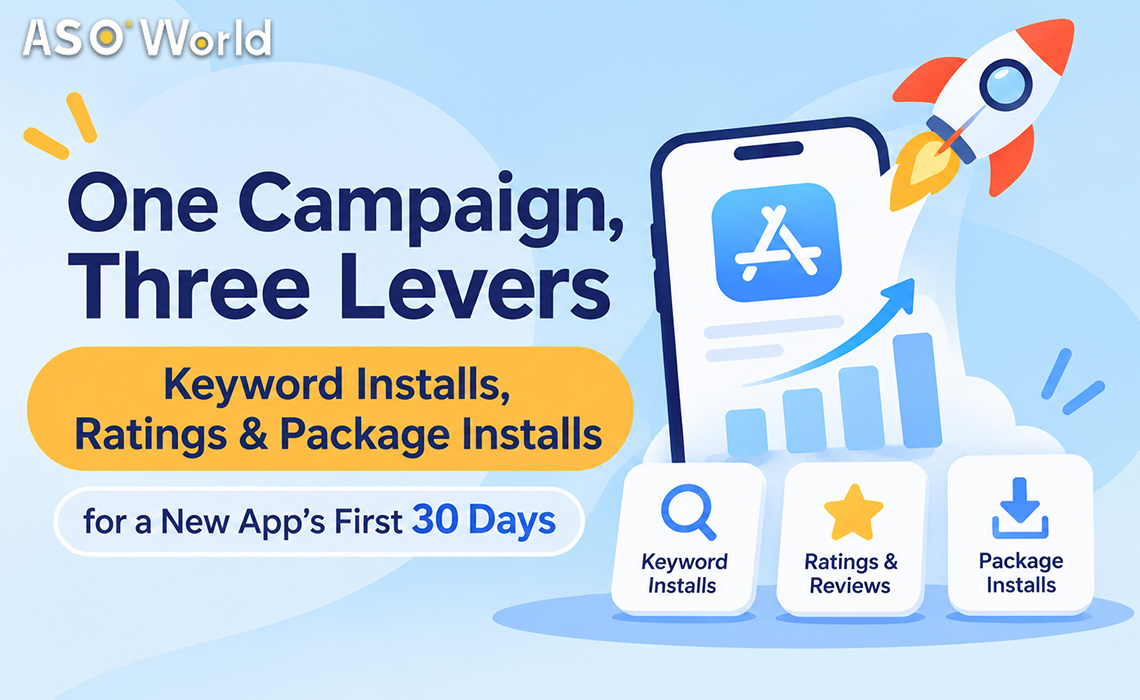
- A launch campaign works better when three tactics are combined in order: keyword installs for search visibility, a small, steady stream of ratings and reviews for conversion, and a short package-install push for chart visibility.
- The 30-day blueprint below runs in three phases: Foundation (days 1–10) → Momentum (days 11–21) → Hold (days 22–30).
- A worked Android example costs about $960 at base rates, or about $440 without the chart push. This article shows exactly where every dollar goes.
- If you'll spend more over time, membership tiers lower unit prices automatically as your total spend grows, and recharge bonuses add 5–20% extra balance on a single top-up. Recharge what you plan to use. Bonus funds don't expire, but they're non-refundable.
Who is this plan for?
This plan fits you if:
- Your app is new or relaunched and has fewer than about 50 ratings.
- You have a limited budget (roughly $500–$2,000 for the first month) and need to see which keywords respond before spending more.
- You have already chosen 8–12 relevant keywords, and your app appears somewhere in the top 250 results for them in your target country.
If you haven't done the third step yet, start with keyword research. Installs can't rank an app for a keyword the store doesn't connect it with.
Why bundle instead of buying one thing?
Each lever fixes a different bottleneck:
| Lever |
What it moves |
What it can't do alone |
| Keyword installs |
Your ranking for specific search terms |
Make a page with no ratings convert |
| Ratings & reviews (small, steady) |
Trust and conversion rate on your product page |
Bring traffic to a page nobody finds |
| Package installs |
Category / top-chart position and overall install velocity |
Target specific search keywords |
Buy only keyword installs, and you may reach the Top 10 but convert poorly because the page shows no ratings. Buy only reviews, and you get a nice page that nobody visits. A bundle lets each lever cover the others' gaps, and you can see which one is limiting you.
The 30-day launch blueprint
Phase 1 – Foundation (days 1–10)
Goal: get your chosen keywords moving and give the page a basic level of trust.
- Keyword installs: run 10 keywords at a low, even pace (about 5 installs per keyword per day). Spread activity across all of them rather than piling it on one.
- Ratings: add a few ratings per day on top of some of those installs. With a rating count near zero, even a small, steady increase noticeably improves conversion.
- Reviews: at most about one written review per day, worded naturally and varied. Fast bursts of reviews tend to be filtered or removed by the stores.
- Package installs: none yet. Chart pushes work better once your page converts.
- In-app: turn on the native rating prompt (SKStoreReviewController on iOS, the In-App Review API on Google Play) so real users start rating too.
Check on day 10: which keywords have entered the Top 50? Which are still not moving?
Phase 2 – Momentum (days 11–21)
Goal: grow the keywords that respond, and add a short visibility push.
- Keyword installs: double the pace on keywords that moved (about 10 per keyword per day). Swap out keywords that haven't moved for related long-tail ones. Don't cancel and re-order the same keyword, because that throws away the progress you've paid for.
- Ratings and reviews: keep the same steady pace. Don't speed them up because rankings improved.
- Package installs: run a 7-day push (days 15–21) of a few hundred installs per day to lift category position while keyword rankings rise.
Check on day 21: count Top 10 and Top 3 keywords, and compare page conversion with day 1.
Phase 3 – Hold (days 22–30)
Goal: keep what you've gained and find out what pays back.
- Keyword installs: move to a maintenance pace (about 6 per keyword per day) on keywords at or near the target. Expect a small dip when you slow down. That's normal.
- Package installs: stop. Category position fades within days, so don't fund it past the push window.
- Ratings and reviews: continue at the same steady pace, or taper off if organic ratings have started coming in.
- Decide on month 2: keep the keywords that bring in search installs, drop the ones that don't, and add new long-tail terms.
What does it cost? A worked example (Android, one country)
Base unit prices
ASOWorld lists ratings and reviews as add-ons charged on top of an install. That's why the "installs + ratings" and "installs + ratings + reviews" prices on product pages are sums.
| Service (base tier) |
Google Play |
App Store (iOS) |
| Keyword install |
$0.20 |
$0.30 |
| Package (direct) install |
$0.15 |
$0.30 |
| Rating add-on |
+$0.10 |
+$0.38 |
| Review add-on (on top of rating) |
+$0.08 |
+$0.44 |
Base-tier prices as listed by ASOWorld in November 2026; check the product pages for current rates.
The 30-day calculation
| Line item |
Volume |
Unit |
Cost |
| Keyword installs, days 1–10 |
10 keywords × 5/day × 10 days = 500 |
$0.20 |
$100.00 |
| Keyword installs, days 11–21 |
10 keywords × 10/day × 11 days = 1,100 |
$0.20 |
$220.00 |
| Keyword installs, days 22–30 |
10 keywords × 6/day × 9 days = 540 |
$0.20 |
$108.00 |
| Rating add-ons |
3/day × 30 days = 90 |
$0.10 |
$9.00 |
| Review add-ons |
1/day × 30 days = 30 |
$0.08 |
$2.40 |
| Package installs, days 15–21 |
7 days × 500/day = 3,500 |
$0.15 |
$525.00 |
| Total |
|
|
≈ $964 |
Two things stand out:
- Ratings and reviews are a tiny share of the budget, about 1%. On Android they're cheap. The limit is pacing, not price.
- The chart push is the biggest single cost. If your category doesn't get a meaningful share of installs from chart browsing, cut the push to 3 days (total ≈ $665) or skip it (total ≈ $440).
The same plan on iOS costs more per unit (keyword installs at $0.30, a rating add-on at $0.38), so on iOS cover fewer keywords for the same time instead of cutting the number of days. A continuous run matters more on iOS than total volume.
You can build each line as a separate order on the keyword installs and package installs pages.
How do membership tiers and recharge bonuses change the real price?
Two separate mechanisms lower your effective cost as you spend more.
1. Membership tiers: unit prices drop as your total spend grows
ASOWorld's membership has eight tiers. When your cumulative spend reaches a tier's threshold, unit prices switch to that tier's rates automatically.
| Tier (cumulative spend) |
GP keyword install |
GP package install |
iOS keyword install |
iOS package install |
| Base (≥ $0) |
$0.20 |
$0.15 |
$0.30 |
$0.30 |
| Bronze (≥ $1,000) |
$0.19 |
$0.14 |
$0.28 |
$0.28 |
| Silver (≥ $5,000) |
$0.17 |
$0.13 |
$0.27 |
$0.27 |
| Gold (≥ $10,000) |
$0.15 |
$0.12 |
$0.26 |
$0.26 |
| Platinum (≥ $50,000) |
$0.13 |
$0.11 |
$0.25 |
$0.25 |
| Diamond (≥ $100,000) |
$0.11 |
$0.10 |
$0.24 |
$0.24 |
| Elite (≥ $200,000) |
$0.10 |
$0.09 |
$0.23 |
$0.23 |
| Ultimate (≥ $500,000) |
$0.09 |
$0.08 |
$0.20 |
$0.20 |
Rating and review add-ons drop by tier as well. On iOS the review add-on falls from $0.44 at Base to $0.23 at Ultimate.
What this means for a launch plan: if month 1 shows which keywords work, months 2–3 will probably take you past the Bronze threshold. From then on, the same plan costs less per install without any negotiation.
2. Recharge bonuses: extra balance on a single top-up
On top of tier pricing, a single recharge earns bonus funds:
| Single recharge amount |
Bonus |
| $500 – $1,000 |
+5% |
| Over $1,000, up to $5,000 |
+10% |
| Over $5,000, up to $10,000 |
+15% |
| Over $10,000 |
+20% |
For example, a $3,000 recharge gives a $3,300 balance (+10%). The whole balance, principal plus bonus, is spent at your current tier's rates.
Putting both together
| Scenario |
GP keyword install list price |
Bonus on recharge |
Effective cost per install |
| Month 1, recharge $800 |
$0.20 (Base) |
+5% |
≈ $0.190 |
| Month 2, past $1,000 spend, recharge $3,000 |
$0.19 (Bronze) |
+10% |
≈ $0.173 |
| Scaling, past $10,000 spend, recharge $6,000 |
$0.15 (Gold) |
+15% |
≈ $0.130 |
Effective cost = tier price ÷ (1 + bonus). This is for illustration; actual savings depend on your order mix.
A sensible rule: recharge about the amount you expect to spend in the next 1–2 months. Bonus funds have no expiry date but are non-refundable, so a bonus only saves money if you actually use the balance.
Pre-order checklist
Before you place the first order, confirm:
- Every target keyword shows your app somewhere in the top 250 results in the target country.
- Screenshots 1–2 state the main benefit, not your login screen.
- The in-app rating prompt is live.
- Review text is varied, specific to features, and not copy-pasted.
- You've written down starting positions, impressions and conversion rate (your "day 0").
- Orders are started, not just saved as drafts. A draft that never launches is the most common reason a "campaign" shows no results.
Common mistakes in a first-month bundle
- Putting the whole budget into reviews. Reviews help conversion, but they don't create traffic, and fast bursts are often filtered or removed.
- Running the chart push on day 1. Push once your page converts, or you pay for visits that bounce.
- Cancelling keywords after 48 hours. Rankings, especially on iOS, can take days to update.
- Recharging far more than you'll use for the bonus. The bonus is non-refundable. Match recharges to your plan.
- Changing screenshots, keywords and volume on the same day. You won't know which change made the difference.
Get the bundle set up for you
If you'd rather not build three orders yourself, the app promotion service offers combo packages and customized campaigns that combine keyword installs, chart pushes and reviews by market. New accounts currently get 50% off the first order, as shown on the site. For iOS or Google Play review campaigns with a retention guarantee, see guaranteed reviews.
FAQ
How much should a new app spend on ASO in its first month?
A focused Android test across about 10 keywords in one country can run on roughly $450–$1,000 for 30 days, depending on whether you include a chart push. iOS costs more per unit, so cover fewer keywords for the same time.
Should I buy reviews or keyword installs first?
Start both at the same time, but keep reviews small and steady (around one per day) while keyword installs do most of the visibility work. Reviews improve conversion. They don't bring visitors.
What's the difference between keyword installs and package installs?
Keyword installs come from users who search a specific term and install your app, which helps that keyword's ranking. Package (direct) installs add overall install volume, which mainly helps category and top-chart position.
How do ASOWorld membership tiers work?
There are eight tiers, from Base to Ultimate. When your cumulative spend passes a tier's threshold (for example $1,000 for Bronze or $10,000 for Gold), unit prices for installs, ratings and reviews switch to that tier's lower rates automatically.
Do recharge bonus funds expire?
No. Bonus funds have no expiry date and can be used at your current tier's prices, but they're non-refundable, so recharge what you plan to use.
When should I add a chart push?
After your product page converts reasonably well, usually in the second or third week, and only for about a week. Chart position fades within days after installs stop.
 COVID-19 UPDATE