noticeCOVID-19 UPDATE ASO World entire team is working remotely. we expect no disruptions in our ASO services.
Browser close
1
50% OFF FIRST ORDER
Referral Program
bonusprogram
1
50% OFF FIRST ORDER
Referral Program
bonusprogram
logo
  • App Promotion
    Keyword Installs
    Package (Direct) Installs
    Ratings & Reviews
    Guaranteed Reviews Service
    Guaranteed Keyword Ranking Service
    ASO Service
    Customized Solution
    More Services
  • ASO Tools
    Free ASO Tools
    Keyword Research Tools
    How to Pick Keywords
    promote
    Turn Every Season into a Growth Spike
    From the FIFA World Cup to Summer surge, from Black Friday to Christmas — every peak season is a user acquisition window your competitors are already targeting. Don't show up late.
  • Solutions
    By vertical
    Sports
    HOT
    AI
    Health & Fitness
    Ecommerce
    Fintech
    HOT
    Gaming
    Education
    Dating
    HOT
    Entertainment
    Travel
    Social Media
    Restaurant & Foodtech
    Productivity
    Lifestyle
    Music
    Utility
    Photo & Video
    Casino
    Business
    News
    NEW
    By Performance
    Seasonal & Event Marketing
    NEW
    FIFA World Cup 2026 App Growth
    HOT
    App Reputation & Negative Reviews Management
    Boost App Rankings & User Acquisition
    Improve Organic Conversions & User Experience
    Mobile App Launch Marketing
    Increase Keyword Rankings & Organic Downloads
    solution-suffix
    Customer Stories
    Explore inspiring Customer Stories to see how businesses like yours have successfully leveraged ASO World to create powerful mobile apps.
    how-to-pick-keywords
    How to Pick the Right Keywords for App Store & Google Play
    A research-to-ranking framework for finding, grouping and validating the keywords that turn store search into real installs — then a safe execution plan for getting them ranked.
  • ASO Academy
    Blog
    Case Studies
    Guides & Insights
    FAQs
    Glossary
    promote
    Turn Every Season into a Growth Spike
    From the FIFA World Cup to Summer surge, from Black Friday to Christmas — every peak season is a user acquisition window your competitors are already targeting. Don't show up late.
    promote
    iPhone Duo ASO Guide: Optimize Screenshots, Previews and Product Pages
    Get your App Store listing ready for iPhone Duo: screenshot sizes, outer vs. inner display creative, PPO/CPP testing, localization, metrics and App Review rules.
  • Pricing
Login Register
logo
  • App Promotion
    Keyword Installs
    Package (Direct) Installs
    Ratings & Reviews
    Guaranteed Reviews Service
    Guaranteed Keyword Ranking Service
    ASO Service
    Customized Solution
    More Services
  • ASO Tools
  • Solutions
    By vertical
    Sports
    AI
    Health & Fitness
    Ecommerce
    Fintech
    Gaming
    Education
    Dating
    Entertainment
    Travel
    Social Media
    Restaurant & Foodtech
    Productivity
    Lifestyle
    Music
    Utility
    Photo & Video
    Casino
    Business
    News
    By Performance
    Seasonal & Event Marketing
    FIFA World Cup 2026 App Growth
    App Reputation & Negative Reviews Management
    Boost App Rankings & User Acquisition
    Improve Organic Conversions & User Experience
    Mobile App Launch Marketing
    Increase Keyword Rankings & Organic Downloads
  • ASO Academy
    Blog
    Case Studies
    Guides & Insights
    FAQs
    Glossary
  • Pricing
Important Notice
Important Notice:Beware of scams using ASOWorld's name for part-time recruitment or ASO earning app activities. ASOWorld is not hiring any part-time staff. Trust only official information posted by ASOWorld.
Close the Important Notice

Holiday In-App Events and Google Play Promotional Content: 2026 Deadlines, Rules and a Submission Checklist

Plan holiday In-App Events and Google Play promotional content: 2026 submission dates, limits, rejection rules and a 10-step checklist.

Posted: 3 days ago
Updated: Yesterday

Home Blog ASO Guides Holiday In-App Events and Google Play Promotional Content: 2026 Deadlines, Rules and a Submission Checklist

In twitter faceBook rss

Holiday In-App Events and Google Play Promotional Content

TL;DR

  • App Store In-App Events are open to any app on iOS 15 or later. You can have up to 15 approved events and 10 published at once; each event can run up to 31 days and be promoted up to 14 days before it starts. Sales alone do not qualify.
  • Google Play promotional content can run up to four weeks and should be submitted at least four days before the start date. Games get access broadly, but most non-game apps only qualify above Google's activity thresholds, so check whether "Promotional content" appears in your Play Console.
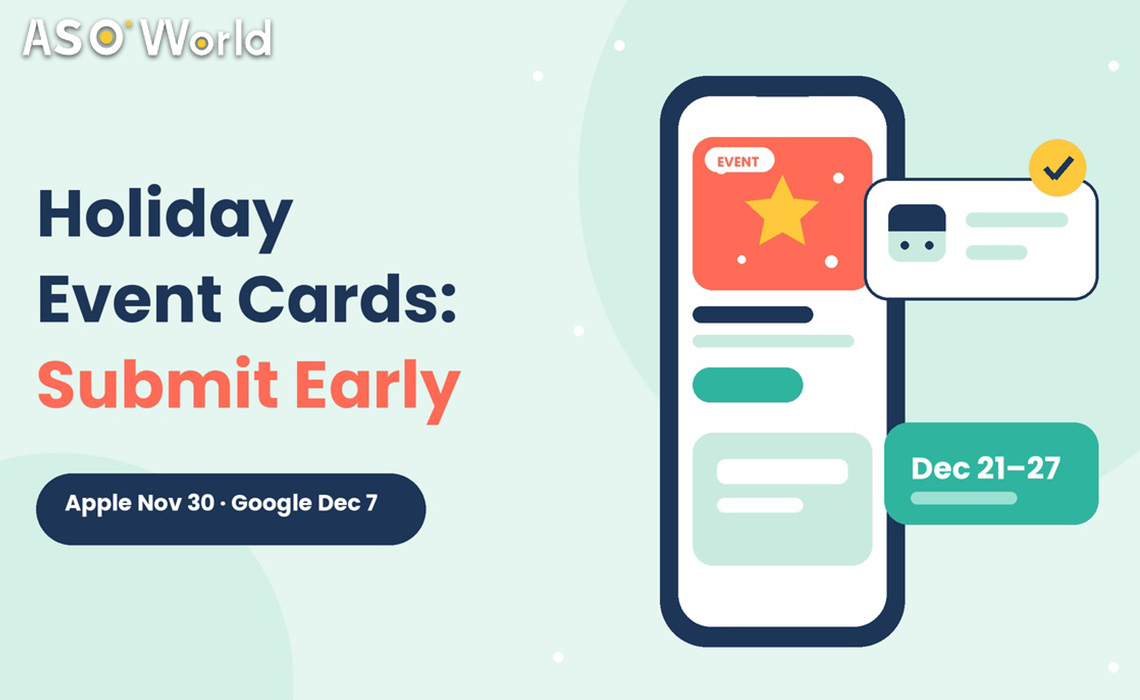
  • For a Christmas event that starts December 21, submit to Apple by about November 30 if you want the full 14-day promotion window, and to Google Play by December 7 if you want to request featuring.


Holiday traffic does not only come from search. Event cards on the App Store and promotional content on Google Play can put a time-limited reason to open your app in front of new users, active users and people who stopped using it. They work best when the dates are planned backwards from the holiday, which is where most teams run out of time.


What is the difference between In-App Events and promotional content?

Both put a card on the store that promotes something time-limited inside your app. The rules are different enough that you should plan them separately.


  App Store In-App Events Google Play promotional content
Who can use it Any app or game on iOS/iPadOS 15+ Games broadly; non-game apps that meet Google's activity thresholds
What it can promote Challenges, competitions, live events, major updates, new seasons, premieres, special events Offers, events, major updates, pre-registration news
Price-only sales Not accepted Accepted as "offers" if the value is clear
Maximum length 31 days 4 weeks
Early visibility Promoted up to 14 days before start Preview up to 14 days before start
Review Submitted separately from app versions Content quality review; submit at least 4 days ahead
Limits 15 approved, 10 published at a time One item at a time; no repeated or duplicate submissions
Where it shows Product page, search results, Today/Games/Apps tabs, personalized recommendations Store listing, home page, search and other Play surfaces
Audience setting All users, new users, active users, lapsed users New, existing, lapsed or churned users


On the App Store, an event card appears in search results next to your app for people who have already downloaded it, while people who have not see your screenshots. People can also search for events directly. On Google Play, an algorithm decides which promotional content each user sees, so not every user sees the same card.


Can your app use them this holiday season?

App Store: yes, if the app runs on iOS 15 or later and you have something genuinely new and time-limited to show. A holiday-themed challenge, a seasonal content drop or a live New Year's Eve event all qualify. A "30% off for Christmas" card without new content does not.


Google Play: check first. Promotional content is part of Google Play's premium growth tools. Games get broad access. Non-game apps need to meet Google's activity thresholds (measured in monthly active users and active installs, and different for some categories), and Google adds newly eligible apps once a month. If "Promotional content" appears under Grow users > Store presence in Play Console, you have it.


If you are not eligible on Google Play, put the holiday message where you control it: the first two screenshots, the short description and a country-specific custom store listing. Our guide to improving organic conversion and user experience covers which page elements move install rates most.


What are the holiday submission deadlines for 2026?

Work backwards from the day you want the card to become visible, not from the day the event starts.


Holiday event (example) Event runs App Store: card visible from App Store: submit by* Google Play: submit by Google Play: submit by, with featuring request**
Christmas week event Dec 21–27 Dec 7 Nov 30 Dec 17 Dec 7
New Year's Eve live event Dec 31 Dec 17 Dec 10 Dec 27 Dec 17
New Year challenge Jan 1–28 Dec 18 Dec 11 Dec 28 Dec 18
Lunar New Year content drop Early February 2027 14 days before start 21 days before start 4 days before start 14 days before start


Apple does not publish a fixed review time. We use a 7-day buffer before the publish date so there is time to fix a rejection without losing promotion days.


Google asks for at least four days before the start date. Third-party guides recommend about 14 days when you also request featuring.


Two practical notes. First, App Store Connect lets you change dates on an approved event only while they are still in the future, and once an event has started you can edit only its end date. Second, on Google Play the earliest you can submit is 60 days before the start date, so January events can be submitted now.


What gets an event rejected?

Most rejections come from a handful of rules.


On the App Store:

  • Price promotions without new content. Apple lists them as poor candidates, together with repetitive daily tasks and general awareness campaigns.
  • Specific prices in the metadata. Apple states that including prices will lead to rejection.
  • A badge that does not match the experience. If you choose "Major Update" for a small change, expect a rejection. Pick the badge users will recognise when they open the app.


On Google Play:

  • Evergreen or routine content submitted as promotional content.
  • Repeated or near-duplicate submissions, or more than one promotion at the same time.
  • Unclear offers. For offers, the tagline has to state the value clearly, and offers below about 10% are generally not accepted.
  • A promotion that is not live in the app during the dates you submitted.


Which App Store badge fits which holiday idea?


Holiday idea Badge Example name (max 30 characters)
Advent-style daily unlocks with a final reward Challenge "Winter Countdown Challenge"
Leaderboard over the holiday week Competition "Holiday Cup: Week 52"
New Year's Eve stream or live class Live Event "New Year's Eve Live Workout"
New holiday levels, filters or story chapter New Season "Season 4: Snowfall"
A first-time show, film or album drop Premiere "Holiday Special Premiere"
Several holiday activities together Special Event "Winter Festival 2026"


Keep the event name, short description (50 characters) and long description (120 characters) specific to what users will do. Vague names such as "Holiday Fun" are hard to find and easy to reject.


Do event cards help keyword rankings?

Treat them as a visibility and conversion tool, not a keyword tool. Apple says event cards appear in search results and that people can search for events directly, but it does not say that event text improves your app's ranking for other keywords. On Google Play, promotional content is a signal that you keep investing in your app, and Google reports that apps which request featuring can see more than twice as many Explore acquisitions during a featuring window. That is a discovery effect, not a search-ranking effect.


So run events alongside your holiday keyword plan, not instead of it. If you have not set your December keywords yet, How to Pick the Right Keywords covers volume and difficulty, and Missed Black Friday? A December keyword plan gives a Dec 1–24 schedule.


How should you time events against holiday install peaks?

The busiest install days are not always on the holiday itself. In Adjust's 2025 data, game installs rose 7% on Christmas Day, 13-15% on December 27-28 and 18% on New Year's Day. That has two consequences for events:

  1. Keep a card live from December 24 to January 3, even if your main event ends earlier. A "New Year" or "New Season" event can carry the second half.
  2. Point the audience setting at lapsed users in the last week of December. People reinstall and rediscover apps on new devices, so an event aimed at lapsed users catches returning players and subscribers.


For the full day-by-day data, see Christmas to New Year app installs: why Dec 27–28 and New Year's Day beat Christmas Day. Health and fitness apps should also read the New Year 2027 ASO plan for health and fitness apps, which builds a January challenge into a six-week schedule.


Holiday event submission checklist

  1. Confirm eligibility. iOS 15+ for Apple; "Promotional content" visible in Play Console for Google.
  2. Write down the in-app experience first. What will users do, from which date to which date, and where in the app?
  3. Pick the badge or content type that matches that experience.
  4. Draft metadata within limits: Apple name 30, short description 50, long description 120 characters; Google tagline up to 80 and description up to 500 characters. No prices in Apple metadata.
  5. Prepare media: 16:9 card art at 1920 × 1080 minimum and a 9:16 details image or video at 1080 × 1920 minimum for Apple; a 1920 × 1080 image for Google, plus optional short animation.
  6. Set a deep link to the exact screen of the event, and test it on a fresh install.
  7. Choose regions and dates per country, and the audience purpose.
  8. Submit with buffer: 7 days before the Apple publish date, 4 days (or 14 with a featuring request) before the Google start date.
  9. Ship the in-app content on time. Google requires the promotion to be live in the app during the submitted dates.
  10. Measure: on Apple, downloads by event, event impressions, details page views, app opens and notification opt-ins; on Google, the promotional content report. Compare with the same days last year.


If you want creative help with event art and seasonal screenshots, ASOWorld's ASO service includes icon, screenshot, promo graphic and preview video design, from $300 with 5-working-day delivery (checked November 24, 2026).


Frequently asked questions

How many In-App Events can I publish at once?

Up to 10 published on the App Store at a time, and up to 15 approved in App Store Connect. Older guides that say five are out of date.


Can I promote a Black Friday or Christmas sale as an In-App Event?

Not on its own. Apple does not accept price promotions that add no new content, features or goods. Pair the discount with a real seasonal experience, and keep the price out of the metadata.


How far ahead should I submit Google Play promotional content?

At least four days before the start date; about 14 days if you also request featuring. You can submit as early as 60 days ahead.


Does my app need a new version to run an In-App Event?

No. Events are submitted for review separately from app versions, although the in-app content itself must be live when the event starts.


What if my app is not eligible for Google Play promotional content?

Use screenshots, the short description and country-specific custom store listings for the holiday message, and focus your event effort on the App Store.


Do event cards replace keyword work?

No. They raise visibility and re-engagement during the event. Keyword rankings still depend on relevance, installs and conversion over time.


What else should you read for the holidays?

This guide is part of our Holiday ASO 2026 series. Two more pages worth reading before you submit:

  • Google Play Black Friday plan for 2026: deadlines, schedule and budget - how promotional content fits into an Android week-by-week plan.
  • Holiday ASO 2026 hub - every holiday guide in order, from planning to New Year. (link added on publish)


Where should you go from here?

  • No ASOWorld account yet? Run a free app diagnosis to see which of your keywords are already within reach before you plan December.
  • Planning December, not sure about visibility? Our boost app rankings and user acquisition solution shows how chart and keyword visibility combine with seasonal creatives.
  • Already running a holiday campaign? Line up your event card with the days your keyword campaign peaks, so new visitors from search land on a page with a live reason to install.

ASO Topic Mobile Growth,App Store Optimization,

SHARE THIS POST

In twitter faceBook

Get FREE Optimization Consultation

Let's Grow Your App & Get Massive Traffic!


All content, layout and frame code of all ASOWorld blog sections belong to the original content and technical team, all reproduction and references need to indicate the source and link in the obvious position, otherwise legal responsibility will be pursued.

Start Your Store Ranking Acquisition Capability Detection
Step by step to measure all of your app store optimization efforts with our ASO tools.
Table of contents

    Categories

    • App Marketing
    • App Promotion Strategy
    • App Promotion Case Study
    • Mobile Game & App Insights
    • App Store News
    • ASO Guides
    • ASO Basics for Beginners
    • App Store Rankings
    • User Acquisition
    • Mobile App Market Trends
    • Gaming Community
    • iOS 27 ASO Hub
    • ASOWorld News
    • Guideline Of ASO World Platform
    ASOWorld
    App Store Optimization service provider
    Follow ASOWorld:
    Boost your app via App Installs, Keyword Installs, App Reviews & Ratings & Guaranteed App Ranking.

    Comments

    You are not logged in yet. Please Login / Register first

    Related Blogs
    Apple Blocked Nearly 195 Million Fake Ratings & Reviews in 2025: What Healthy Review Growth Looks Like in 2026
    ASO Guides

    Apple Blocked Nearly 195 Million Fake Ratings & Reviews in 2025: What Healthy Review Growth Looks Like in 2026

    Yesterday
     Holiday ASO 2026: Every Black Friday-to-New Year Guide, in the Order You'll Need It
    ASO Guides

    Holiday ASO 2026: Every Black Friday-to-New Year Guide, in the Order You'll Need It

    Yesterday
    Promote now, and start your App adventure!
    Whether you are a big company or a small startup, we can help you to promote your app in Google Play, App Store, Galaxy Store and RuStore with a lower price.
    Promote now, and start your App adventure!
    • ASO
    • Email [email protected]
    • Contact Contact Us
    • twitter facebook linkedin instagram
    • SERVICE
    • Keyword Installs
    • Package (Direct) Installs
    • Ratings & Reviews
    • Guaranteed Reviews Service
    • Guaranteed Keyword Ranking Service
    • ASO Service
    • More Services
    • ASO Tools
    • Free ASO Tools
    • Keyword Research Tools
    • How to Pick Keywords
    • ASO Academy
    • Blog
    • Case Studies
    • Guides & Insights
    • FAQs
    • Glossary
    • Marketing News
    • COMPANY
    • Why ASO World
    • About Us
    • Contact Us
    • Reseller Program
    • How to Start
    • LLM & AI Info
    ASO World © 2020-2026 All Rights Reserved
    Privacy Policy Terms of Service

    We use cookies on our website to give you the most relevant experience by remembering your preferences and repeat visits. By clicking "Accept", you consent to the use of ALL the cookies.