TL;DR
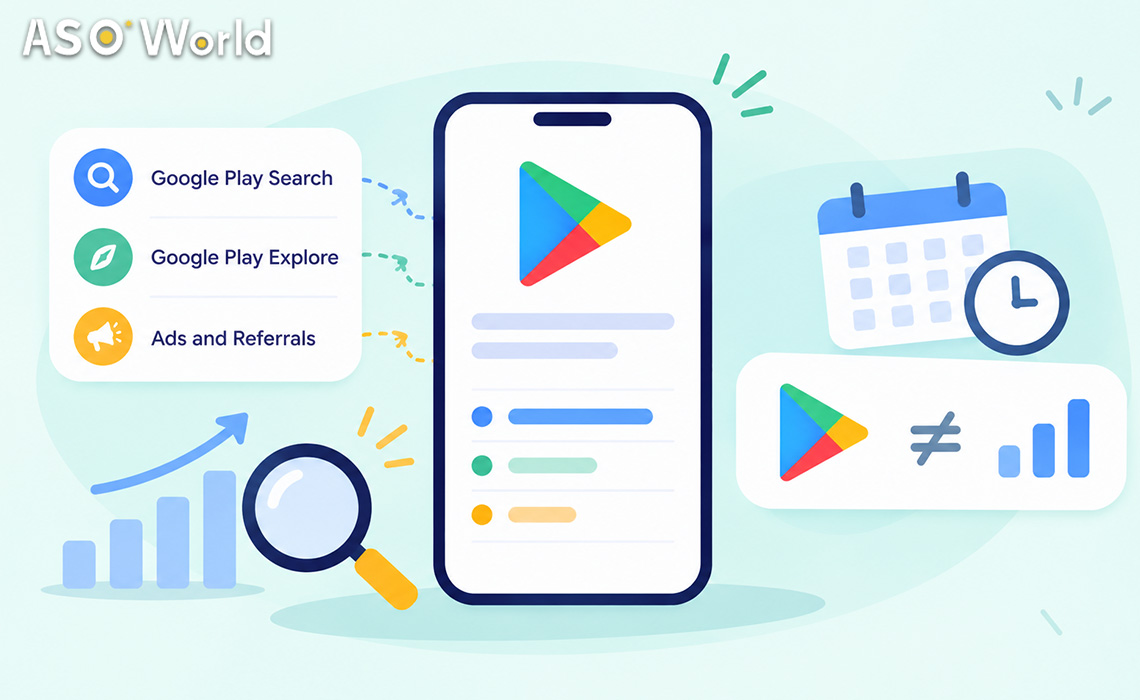
- Google Play Console splits store listing acquisitions into Google Play search, Google Play explore and ads and referrals (third-party referrals). Each has a narrower definition than most teams assume.
- Since February 20, 2023, "categorical" searches (generic, category-style queries) count as Explore, not Search. Installs that came from typing a generic keyword can legitimately appear as Explore.
- Since November 2022, paid traffic is no longer counted in Search or Explore. Google Ads and other campaign traffic sits under ads and referrals.
- Play Console reports use Pacific Time and count store listing acquisitions (new users who install from your listing). Your MMP or campaign dashboard counts differently, so totals rarely match one to one.
- Before you call a campaign "missing", run the five-step reconciliation below.
If you've ever run a keyword or CPI campaign and then opened Play Console to find that "Google Play search" barely moved while "Google Play explore" jumped, or that a chunk of installs sits somewhere you didn't expect, you're not alone. It's one of the most common questions we hear from developers this quarter. In most cases nothing is broken: the report is answering a different question than the one you're asking.
What do Google Play's traffic sources actually mean?
Play Console's acquisition reports group store listing visitors and acquisitions by how users reached your listing. The labels look self-explanatory, but each has specific rules:
| Traffic source |
What Google counts here |
What surprises people |
| Google Play search |
Users who found your app through search results on Google Play, including brand searches and search auto-complete |
Generic category-style searches no longer count here (since Feb 2023) |
| Google Play explore |
Users who found your app on Google Play but not from search results: browsing tabs, charts, categories, similar-app clusters, and categorical searches |
Can rise when a generic keyword campaign is working |
| Ads and referrals (third-party referrals) |
Users arriving from outside the store or via ads: Google Ads, untagged deep links, websites, social posts, other apps |
All paid traffic sits here since Nov 2022 |
| Tagged UTM sources |
Third-party referrals arriving through links with UTM parameters |
Only works if the link is tagged correctly |
Source: Play Console Help (Acquisition reports), Google announcements on traffic attribution changes, November 2022 and February 2023 | checked November 3, 2026
Two changes explain most of today's confusion. In November 2022, Google moved paid traffic out of Search and Explore and into ads and referrals, so historical comparisons across that date are apples to oranges. In February 2023, Google started attributing categorical searches to Explore. A user who types "budget tracker" behaves like a browser looking for a type of app, so Google now treats that visit as discovery rather than search.
What this means for your app: "Search" in Play Console is closer to intent-specific search (brand names and specific queries) than to "anything typed in the search box". If your campaign targets generic terms, look at Explore and at the search-term view, not just the Search line.
Why do keyword campaigns show up as Explore?
This is the question behind most "the campaign didn't work" tickets on Google Play. Here's the chain:
- You target a generic, high-volume keyword such as "photo editor" or "habit tracker".
- Google classifies many of those queries as categorical searches.
- Since February 2023, store listing acquisitions from categorical searches are reported under Google Play explore.
- Your Search line looks flat while Explore rises, even though the user typed a keyword.
Brand-like or highly specific queries ("[your app name]", "habit tracker with streaks widget") are more likely to stay under Search. Google doesn't publish the exact classification rules, so treat the split as directional rather than a precise keyword-by-keyword ledger.
There is a second effect. When an app climbs for a generic keyword, it often climbs in category charts and similar-app clusters too, and that browsing traffic is also Explore. A keyword campaign that's working tends to lift Explore from two directions.
What this means for your app: judge a generic-keyword campaign on search + explore together, plus keyword rank, not on the Search line alone. If you're choosing which terms to target, ASOWorld's guide on how to pick the right keywords explains how to balance generic terms against specific long-tail ones.
Why don't keyword installs show up as a big jump in total installs?
Keyword installs exist to move keyword ranking, not to inflate your install count. A campaign may deliver a modest daily volume spread across a few terms. In Play Console that volume is split across sources, filtered by Google's own counting rules and compared against your normal organic baseline, so it rarely looks like a spike.
The result you should look for comes later: a higher position for the target keyword, followed by more organic search and explore acquisitions from users who now see your app. That's why ASOWorld's keyword installs are measured by rank movement, and why they require your app to already appear in the top 250 results for each keyword.
What this means for your app: report keyword campaigns on rank first and organic acquisitions second. Total installs are a lagging and noisy proxy.
Why do CPI installs land in "ads and referrals" or look unattributed?
Cost-per-install (CPI) traffic usually reaches your listing from outside the store, through an ad, an offer wall or a partner app. Play Console therefore files it under ads and referrals. Within that bucket you'll only see a meaningful source name if the link that brought the user carried UTM parameters Play Console can read.
Common reasons CPI installs look "unattributed" or land somewhere unexpected:
- Untagged links. Google describes third-party referrers as users who arrived through untagged deep links. No tag, no source name.
- Different counting rules. Play Console counts store listing acquisitions: users who visited your listing and installed. Ad platforms and MMPs count clicks, installs and opens by their own windows and deduplication.
- Time zones. Acquisition data in Play Console is reported in Pacific Time. A campaign dashboard in UTC or your local time will shift installs across days.
- Reinstalls and multiple devices. Users who already had the app on another device may not count as new acquisitions in the same way.
- Delivery that reaches the listing through store browsing. Some campaign flows send users into the store where they then search or browse; those users can be counted under Search or Explore instead of referrals.
What this means for your app: don't expect Play Console and your campaign dashboard to agree exactly. Agree on one source of truth per question: Play Console for store listing behavior, your MMP or campaign dashboard for paid performance. If you run CPI through ASOWorld's app promotion services, compare delivery reports against Play Console trends over a week, not single days.
How does this compare with the App Store?
App Store Connect's App Analytics uses its own source types, including App Store Search, App Store Browse, App Referrer and Web Referrer, and it only reports on users who agreed to share analytics data with developers. The logic is similar (search vs browse vs external), but the definitions and opt-in rules differ, so cross-store comparisons need the same caution.
| Question |
Google Play Console |
App Store Connect |
| Typed a generic query |
Often Explore (categorical search) |
App Store Search |
| Browsed charts / Today / tabs |
Explore |
App Store Browse |
| Came from an ad |
Ads and referrals |
Depends on the ad type (Apple Ads in search results vs external ads) |
| Came from a website or other app |
Ads and referrals (UTM if tagged) |
Web Referrer / App Referrer |
| Who is counted |
Store listing acquisitions |
Users who opted in to share analytics |
Source: Play Console Help; Apple App Store Connect help (App Analytics source types) | checked November 3, 2026
What this means for your app: if your iOS keyword campaign shows up cleanly under App Store Search but the same strategy on Google Play shows up under Explore, that's a reporting difference, not a performance difference.
Five-step reconciliation: before you call a campaign "missing"
- Align the time zone. Re-cut your campaign data to Pacific Time, or compare weekly totals instead of daily ones.
- Combine search and explore. For generic-keyword campaigns, track Search + Explore together, plus the target keyword's rank.
- Check the search-term view. In Play Console, the search-term dimension is only available when the traffic source is filtered to Google Play search. Use it to see which specific queries still land under Search.
- Tag every external link. Make sure every campaign, social and website link to your listing carries UTM parameters, so referrals show a source rather than "untagged".
- Compare against your baseline. Look at the change versus your previous four weeks, by country. A campaign in Brazil won't move a chart filtered to the US.
If the numbers still don't make sense after these five steps, the problem is usually not attribution but performance: a keyword that's too competitive, a listing that doesn't convert, or the wrong country. A structured badly ranked or not ranked diagnostic helps separate those causes before you spend again.
Common misconceptions
- "Explore means organic browsing only." Since February 2023 it also includes categorical searches.
- "Search includes ads in search results." Not since November 2022; paid traffic is under ads and referrals.
- "Play Console should match my ad dashboard." Different counting rules, time zones and deduplication make exact matches rare.
- "If total installs didn't jump, keyword installs failed." Keyword campaigns are judged on rank and follow-on organic acquisitions.
- "Unattributed means fake." Usually it means untagged or counted under a different rule.
FAQ
What is Google Play Explore traffic?
Google defines it as users who found your app on Google Play but not from search results, such as browsing tabs, charts, categories or similar-app lists. Since February 20, 2023, it also includes categorical (generic) searches.
Why did my Google Play search traffic drop while explore went up?
Most often because your traffic comes from generic, category-style queries, which Google has counted as Explore since February 2023. Check whether total search + explore acquisitions changed before assuming a decline.
Where do Google Ads installs appear in Play Console?
Since November 2022, paid traffic is reported under ads and referrals (third-party referrals), not under Google Play search or explore.
Why don't Play Console installs match my CPI dashboard?
Play Console counts store listing acquisitions in Pacific Time, while ad platforms and MMPs use their own windows, time zones and deduplication. Compare weekly trends, not single days.
How do I see which keywords drive installs on Google Play?
Open the acquisition reports, filter the traffic source to Google Play search and use the search-term dimension. Categorical searches won't appear there because they're counted as Explore.
Do keyword installs count toward my install total?
They are counted by Google under its normal rules, but their purpose is rank movement, so the effect usually shows up as higher keyword positions and more organic acquisitions rather than a visible spike in total installs.
Definitions reflect Google Play Console and App Store Connect documentation as of November 3, 2026. Console labels can change; check Google's help center for the latest wording.
 COVID-19 UPDATE