TL;DR
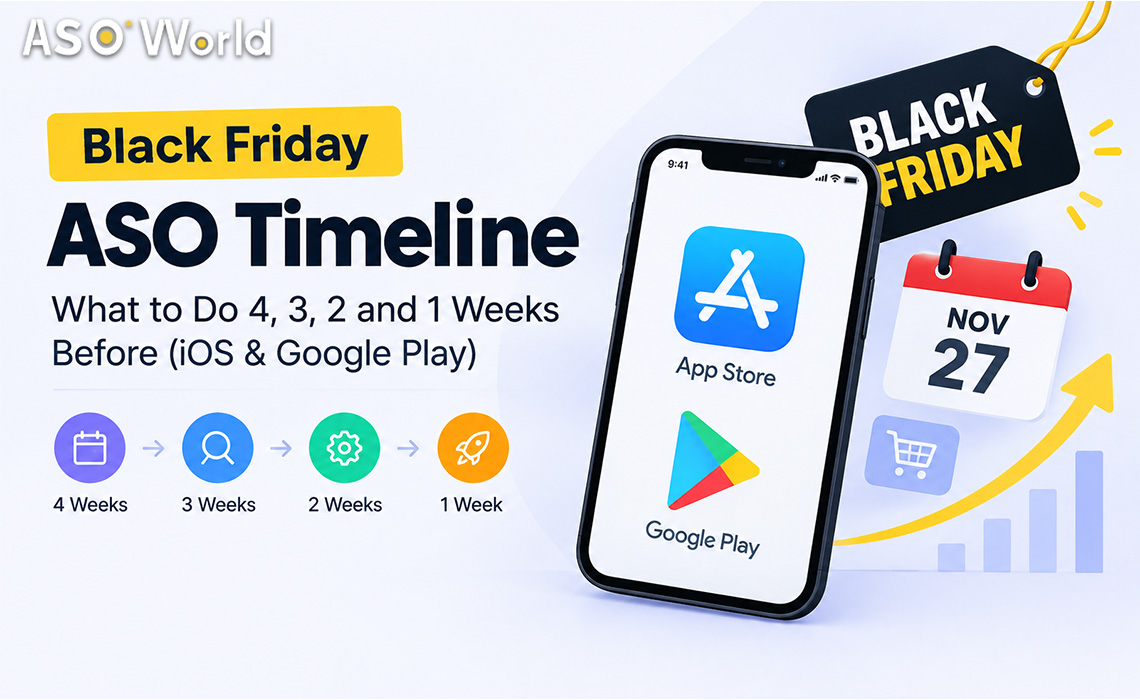
- Black Friday 2026 falls on Friday, November 27, with Cyber Monday on November 30. Counting back, the planning window opens in the last days of October.
- Google Play rankings usually need about 7–9 days of steady signals to settle, while the App Store reacts within days but fades quickly once activity stops. Start Google Play earlier; keep iOS continuous.
- Ratings and reviews lag: Apple may take around three days to show new ratings, and Google Play filters a share of reviews. Build social proof in weeks 3–2, not in the final week.
- Use the final week to hold positions, not to start new campaigns.
- Plan beyond Cyber Monday: the Christmas new-device window starts right after and rewards apps that are still ranked.
Most Black Friday ASO advice focuses on what to change — seasonal keywords, festive icons, promotional text. Far less of it tells you when. Yet timing is where most holiday budgets are won or lost: an iOS campaign that starts too early burns budget before demand peaks, while a Google Play campaign that starts too late never stabilises in time. This guide lays out a week-by-week plan for both stores.
When should you start Black Friday ASO?
Start the research phase four weeks out (late October) and the execution phase two to three weeks out. The exact moment depends on the store and the asset:
| Asset or action |
Google Play lead time |
App Store lead time |
Why |
| Keyword research and metadata changes |
4 weeks |
4 weeks |
Indexing and review cycles take time; you want data before you commit budget |
| Seasonal screenshots and promotional text |
2–3 weeks |
2–3 weeks (promotional text can change without review) |
Gives store listing experiments time to produce a winner |
| Keyword ranking campaigns |
Start ~3 weeks out |
Start ~10–14 days out, run continuously |
GP needs 7–9 days to settle; iOS responds fast but fades when activity stops |
| Ratings and reviews |
Complete by 2 weeks out |
Complete by 10 days out |
Display delays and filtering mean late reviews may not be visible in time |
| Top-chart pushes |
1–3 days before the peak |
1–3 days before the peak |
Chart positions depend on very recent download velocity |
The pattern is simple: the slower and less predictable a signal is, the earlier it needs to start.
Week 4 (October 28 – November 3): research and prepare
This week has no visible results, and it decides everything that follows.
- Audit last year. Which keywords, countries and creatives drove Q4 installs? Which ones fell away in December?
- Build a seasonal keyword list in three layers: evergreen core terms you already rank for, seasonal modifiers ("deals", "sale", "gift", "holiday"), and competitor-adjacent terms your audience searches during the season.
- Filter for relevance before volume. A high-traffic "black friday" keyword is useless if your app is a habit tracker. Score each term on traffic, difficulty and relevance; ASO World's guide on how to pick the right keywords walks through that five-step filter in detail.
- Check eligibility. Keyword ranking campaigns generally require your app to already appear in the first 250 results for the term in the target country. Terms where you do not appear yet need metadata work first.
- Pick your countries. The US is the obvious battleground, but do not assume it is out of reach — check current competition with data rather than reputation. Smaller storefronts with less-crowded results often deliver faster, cheaper first-page positions.
Week 3 (November 4 – 10): ship metadata and start Google Play
Now the work becomes visible.
- Ship metadata updates on both stores. On iOS, decide which seasonal terms go into the title, subtitle and keyword field; on Google Play, weave them naturally into the short and full description without stuffing.
- Launch seasonal creative tests. Use Google Play store listing experiments and Apple product page optimisation to test a seasonal screenshot set against your evergreen one.
- Start Google Play keyword campaigns at a moderate daily pace. Because Google Play rankings typically need about a week to stabilise, starting now leaves a buffer for adjustments. Keep daily volumes in proportion to your organic baseline — an app that normally gets a few dozen installs a day should not suddenly show thousands.
- Begin ratings and reviews. Prioritise the official in-app review prompts, triggered after a positive moment (a completed order, a level win, a saved result). Any review campaign should be paced over days, not dropped in a batch.
Week 2 (November 11 – 17): start iOS and scale what is working
By the middle of week 2 you have enough data to make decisions.
- Read your Google Play rankings. Keywords that moved into the top 10–20 and are stable deserve more budget; keywords still outside the top 50 after a full week probably need a different term or a stronger listing.
- Start iOS keyword campaigns on your strongest terms and plan to run them continuously through Cyber Monday. App Store rankings respond within days, but they also fade quickly when daily activity stops — gaps cost more on iOS than on Google Play.
- Finish your ratings push on both stores. Apple may take about three days to show new ratings, and Google Play currently filters a meaningful share of reviews, so anything added after this week may not be visible during the peak.
- Lock your budget. Developers who decide budgets in the final week usually spend more for less. If you are using keyword installs to lift specific search terms, confirm daily volumes and end dates now, with prices starting from $0.20 per install on Android and $0.30 on iOS (check the page for current rates).
Week 1 (November 18 – 27): hold positions and push charts
The final week is for defending ground, not taking new ground.
- Do not start new keyword campaigns. There is not enough time for Google Play to stabilise, and new iOS campaigns compete with every other seasonal advertiser.
- Hold your rankings with a maintenance pace. Lower daily volumes on keywords that have reached the top positions, but do not stop — a sudden drop to zero is a common reason rankings slide right before the peak.
- Time top-chart pushes for the last 1–3 days. Category and top charts reflect very recent download velocity. Direct install campaigns are designed for that kind of short window; package (direct) installs start from $0.15 per install on Android and $0.30 on iOS, but they should support, not replace, your keyword plan.
- Monitor daily. Check rankings, conversion rate and new reviews every morning; pause anything that looks abnormal relative to your organic baseline.
Cyber Monday and after: don't switch off on November 30
Two things happen right after Cyber Monday. Competitors who front-loaded their budget go quiet, and the Christmas new-device season begins, when millions of people set up phones and tablets and browse the stores. Apps that remain ranked through December inherit that traffic cheaply.
- Keep a maintenance pace on your best keywords through the first two weeks of December.
- Swap Black Friday creatives for gift and new-device messaging.
- Review results within a week while the data is fresh, and document which keywords and countries to repeat next year.
How should you split a Black Friday ASO budget?
The right split depends on your budget and on how your app is positioned today:
| Situation |
Metadata and creative |
Keyword ranking |
Ratings and reviews |
Chart pushes |
| Small budget, app ranks 50–250 for key terms |
30% |
50% on 2–3 low-competition terms |
20% |
0% |
| Mid budget, app ranks 10–50 |
20% |
50% |
15% |
15% |
| Large budget, app already ranks top 10 |
15% |
35% (maintenance) |
15% |
35% |
| New app with no ratings |
30% |
30% |
40% (in-app prompts first) |
0% |
Treat these as starting points, not rules. If your Google Play rankings have been unstable recently, shift part of the keyword budget to iOS, where many developers currently report more predictable results, and to formats that build rankings gradually. If you want a single plan that combines installs, reviews and ASO across both stores, the app promotion service overview lists the campaign types available, and first orders currently get 50% off.
Which app categories need a different Black Friday timeline?
| Category |
Peak demand window |
Timeline adjustment |
| Shopping and e-commerce |
Mid-November to Cyber Monday |
Start everything one week earlier; promotional text changes on launch day |
| Games |
Black Friday weekend and the Christmas holiday |
Split budget across two peaks; keep chart pushes for the holiday break |
| Finance (budgeting, payments, loans) |
Late November to January bills season |
Compliance first: confirm disclosures and policy requirements before any campaign; avoid aggressive volumes |
| Utilities and VPN |
Steady, with deal-driven spikes |
Focus on conversion; red-ocean terms need longer runways |
| AI tools |
Driven by launches and trends rather than one day |
Use the season as a reason to launch features; target long-tail AI terms |
| Health and fitness |
January resolution season |
Use November to build ratings; save the big keyword push for late December |
Common Black Friday ASO mistakes
- Starting everything in the same week. Different signals need different lead times.
- Changing metadata in the final week. Indexing and review delays mean late changes can land after the peak.
- Stopping campaigns on Black Friday. Rankings often slide just as Cyber Monday traffic arrives.
- Buying volume far above your organic baseline. Sudden spikes look unnatural and invite scrutiny.
- Leaving reviews until last. Display delays and filtering make late reviews invisible when they matter most.
- Ignoring December. The new-device season is often cheaper and longer than the Black Friday spike itself.
FAQ
When is Black Friday 2026?
Black Friday 2026 is on Friday, November 27, the day after US Thanksgiving. Cyber Monday is November 30.
How long does it take to rank for a keyword before Black Friday?
On Google Play, plan for about 7–9 days of steady activity before rankings settle. On the App Store, rankings often move within a few days but need continuous activity to hold.
Should I add "Black Friday" to my app title?
Only if your app genuinely offers Black Friday deals. For most apps, seasonal terms fit better in promotional text, descriptions and screenshots than in the title.
Is it too late to start ASO for Black Friday in November?
Not if you start in the first half of November. Prioritise iOS keyword campaigns, ratings and creative updates, and use Google Play for terms where you already rank in the top 50.
Should I focus on iOS or Google Play this season?
Run both if your audience is on both, but adjust the timing: start Google Play earlier, keep iOS continuous. If Google Play has been volatile for your app, weight more budget toward iOS.
What should I do after Cyber Monday?
Keep a maintenance pace on your best keywords, switch creatives to gift and new-device messaging, and review your results within a week.
 COVID-19 UPDATE