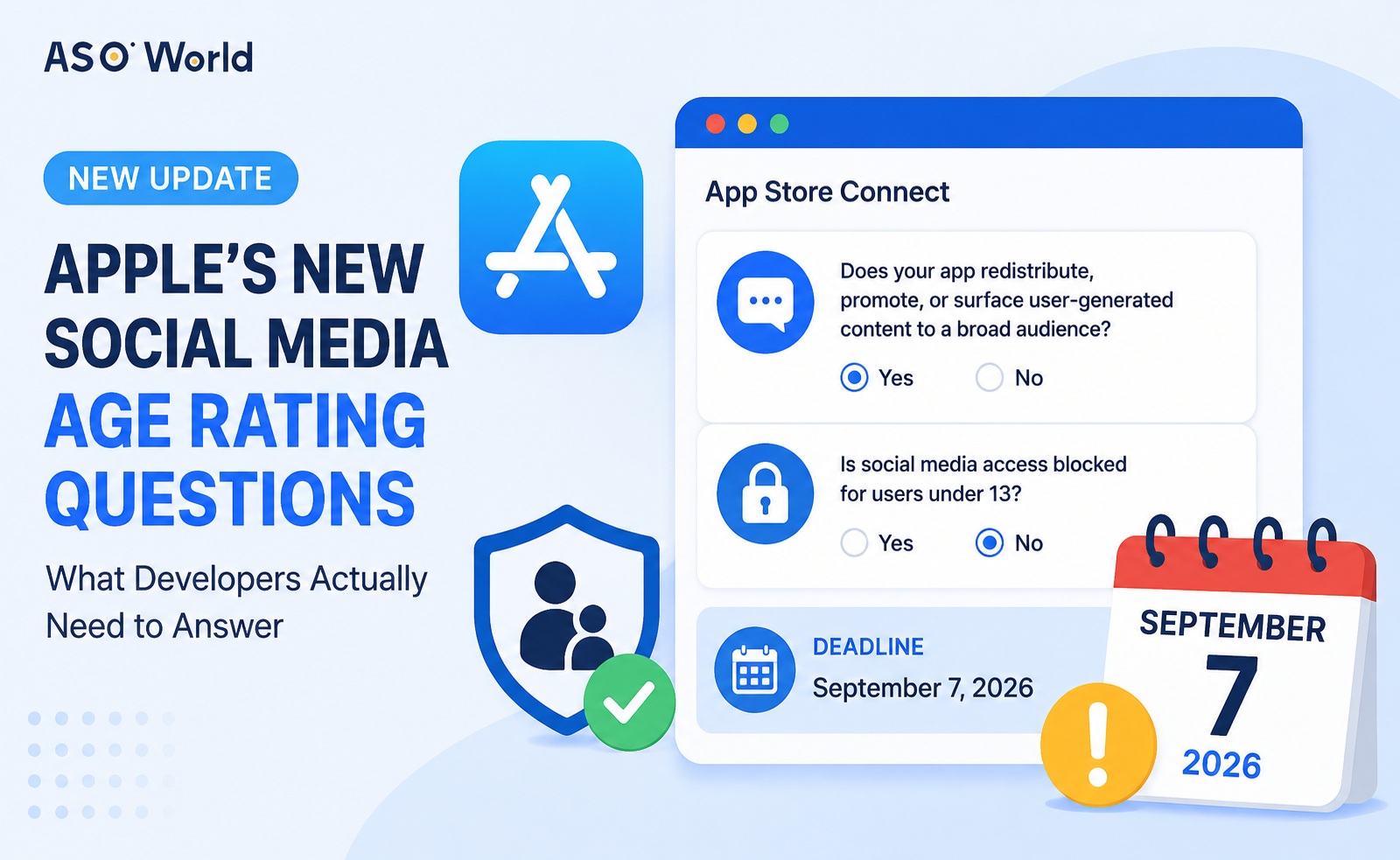
If you've logged into App Store Connect recently, you may have noticed a new prompt: Apple wants you to update your age rating answers related to social media, and the deadline is September 7, 2026. Head to App Information → Age Rating and you'll find two new questions waiting for you.
At first glance, these questions look like they're simply asking, "Is your app a social app?" But that's not really what Apple is trying to figure out. What they're actually assessing is your app's specific functionality and the age-protection mechanisms behind it. Based on Apple's official documentation, here's what this change is really about and how to answer it correctly.
What "Social Media" Actually Means Here
The first question asks whether your app redistributes, promotes, or surfaces user-generated content (UGC) to a broad audience through feeds, communities, search, recommendations, or similar discovery mechanisms — and whether large numbers of users interact with that content.
It is not asking whether you picked "Social Networking" as your App Store category. It's also not asking whether you've integrated a share button, a login SDK, or a connection to a third-party platform.
The second question — whether social media access is blocked for users under 13 — should only be answered "Yes" if your app genuinely disables social media features for users under 13, and does so only after querying the user's age range through the Declared Age Range API before those features are ever unlocked.
💡 Expert Tips: If your app doesn't have a public feed or discovery mechanism for distributing UGC, both answers are typically "No." If your app does have social media functionality but users under 13 can still access it, the answer is "Yes" to the first question and "No" to the second.
Before you finalize your answers, it's worth checking where your app actually stands — because once you submit, Apple will review your app again, and these two answers will change how your app appears in Screen Time and on your product page. That review window is also a risk window for your store visibility. So before you hit submit, capture where your rankings are today. [Run a free check on your current keyword coverage and ranking with ASOWorld's free ASO tool] — once the update goes live, you'll be able to tell whether it helped or hurt.
Why Apple Is Making This Change
1. Giving Parental Controls and Screen Time Limits a Reliable Signal
In its official documentation from June 2026, Apple introduced Screen Time category limits for iOS 27, iPadOS 27, macOS 27, and later. Parents can now set time budgets by category — entertainment, games, social media, and so on.
Crucially, "social media" here isn't the App Store browsing category. Even if your app is filed under Education, Utilities, or Lifestyle in the App Store, it can still be classified under the Screen Time social media category if it offers social media functionality. That's exactly why Apple needs developers to declare this feature explicitly, rather than inferring it from the App Store category.
Apple's documentation also clarifies: if a developer declares that an app includes social media functionality, that app is placed in the Screen Time social media category and treated with a minimum age threshold of 13+. If the social media functionality is disabled for users under 13, those users are excluded from that category.
It's worth being precise here: this "13+ minimum" refers to the threshold used inside the Screen Time social media category — it does not automatically mean your App Store product page will display a 13+ rating. The overall App Store age rating is still calculated from the full age rating questionnaire and regional rules, and it can vary by OS version.
In other words, these two questions aren't about slapping a "social" label on your app. They exist so the system knows how to classify your app's usage pattern when parents set time limits.
2. Helping Users and Guardians Assess Content Risk More Easily
Apple's own documentation on setting app age ratings states that age ratings exist to help users understand an app's content and potentially objectionable elements, and to work alongside parental controls to create a safer environment for children online.
Social media carries a different kind of risk than static content. Content is continuously generated by users, spreads quickly, and can reach large audiences through recommendations, search, resharing, and comments. You can't judge this kind of viral, discovery-driven exposure just by looking at an app's name or its assigned category — which is exactly why Apple made "social media functionality" its own standalone question.
3. Supporting Age-Appropriate Experiences, Not Just a Single Age Number
The age rating questionnaire collects data on content types and their frequency, and the system then calculates a global rating plus applicable regional ratings based on each country's standards. With these new questions added, product pages can now also display more detailed social media content descriptors.
The second question further distinguishes between two very different products:
- Apps where social media is open to all age groups.
- Apps where social media exists, but users under 13 are locked out and would only ever see age-appropriate UGC if they somehow gained access.
The latter doesn't automatically get bumped up to an overall 13+ rating, because Apple still factors in the rest of the questionnaire when calculating the final age rating. This is a functionality-and-age-based refinement, not a blanket rule that lumps every social app into the same bucket.
4. Creating Verifiable Data for Distribution, Review, and Regional Compliance
Age rating is a required field in App Store Connect, and Apple uses it to generate global and regional ratings. In its July 9, 2026 announcement, Apple confirmed that the questionnaire now includes social media questions, and starting in September, these questions must be answered whenever you submit a new app, update an existing one, or apply for notarization to distribute through alternative app marketplaces.
So this update is both a product capability requirement and a distribution metadata compliance requirement. Your answers should reflect what your current, shipping version actually does — not your product roadmap, your marketing copy, or a line buried in your EULA saying "users must be 13 or older."
How to Answer Each Question
Question 1: Social Media
Apple's core definition centers on redistributing, promoting, or enabling interaction with user-generated content through social feeds or similar discovery mechanisms, spreading that content to a large number of users.
Answer "Yes" if your app has any of these characteristics:
- Users can post photos, videos, text, or audio, and that content is shown to a broad user base.
- There's a public or semi-public feed, community, topic page, recommendation feed, or discovery/search page.
- Users can reshare, like, comment on, respond to, or promote other users' content.
- Recommendation algorithms, trending lists, or "following" feeds distribute UGC beyond the original poster's own audience.
Answer "No" if your app fits one of these cases instead:
- Your app only contains static content provided by the developer, with no user-generated content at all.
- Communication is strictly one-on-one or limited to small, clearly bounded business interactions, with no broad-reaching feed or discovery mechanism.
- You only integrate third-party login, native system share sheets, or posting to external social platforms, without offering your own in-app social feed, community, or UGC discovery feature.
That last case is a product judgment call, not an automatic exemption. If your app also has its own public feed or UGC recommendation system, you should still answer "Yes" based on that in-app functionality, even if you've also integrated third-party sharing.
Question 2: Blocking Social Media Access for Users Under 13
Answer "Yes" only if all of the following are true:
- Your app genuinely has social media functionality.
- Before that functionality is unlocked, you query the user's age range using the Declared Age Range API.
- Users whose declared age range falls under 13 cannot access the social media functionality.
- Those users are shown only age-appropriate UGC, if any.
The word "blocked" here refers to actual product behavior, not a policy statement. If your privacy policy, EULA, or signup checkbox says "users under 13 are not permitted," but those users can still browse public feeds, search UGC, post comments, or reach social features through a deep link, you cannot answer "Yes."
From an engineering standpoint, it's worth specifically checking: whether age verification happens before the feature entry point (not after); whether your backend APIs enforce the same restriction, not just the client UI; whether existing logged-in accounts or deep links can bypass the restriction; what happens when age is unknown or the API is unavailable; and whether related sub-features — recommendations, comments, resharing, search — all consistently enforce the same rule.
Getting your age rating answers right keeps you compliant — but compliance alone won't move your ranking. Keep one thing in mind: your submission triggers a re-review, and reviews take days — a window where rankings typically drift. ASOWorld's keyword installs let you configure daily volume by keyword and schedule it around your review timeline; iOS rankings typically update in about 3 days, so a staged ranking push keeps your visibility stable through the transition.
Common Mistakes to Avoid
Confusing "social media" with the App Store category. This question is about functionality, not the primary or secondary category you selected in App Store Connect.
Assuming "has chat" automatically means "has social media." Apple lists "Messaging and Chat" as a separate functional category. Whether something counts as social media depends on whether there's large-scale UGC distribution and discovery, not simply whether messaging exists.
Treating an EULA age restriction as a technical restriction. The second question requires verifiable functional isolation. Writing a rule down without actually blocking the feature does not count as "blocking."
Only restricting client-side screens. If your search, recommendation, comment, or resharing APIs can still be called directly, the restriction isn't actually effective. Age restrictions need to cover the client, the backend, and deep-link entry points alike.
Ignoring the "age unknown" scenario. When the API can't return a usable age range, your product needs a clear, conservative fallback. "We couldn't determine the age" should never default to opening up all social features.
Wrapping Up
At their core, Apple's two new questions are collecting a specific set of product facts — facts that the system, parental controls, and the App Store product page can all draw on: does your app have large-scale UGC social distribution capability, and is that capability disabled for users under 13?
Two principles will get you through this correctly: answer based on functionality, not category, and answer based on real technical behavior, not marketing copy or legal boilerplate.
Do a full inventory of your app's actual functionality first, then verify your age-protection logic end to end, and only then submit answers that match your current shipping version. That's the only way to satisfy both rating accuracy and Apple's review process.
 COVID-19 UPDATE