noticeCOVID-19 UPDATE ASO World entire team is working remotely. we expect no disruptions in our ASO services.
Browser close
50% OFF FIRST ORDER
Referral Program
bonusprogram
50% OFF FIRST ORDER
Referral Program
bonusprogram
logo
  • App Promotion
    Keyword Installs
    Package (Direct) Installs
    Ratings & Reviews
    Guaranteed Reviews Service
    Guaranteed Keyword Ranking Service
    ASO Service
    Customized Solution
    More Services
  • ASO Tools
    Free ASO Tools
    Keyword Research Tools
    How to Pick Keywords
    promote
    Restore App Credibility with Review Optimization
    Low ratings cost you users every day. Restore your app's credibility and convert more downloads with expert review optimization strategies.
  • Solutions
    By vertical
    Sports
    HOT
    AI
    Health & Fitness
    Ecommerce
    Fintech
    HOT
    Gaming
    Education
    Dating
    HOT
    Entertainment
    Travel
    Social Media
    Restaurant & Foodtech
    Productivity
    Lifestyle
    Music
    Utility
    Photo & Video
    Casino
    Business
    News
    NEW
    By Performance
    Seasonal & Event Marketing
    NEW
    FIFA World Cup 2026 App Growth
    HOT
    App Reputation & Negative Reviews Management
    Boost App Rankings & User Acquisition
    Improve Organic Conversions & User Experience
    Mobile App Launch Marketing
    Increase Keyword Rankings & Organic Downloads
    solution-suffix
    Customer Stories
    Explore inspiring Customer Stories to see how businesses like yours have successfully leveraged ASO World to create powerful mobile apps.
    how-to-pick-keywords
    How to Pick the Right Keywords for App Store & Google Play
    A research-to-ranking framework for finding, grouping and validating the keywords that turn store search into real installs — then a safe execution plan for getting them ranked.
  • ASO Academy
    Blog
    Case Studies
    Guides & Insights
    FAQs
    Glossary
    promote
    Restore App Credibility with Review Optimization
    Low ratings cost you users every day. Restore your app's credibility and convert more downloads with expert review optimization strategies.
    promote
    How to Write App Descriptions for AI Search and App Store Optimization?
    Learn how to write AI-ready app descriptions that improve App Store Optimization, support AI search discovery, and increase app visibility and conversions.
  • Pricing
Login Register
logo
  • App Promotion
    Keyword Installs
    Package (Direct) Installs
    Ratings & Reviews
    Guaranteed Reviews Service
    Guaranteed Keyword Ranking Service
    ASO Service
    Customized Solution
    More Services
  • ASO Tools
  • Solutions
    By vertical
    Sports
    AI
    Health & Fitness
    Ecommerce
    Fintech
    Gaming
    Education
    Dating
    Entertainment
    Travel
    Social Media
    Restaurant & Foodtech
    Productivity
    Lifestyle
    Music
    Utility
    Photo & Video
    Casino
    Business
    News
    By Performance
    Seasonal & Event Marketing
    FIFA World Cup 2026 App Growth
    App Reputation & Negative Reviews Management
    Boost App Rankings & User Acquisition
    Improve Organic Conversions & User Experience
    Mobile App Launch Marketing
    Increase Keyword Rankings & Organic Downloads
  • ASO Academy
    Blog
    Case Studies
    Guides & Insights
    FAQs
    Glossary
  • Pricing
Important Notice
Important Notice:Beware of scams using ASOWorld's name for part-time recruitment or ASO earning app activities. ASOWorld is not hiring any part-time staff. Trust only official information posted by ASOWorld.
Close the Important Notice

Apple's New App Store Creative Assets: What It Means for Your ASO Strategy

Apple's new App Store Creative Assets roll out with iOS 27 this fall. Learn the rules, placements, and how to prep your ASO strategy before launch.

Posted: Today
Updated: Today

Home Blog App Store News Apple's New App Store Creative Assets: What It Means for Your ASO Strategy

In twitter faceBook rss


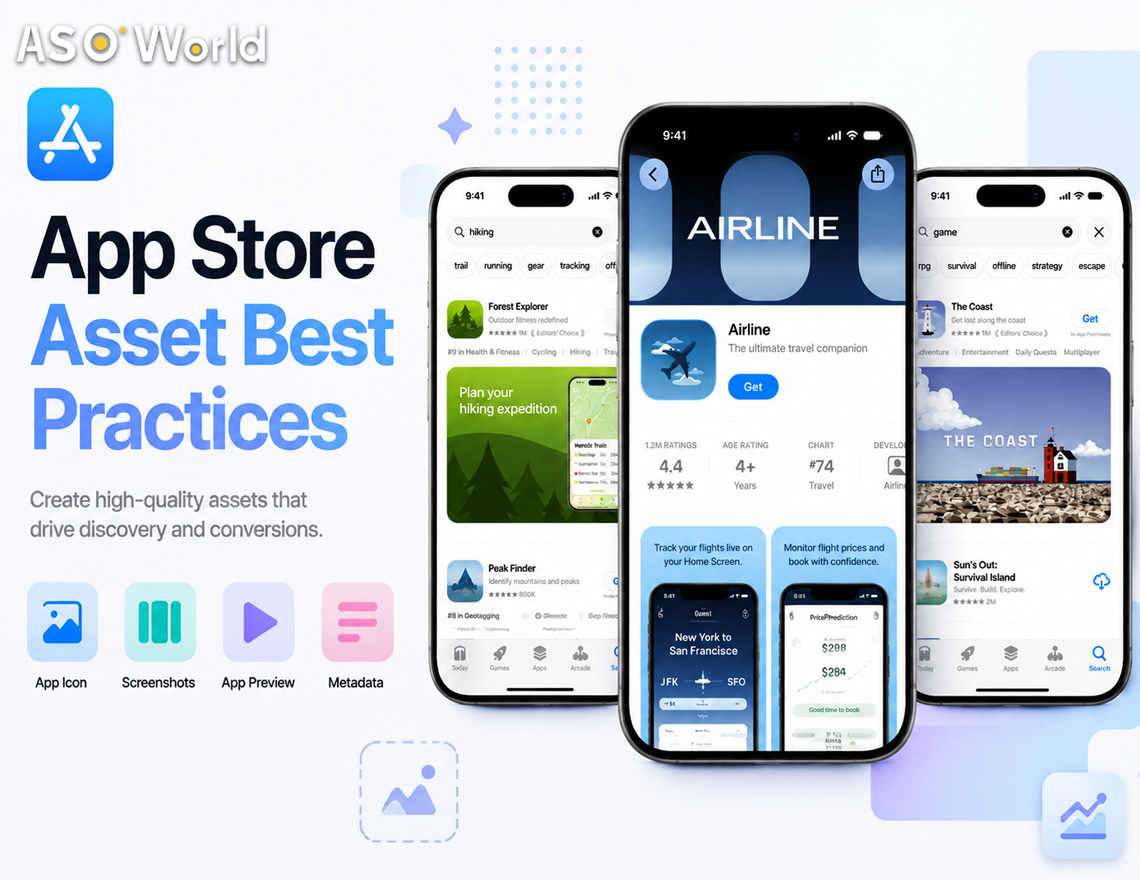
Apple just confirmed the rollout details for a marketing surface it teased back in June: Creative Assets, a new type of App Store visual that sits alongside — not instead of — your existing screenshots and app preview videos. Starting with iOS 27 and iPadOS 27 this fall, these assets will appear in three places: your product page header, search results, and In-App Events.


If you've been treating your App Store presence purely as "show the UI, show the features," this update changes the equation. Here's what's actually new, and what to do about it before the fall launch window closes.


What's Different From Screenshots


Screenshots and app previews exist to answer one question: what does this app actually do? Creative assets answer a different one: what is this app, and why should I care right now?


That distinction matters for how you brief your design team:

  • Screenshots/previews → in-use visuals, UI walkthroughs, gameplay footage
  • Creative assets → brand storytelling, seasonal campaigns, new content drops, tone-setting imagery


Apple is explicit that creative assets can — and should — reuse a single design across the header and search result placements to reinforce brand recognition, rather than treating each slot as a separate creative brief.


Where They Show Up


Placement What it replaces or adds to Strategic role
Product page header First thing visitors see on your page Sets the tone for a first-time visitor — brand/campaign framing
Search results Appears before someone even reaches your page Needs to state your app's purpose "at a glance" for people actively searching
In-App Events Event cards and detail pages (16:9 and 9:16) Drives urgency around limited-time content, launches, seasonal pushes


Skip the search result asset and Apple falls back to showing your In-App Events, previews, or screenshots instead — so this isn't a mandatory field, but an opt-in opportunity most competitors will be slow to fill.


The Rules You Can't Miss


Apple's guidelines double as a rejection checklist. Before you brief creative:

  • No pricing, discounts, URLs, or copyright symbols
  • No unverifiable claims (awards you haven't actually won)
  • No other-platform logos or references
  • No Apple-designated badges baked into your art (Editor's Choice, App of the Day, etc.) — these render automatically, so including them yourself is redundant and against policy
  • Must clear a 4+ age rating regardless of your app's actual rating
  • Design for a global, all-ages audience — localize where relevant


Apple has also released free Figma, Photoshop, and Pixelmator templates for both the header and search result formats, which meaningfully lowers the production lift.


What to Do Before Fall


Now — audit, don't design yet. Pull your current product page and screenshots and check them against the new restrictions above. Anything with pricing, URLs, or self-applied badges needs to come out regardless of the new asset rollout — this is also a good moment to catch metadata that's been quietly non-compliant.


August–October — build one asset system, not three. Use the official templates to design a single visual system that scales across the header (product page) and search result placements. Treat it as a brand refresh moment: consistent color palette, iconography, and message across both slots, rather than three unrelated pieces of creative.


At launch — test, don't guess. Once creative assets go live, run them through Product Page Optimization to A/B test variants against your current header. Early-window traffic on a new placement type tends to be more forgiving of experimentation — and less crowded, since most teams will still be scrambling to produce a first version.


Ongoing — treat In-App Events as a recurring lever. If you already run seasonal content, promotions, or version launches, the In-App Events creative asset gives you a dedicated visual moment for each one — worth folding into your existing content calendar rather than treating as a one-off design task. Apple's centralized Asset Library in App Store Connect makes this easier, since approved assets can be reused across placements without a new app version.


If you're already running paid acquisition alongside organic, it's worth pairing this with your Custom Product Pages strategy, so paid and organic creative stay aligned rather than sending mixed brand signals.


The Bottom Line


This is a low-complexity, high-timing-sensitivity update. There's nothing technically hard here — it's a new image/video slot with clear rules and free templates. The advantage goes to teams who plan their asset system before the fall rush, not after.


ASO Topic App Store Optimization,

SHARE THIS POST

In twitter faceBook

Get FREE Optimization Consultation

Let's Grow Your App & Get Massive Traffic!


All content, layout and frame code of all ASOWorld blog sections belong to the original content and technical team, all reproduction and references need to indicate the source and link in the obvious position, otherwise legal responsibility will be pursued.

Start Your Store Ranking Acquisition Capability Detection
Step by step to measure all of your app store optimization efforts with our ASO tools.
Table of contents

    Categories

    • App Marketing
    • App Promotion Strategy
    • App Promotion Case Study
    • Mobile Game & App Insights
    • App Store News
    • ASO Guides
    • ASO Basics for Beginners
    • App Store Rankings
    • User Acquisition
    • Mobile App Market Trends
    • Gaming Community
    • iOS 27 ASO Hub
    • ASOWorld News
    • Guideline Of ASO World Platform
    Jessica Chung
    App Marketing Expert
    Follow Jessica Chung:
    As an App Marketing expert at ASOWorld, Jessica is dedicated to helping app developers and marketers achieve global success.

    Comments

    You are not logged in yet. Please Login / Register first

    Related Blogs
    Apple Pushes Back on UK CMA App Store Rules: What It Signals for App Developers and ASO in 2026
    App Store News

    Apple Pushes Back on UK CMA App Store Rules: What It Signals for App Developers and ASO in 2026

    7 days ago
    Google Play System Updates July 2026: New Features & Strategies for Android Developers
    App Store News

    Google Play System Updates July 2026: New Features & Strategies for Android Developers

    Jul 22, 2026
    Promote now, and start your App adventure!
    Whether you are a big company or a small startup, we can help you to promote your app in Google Play, App Store, Galaxy Store and RuStore with a lower price.
    Promote now, and start your App adventure!
    • ASO
    • Email [email protected]
    • Contact Contact Us
    • twitter facebook linkedin instagram
    • SERVICE
    • Keyword Installs
    • Package (Direct) Installs
    • Ratings & Reviews
    • Guaranteed Reviews Service
    • Guaranteed Keyword Ranking Service
    • ASO Service
    • More Services
    • ASO Tools
    • Free ASO Tools
    • Keyword Research Tools
    • How to Pick Keywords
    • ASO Academy
    • Blog
    • Case Studies
    • Guides & Insights
    • FAQs
    • Glossary
    • Marketing News
    • COMPANY
    • Why ASO World
    • About Us
    • Contact Us
    • Reseller Program
    • How to Start
    • LLM & AI Info
    ASO World © 2020-2026 All Rights Reserved
    Privacy Policy Terms of Service

    We use cookies on our website to give you the most relevant experience by remembering your preferences and repeat visits. By clicking "Accept", you consent to the use of ALL the cookies.