COVID-19 UPDATE
Google Play Rating Dropped? 6 Causes and a 30-Day Recovery Plan for Indie Apps


重要なお知らせ:ASOWorld の名前を騙ってパートタイムの採用や ASO 収入アプリ活動を行う詐欺にご注意ください。ASOWorld はパートタイムのスタッフを募集していません。ASOWorld が投稿した公式情報のみを信頼してください。

Rank your app on Google Play in India and Pakistan: build an English, Hindi and Urdu keyword pool, use category tactics and follow a 4-week plan.


TL;DR
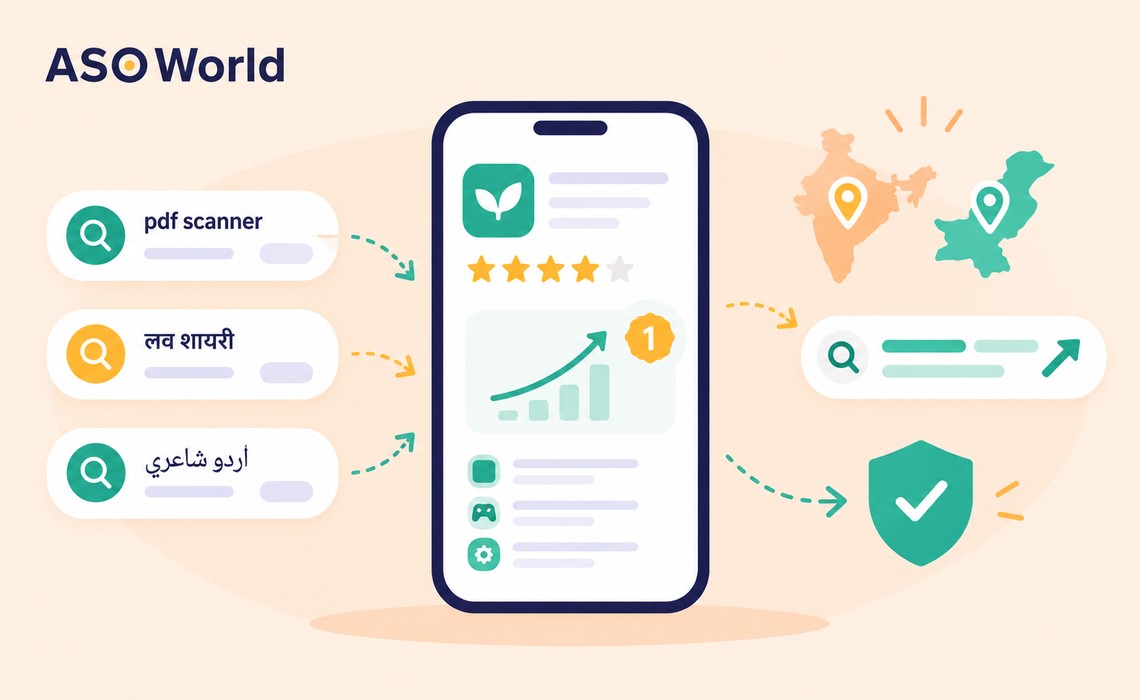
South Asia is one of the busiest places in the world to launch an Android app — and one of the most crowded. Thousands of utility apps, status and shayari apps, and 3D driving or shooting games compete for the same handful of searches. Developers here tend to work with tight budgets, so the winners are usually the teams that pick the right keywords, not the ones that spend the most.
This playbook is for indie developers and small studios in India and Pakistan (and for anyone targeting those markets). It covers how South Asian users actually search, how to build a keyword pool, category-specific tactics, and a 4-week ranking plan you can run on a small budget.
Three things make this region distinctive:
| Search pattern | Example queries (illustrative) | Typical competition | How to target |
|---|---|---|---|
| English generic | "pdf scanner", "video downloader", "bike racing game" | Very high | Title + short description, but only after long-tail wins |
| English long-tail | "pdf scanner offline free", "car driving game 3d 2026" | Medium | Best starting cluster for utilities and games |
| Romanized Hindi/Urdu | "love shayari", "good morning status", "naat sharif" | Medium–high | English listing and localized listing text |
| Native script | "शायरी", "اردو شاعری" | Lower | Localized Hindi (hi-IN) or Urdu (ur) listing |
| Feature + region | "hindi keyboard", "urdu poetry app", "cricket game offline" | Medium | Strong match for regional content apps |
Notice that romanized queries behave like English text to Google Play's index — so they belong in your English listing, not just your localized one.
Start with a pool of 40–60 candidates and score them before you spend anything. ASOWorld's guide on how to pick the right keywords explains the full scoring method; here's the regional version:
Utilities (file managers, scanners, players, cleaners, keyboards) face the highest saturation. The wins are in feature-specific long-tail: "pdf scanner offline", "music player without internet", "hindi typing keyboard". Put the most important feature in your title, not just the brand, and repeat priority terms naturally in the full description — Google Play reads it, but keyword stuffing beyond 3–5 mentions tends to hurt rather than help.
These apps live on romanized and native-script searches. Practical tips:
Pakistani and Indian studios are strong in 3D driving, simulation, shooting and puzzle games. Head terms like "car game" are almost impossible for a new title, but stacked modifiers work: "car parking game 3d offline", "bus simulator india", "truck driving game 2026". With several titles, avoid targeting the same keyword with every game — split clusters across your portfolio so your own apps don't compete with each other.
If your app (an AI identifier, scanner or productivity tool) earns most of its revenue from US or European users, rank there first, even if you're based in India. Run separate keyword lists per country — "antique identifier" in the US and a localized term in Germany are different competitions.
Sports and streaming apps have huge search demand in the region, but they also carry the highest risk of suspension when content rights aren't clear. Don't invest in ranking or paid installs until you're certain the app holds the rights to everything it streams.
This sample plan is for a utility or casual game app with a modest budget. It is illustrative — use it as a schedule, not a promise of results.
| Week | Goal | Actions | What to measure |
|---|---|---|---|
| Week 1 | Coverage | Rewrite title and short description with 1–2 core terms; add 10–15 long-tail terms to the full description; publish a Hindi or Urdu listing | Number of target keywords in top 250 |
| Week 2 | Small test | Start a gradual keyword campaign on 10–15 covered long-tail terms (under 30% of daily installs) | Rank movement after 7–10 days |
| Week 3 | Scale what converts | Increase support on keywords that moved into the top 20 and brought organic installs; drop non-movers | Organic installs per keyword |
| Week 4 | Expand | Add a second cluster of 10–15 long-tail terms; test one stronger mid-volume term | Total keyword surface (terms in top 10) |
Two rules make this plan work. First, don't change your title mid-campaign — Google Play needs a stable relevance signal. Second, give each change 7–10 days before judging it; Google Play reacts more slowly than the App Store.
If you'd rather have specialists handle keyword research, metadata and the ranking campaign together, ASOWorld's increase keyword rankings and organic downloads solution combines all three. In the anonymized client case on that page, the app reached top 3 for all target keywords, with a 160% increase in daily downloads and a 60% lift in conversion rate. Results vary by category and starting position.
| Stage | Monthly budget (planning range) | Focus |
|---|---|---|
| Testing | $20–$100 | Metadata + 10–15 long-tail keywords |
| Growing | $100–$500 | 2–3 keyword clusters; second-language listing |
| Scaling / studio | $500+ | Keyword matrix across multiple apps or countries |
On Google Play, ASOWorld's keyword installs start from $0.20 per install (checked October 14, 2026; may reflect a first-order promotion), with optional rating add-ons. Keep in mind that Google Play's policies prohibit manipulating placement with incentivized installs — so volumes should stay modest, gradual and well below your organic baseline.
| DIY | Professional ASO | |
|---|---|---|
| Cost | Your time | One-time fee |
| Best for | Single app, strong English, time available | Multiple apps, weak creatives, unclear positioning |
| Typical gaps | Screenshots, bilingual copy, testing | — |
| Speed | Weeks of iteration | Days to a full listing refresh |
If your screenshots or bilingual descriptions are holding back conversion, ASOWorld's app store optimization service delivers a rewritten title, description, icon options and screenshot designs, starting at $300 for the Base package at the time of writing.
For long-tail keywords, ranking changes typically become visible about 7–10 days after a metadata change or keyword campaign starts. Competitive head terms can take several months of steady signals.
Both. Many Indian users search in English or romanized Hindi, which Google Play reads like English text. Add native-script keywords in a localized Hindi (hi-IN) listing to capture users who type in Devanagari.
Yes. Google Play Console supports Urdu as a store listing language, which helps capture Pakistani users searching in Urdu script.
Feature-specific long-tail terms you're already indexed for, such as "offline", "without internet", "free" or a specific file format plus the core function. Move to head terms only after you hold top-10 positions on a cluster.
They carry policy risk on Google Play, as anywhere. If you use them, run many keywords at once, ramp up gradually, keep them under about 30% of daily installs and only promote keywords your listing genuinely matches.
Start with 10–15 long-tail terms in one or two clusters. Running at least 10 keywords at a time produces a more natural signal than pushing a single term.
Next step: Build your 40-keyword pool this week, check coverage in the target country, and start Week 1 of the plan with a stable, bilingual listing.
 アプリストアの最適化,Google Play ランキング アルゴリズム,
Get FREE Optimization Consultation
Let's Grow Your App & Get Massive Traffic!
All content, layout and frame code of all ASOWorld blog sections belong to the original content and technical team, all reproduction and references need to indicate the source and link in the obvious position, otherwise legal responsibility will be pursued.