noticeCOVID-19 UPDATE ASO World entire team is working remotely. we expect no disruptions in our ASO services.
Browser close
50% OFF FIRST ORDER
Referral Program
bonusprogram
50% OFF FIRST ORDER
Referral Program
bonusprogram
logo
  • アプリプロモーションサービス
    キーワードインストール
    パッケージ名によるインストール
    評価とコメント
    良質なコメントサービス
    キーワードを保証するランキングサービス
    ASO仕える
    カスタマイズソリューション
    その他のサービス
  • ASO ツール
    無料ASOツール
    キーワードリサーチツール
    キーワードの選び方
    promote
    すべての季節を成長の急上昇に変える
    FIFAワールドカップから夏の需要急増、ブラックフライデーからクリスマスまで――あらゆるピークシーズンは、すでに競合が狙っているユーザー獲得のチャンスです。出遅れないでください。
  • ソリューション
    By vertical
    スポーツ
    HOT
    人工知能アプリケーション
    健康と運動
    eコマース
    フィンテック
    HOT
    ゲーム
    教育
    デート
    エンターテイメント
    トラベル
    ソーシャルメディア
    レストランとフードテック
    生産性
    Lifestyle
    音楽
    効用
    写真とビデオ
    Casino
    Business
    ニュース
    NEW
    By Performance
    季節&イベントマーケティング
    NEW
    FIFA ワールドカップ 2026 アプリ成長戦略
    HOT
    アプリの評判とネガティブレビュー管理
    アプリのランキングとユーザー獲得を向上
    NEW
    オーガニックコンバージョンとユーザーエクスペリエンスの向上
    NEW
    モバイルアプリのローンチマーケティング
    NEW
    キーワードランキングとオーガニックダウンロードを増やす
    NEW
    solution-suffix
    お客様の事例
    感動的な顧客事例を調べて、貴社のような企業がどのように ASO World を活用して強力なモバイル アプリを作成することに成功したかを確認してください。
    how-to-pick-keywords
    App StoreとGoogle Playで成果を出すキーワードの選び方
    ストア検索を実際のインストールへつなげるキーワードを見つけ、分類し、検証するリサーチからランキングまでのフレームワーク。さらに、安全に上位表示させるための実行プランも解説します。
  • ASOナレッジカレッジ
    ブログ
    ケーススタディ
    ガイドと洞察
    一般的な問題
    用語集
    promote
    すべての季節を成長の急上昇に変える
    FIFAワールドカップから夏の需要急増、ブラックフライデーからクリスマスまで――あらゆるピークシーズンは、すでに競合が狙っているユーザー獲得のチャンスです。出遅れないでください。
    promote
    iPhone Duo ASOガイド:スクリーンショット、プレビュー、プロダクトページの最適化
    iPhone Duo向けのApp Store掲載情報の準備をしましょう:スクリーンショットのサイズ、外部ディスプレイ対内部ディスプレイのクリエイティブ、PPO/CPPテスト、ローカライゼーション、メトリクス、およびApp Reviewのルールについて。
  • 価格
ログインする 登録
logo
  • アプリプロモーションサービス
    キーワードインストール
    パッケージ名によるインストール
    評価とコメント
    良質なコメントサービス
    キーワードを保証するランキングサービス
    ASO仕える
    カスタマイズソリューション
    その他のサービス
  • ASO ツール
  • ソリューション
    By vertical
    スポーツ
    人工知能アプリケーション
    健康と運動
    eコマース
    フィンテック
    ゲーム
    教育
    デート
    エンターテイメント
    トラベル
    ソーシャルメディア
    レストランとフードテック
    生産性
    Lifestyle
    音楽
    効用
    写真とビデオ
    Casino
    Business
    ニュース
    By Performance
    季節&イベントマーケティング
    FIFA ワールドカップ 2026 アプリ成長戦略
    アプリの評判とネガティブレビュー管理
    アプリのランキングとユーザー獲得を向上
    オーガニックコンバージョンとユーザーエクスペリエンスの向上
    モバイルアプリのローンチマーケティング
    キーワードランキングとオーガニックダウンロードを増やす
  • ASOナレッジカレッジ
    ブログ
    ケーススタディ
    ガイドと洞察
    一般的な問題
    用語集
  • 価格
Important Notice
重要なお知らせ:ASOWorld の名前を騙ってパートタイムの採用や ASO 収入アプリ活動を行う詐欺にご注意ください。ASOWorld はパートタイムのスタッフを募集していません。ASOWorld が投稿した公式情報のみを信頼してください。
Close the Important Notice

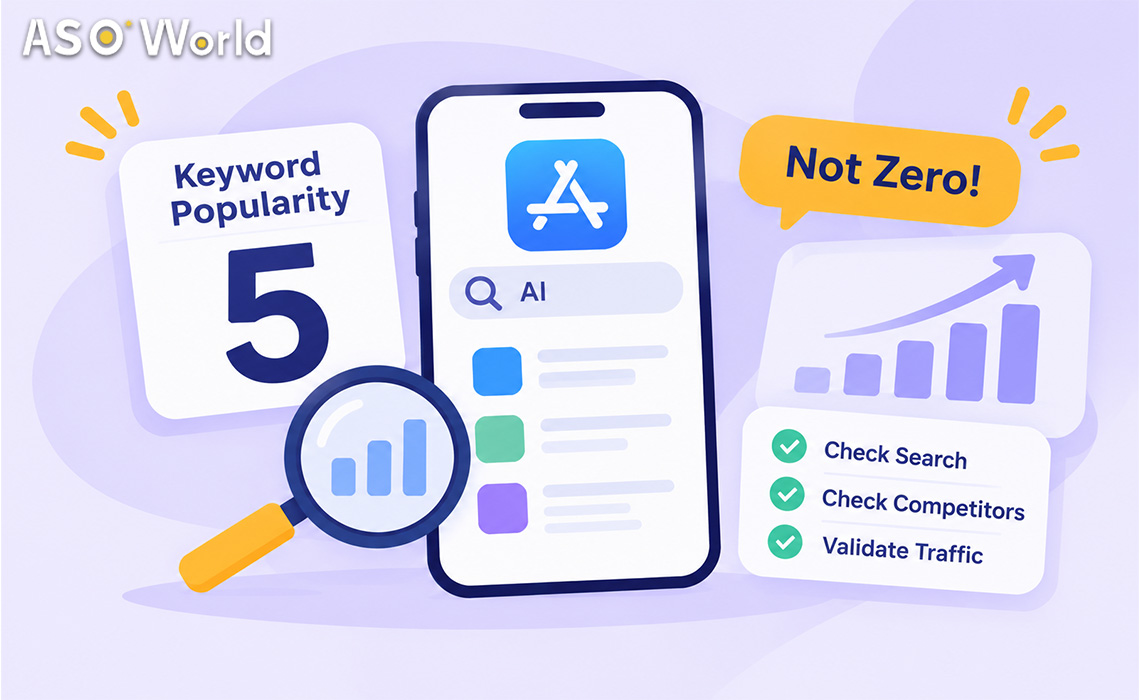
Is a Popularity-5 Keyword Worth It? What Low App Store Keyword Popularity Really Means

Popularity 5 isn't zero. Learn what low App Store keyword popularity really means, 5 checks to spot a live keyword, and a 2-week test before you scale.

公開日: Today
更新日: Today

ホームページ ブログ ASOガイド Is a Popularity-5 Keyword Worth It? What Low App Store Keyword Popularity Really Means

In twitter faceBook rss

Low Popularity Keywords

TL;DR

  • Apple's keyword popularity score runs from 5 to 100, and 5 is the floor, not zero. Independent studies estimate that roughly 90–98% of App Store keywords sit at 5.
  • A score of 5 means "below Apple's reporting threshold". It doesn't mean nobody searches it. Two keywords that both show 5 can have very different real traffic.
  • In ASOWorld campaigns we have repeatedly seen some popularity-5 keywords bring in traffic similar to keywords scored 25–30, usually long, specific phrases with strong intent and little competition.
  • Use the five checks below to tell a live "5" from a dead one. Then run a two-week test before putting a real budget on it.
  • The aim isn't to win one big keyword. It's to rank Top 10 on many relevant keywords. Leading apps add dozens of new Top-3 and Top-10 keywords each month this way.


What does keyword popularity mean in the App Store?

Keyword popularity is Apple's relative index of how often a search term is used in the App Store. It is shown in Apple Search Ads and in most ASO tools, on a scale from 5 (lowest) to 100 (highest).


Three things about the scale often get misread:

  1. It's relative, not absolute. A popularity score doesn't tell you a number of searches per day.
  2. It's non-linear. MobileAction's analysis found that impressions rise exponentially as popularity rises. The gap between 30 and 31 is much larger than the gap between 5 and 6.
  3. It has a floor. Any keyword below Apple's minimum threshold is shown as 5. That covers a very large share of all keywords.


Google Play doesn't publish an official popularity score. ASO tools estimate Google Play volume from other signals, so Google Play "volume" numbers are best treated as rough guides.


Why do so many keywords show a popularity of 5?

Because 5 is the default for every keyword under the threshold.


Source What they found
MobileAction, Apple Search Popularity Decoded Nearly 90% of keywords they looked at received a score of 5; 5 is the lower bound
Sonar, low-competition keyword study (US sample of 3,510 keywords) 94.5% sat at the floor; across ~1.67M iOS keywords, about 98% did


So when your keyword tool shows a long list of 5s, it isn't telling you those keywords are dead. It's telling you the tool can't see how much traffic they have.


Can a popularity-5 keyword really drive as much traffic as a 25 or 30?

Sometimes, yes. In keyword campaigns we've run, we have seen some keywords scored 5 bring in traffic comparable to keywords scored 25–30. That runs against how most developers pick keywords.


There are three reasons this happens:

  • The threshold hides real demand. A keyword just under the cutoff shows 5, the same as one with almost no searches.
  • Long phrases convert better. Someone searching "receipt scanner for taxes" knows what they want. Someone searching "scanner" might want a QR reader, a document app or a printer utility.
  • Competition is thin. Sonar found that on the App Store, the exact keyword phrase appears in a top-10 app's name 45% of the time for one-word keywords, but only 1.6% of the time for phrases of four or more words. About one in six top-10 results is led by an app with fewer than 100 ratings.


A popularity-5 keyword that you can rank #1–3 for may bring in more installs than a popularity-30 keyword where you sit at #25.


But not every 5 is a hidden gem. Most really are low-traffic. You need a way to tell the two apart.


How do you tell a "live 5" from a dead one? Five checks

Run these before adding any popularity-5 keyword to a campaign.


Check How to do it Live 5 Dead 5
1. Autocomplete Type the first 2–3 words into the store search bar in the target country The phrase or a close variant is suggested Not suggested at all
2. Competitor rankings Look at who ranks Top 10 Relevant apps with reasonable ratings; at least one competitor clearly targets it Random or unrelated apps
3. Relevance Would a user typing this phrase be happy to find your app? Directly describes a core feature Only loosely related
4. Your impressions after indexing Add it to metadata, wait 7–14 days, check impressions (App Store Connect / Play Console) Impressions appear once you rank Top 10 No impressions even at Top 5
5. Country fit Compare the phrase in each local language and storefront Natural local wording Literal translation nobody types


Two "live" signals from checks 1–3 are enough to put a keyword into a small test. Check 4 is the real proof.


Popularity 5 vs. 25–30 vs. 50+: what are you really choosing between?


  Popularity 5 (live) Popularity 25–30 Popularity 50+
Typical form 3–5 word specific phrase 2–3 word feature term 1–2 word category head term
Competition Usually low Medium High, led by big brands
Time to reach Top 10 Short Medium Long, often not realistic for new apps
Cost to hold a position Low Medium High
Conversion after a search High (clear intent) Medium Lower (mixed intent)
Best role in a portfolio Volume through many terms Core growth terms One or two "reach" terms, if any


That's why ASOWorld's keyword selection guide recommends a 10–30% core / 70–90% long-tail mix, and scoring every candidate on volume, difficulty and chance together rather than on volume alone.


Where do you find low-popularity keywords worth testing?

The best candidates rarely come from sorting a tool's list by popularity. Look in these four places:

  • Store autocomplete, one word at a time. Type your core feature and note every suggestion that adds a modifier (for students, offline, with widget, no ads).
  • Your own reviews and support emails. The words users use to describe your app are often the exact phrases they search for.
  • Competitor long descriptions and subtitles. If several relevant apps repeat a phrase, someone found it worth targeting.
  • Smaller storefronts and local languages. A phrase that sits at 5 in the US may be a real search term in Canada, the UK or a non-English storefront, where competition is lower.


Keep a shared list with three columns (phrase, source, check results) so the next test cycle starts from evidence instead of guesses.


How should low-popularity keywords fit into your strategy?

Think in coverage, not single positions.


The fastest-growing apps rarely win by taking one big keyword. They rank Top 10 on dozens or hundreds of relevant keywords at once. We have seen competitor apps add well over a hundred new Top-3 keywords and several hundred Top-10 keywords in a single month. A keyword performance case study from a Bluetooth finder app shows how quickly that coverage compounds once the long tail starts ranking. Most of those keywords would look "too small" in a popularity column.


A practical starting setup:

  1. 2–4 core terms (popularity 20–40) that describe your main feature.
  2. 10–20 long-tail terms, including live 5s that passed the checks above.
  3. Group long-tail terms by feature, so one metadata update supports several of them.
  4. Review every 2–4 weeks. Drop terms that stay at zero impressions and add new long-tail candidates.


Once a group of long-tail terms ranks well, the store sees your app as more relevant for the related core term. That relevance often helps the core term move later.


ASO World キーワード最適化
App StoreとGoogle Playの検索結果でアプリの可視性を向上させましょう!
adImg


How do you test a low-popularity keyword before spending more?

Use a short, two-week test:

Week 1: index and measure

  • Add 5–10 candidate phrases to your metadata (iOS keyword field and subtitle; Google Play title, short and long description).
  • Record your starting position and impressions for each.


Week 2: give them a small push

  • For phrases already in the top 250 results, run a low, steady daily volume of keyword installs across all candidates. Pricing starts from $0.20 per install on Google Play and $0.30 on iOS (checked November 10, 2026). Spread the volume across all candidates rather than putting it on one.
  • Keep the run continuous. On iOS, rankings fade quickly if activity stops.


Decide at day 14

A day-by-day 14-day ramp plan shows what those two weeks look like when the push is done properly.


Result What it means Next step
Top 10 + impressions + installs Live 5 Move to maintenance pace; add similar phrases
Top 10, impressions but few installs Traffic exists, page doesn't convert Fix screenshots or description before scaling
Top 10, no impressions Dead 5 Drop it
Still outside Top 50 Relevance or competition problem Re-check metadata and relevance; don't add volume


If you want this test planned and tracked for you, the keyword ranking and organic downloads solution covers keyword discovery, ranking work and reporting.


Common mistakes with low-popularity keywords

  1. Deleting every keyword that shows 5. You throw away most of the real long tail.
  2. Adding every keyword that shows 5. Relevance still matters more than anything else.
  3. Judging after three days. Run these in a keyword ranking tool before adding any popularity-5 keyword to a campaign.
  4. Putting all of the volume on one long-tail phrase. Spread it so ranking growth looks like natural search demand.
  5. Testing in the most crowded market first. Smaller storefronts with less competition show results faster and cheaper.


Not sure whether your problem is the keywords you chose, your ranking, or conversion? The badly ranked or not ranked ASO budget diagnostic walks through it step by step.


FAQ

What is the lowest keyword popularity score in the App Store?

5. Every keyword below Apple's minimum threshold is shown as 5, so the score is a floor, not a measure of zero searches.


Are popularity-5 keywords worth targeting?

Some are. Long, specific phrases that appear in autocomplete, have relevant competitors and describe your core feature can bring meaningful, high-converting traffic. Test before scaling.


Is a popularity score of 30 twice as much traffic as 15?

No. The scale isn't linear, and traffic rises much faster toward the top of the scale. Use popularity to compare keywords against each other, not to estimate a number of searches.


Does Google Play have a keyword popularity score?

Google doesn't publish one. ASO tools estimate Google Play volume from other signals, so treat those numbers as rough guides and confirm with Play Console impressions.


How many long-tail keywords should a new app target?

A common starting point is 2–4 core terms plus 10–20 long-tail terms, reviewed every few weeks. Add new phrases as weak ones drop out.


How long should I wait before judging a low-popularity keyword?

Allow 7–14 days after indexing, and at least a week of continuous activity if you are supporting it with installs. Shorter windows mostly measure ranking refresh lag.


ASO Topic アプリストアの最適化,キーワード調査,

SHARE THIS POST

In twitter faceBook

Get FREE Optimization Consultation

Let's Grow Your App & Get Massive Traffic!


All content, layout and frame code of all ASOWorld blog sections belong to the original content and technical team, all reproduction and references need to indicate the source and link in the obvious position, otherwise legal responsibility will be pursued.

ストアランキング取得能力の検出を開始します。
当社のASOツールを使用して、段階的にすべてのアプリストア最適化の取り組みを測定します。
目次

    Categories

    • アプリのマーケティング
    • アプリのプロモーション戦略
    • アプリ プロモーションのケース スタディ
    • モバイルゲームとアプリのインサイト
    • アプリストアニュース
    • ASOガイド
    • 初心者のためのASOの基本
    • アプリストアランキング
    • ユーザー獲得
    • モバイルアプリ市場の動向
    • ゲームコミュニティ
    • iOS 17 ASO ハブ
    • ASOワールドニュース
    • ASOワールドプラットフォームのガイドライン
    ASOWorld
    App Store Optimization service provider
    Follow ASOWorld:
    Boost your app via App Installs, Keyword Installs, App Reviews & Ratings & Guaranteed App Ranking.

    コメント

    まだログインしていません。まず ログイン / 登録 してください。

    関連ブログ
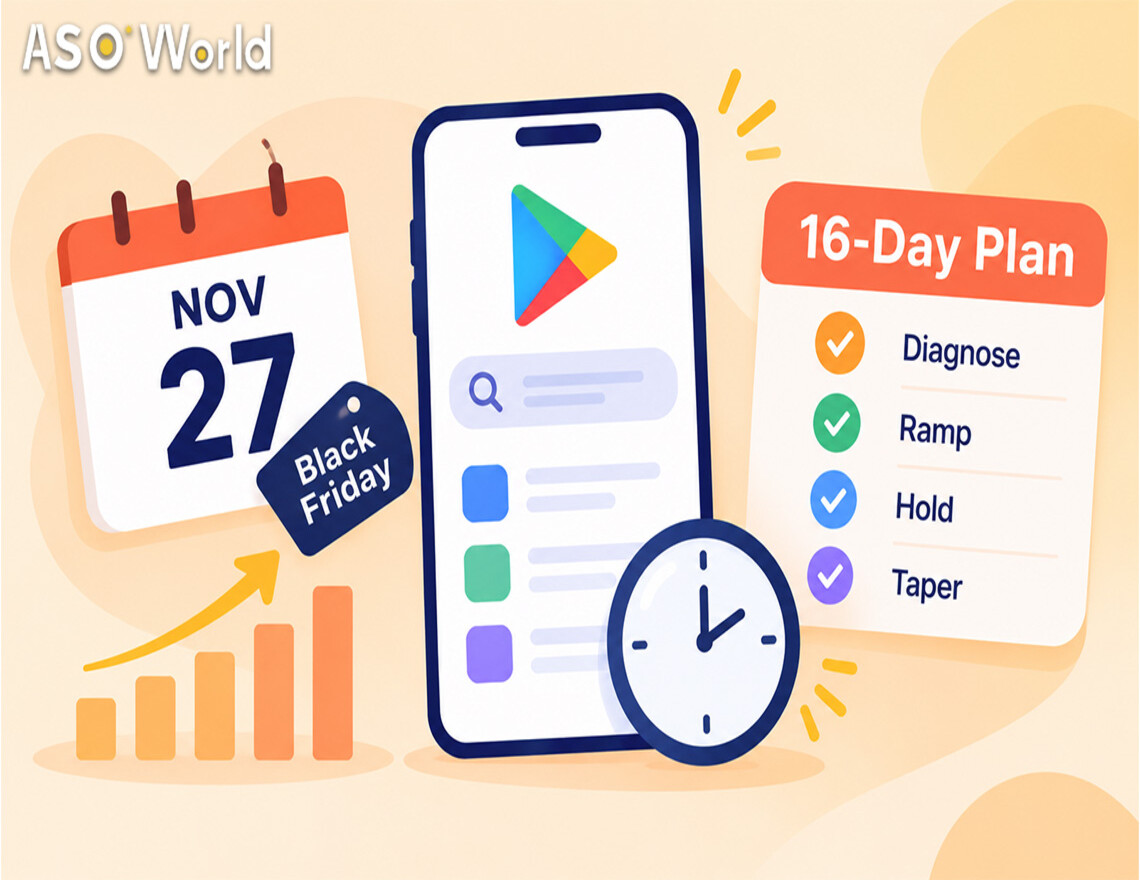
    Black Friday Is 16 Days Away: A Late-Start ASO Schedule for Keyword Installs and Chart Pushes
    ASOガイド

    Black Friday Is 16 Days Away: A Late-Start ASO Schedule for Keyword Installs and Chart Pushes

    Today
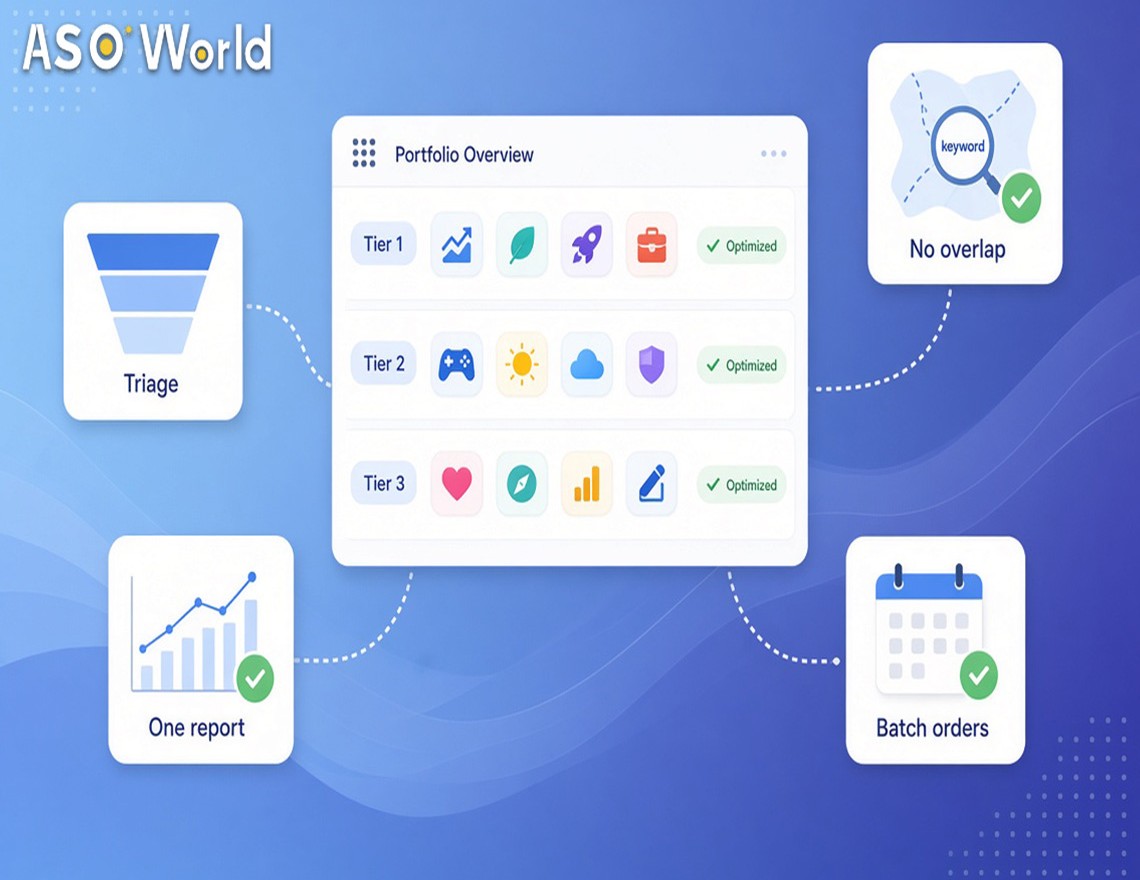
    10個以上のアプリのASOを管理する方法:代理店、リセラー、パブリッシャーのためのポートフォリオ・ワークフロー
    ASOガイド

    10個以上のアプリのASOを管理する方法:代理店、リセラー、パブリッシャーのためのポートフォリオ・ワークフロー

    Today
    今すぐプロモーションを開始し、アプリの探索ツアーを開始しましょう!
    大手、小規模のスタートアップを問わず、 Google Play, App Store, Galaxy Store や RuStore でアプリを低価格でプロモーションできるよう支援しています.
    今すぐプロモーションを開始し、アプリの探索ツアーを開始しましょう!
    • ASO
    • Email [email protected]
    • Contact Contact Us
    • twitter facebook linkedin instagram
    • 仕える
    • キーワードインストール
    • パッケージ名によるインストール
    • 評価とコメント
    • 良質なコメントサービス
    • キーワードを保証するランキングサービス
    • ASO仕える
    • その他のサービス
    • ASO ツール
    • 無料ASOツール
    • キーワードリサーチツール
    • キーワードの選び方
    • ASOナレッジカレッジ
    • ブログ
    • ケーススタディ
    • ガイドと洞察
    • 一般的な問題
    • 用語集
    • モバイルニュース
    • 会社
    • なぜASO World
    • 当社について
    • お問い合わせ
    • リセラープログラム
    • 始め方
    • LLM・AI 情報
    ASO World © 2020-2026 all rights reserved
    プライバシーポリシー サービス条項

    当社のウェブサイトでは Cookie を使用して、お客様の好みや繰り返しのアクセスを記憶することで、最も適切なエクスペリエンスを提供します。 「同意する」をクリックすると、すべての Cookie の使用に同意したことになります。