COVID-19 UPDATE


TL;DR
- Managing ASO for many apps fails for the same three reasons: every app gets the same plan, campaign volume isn’t matched to each app’s organic baseline, and reporting is rebuilt by hand every week.
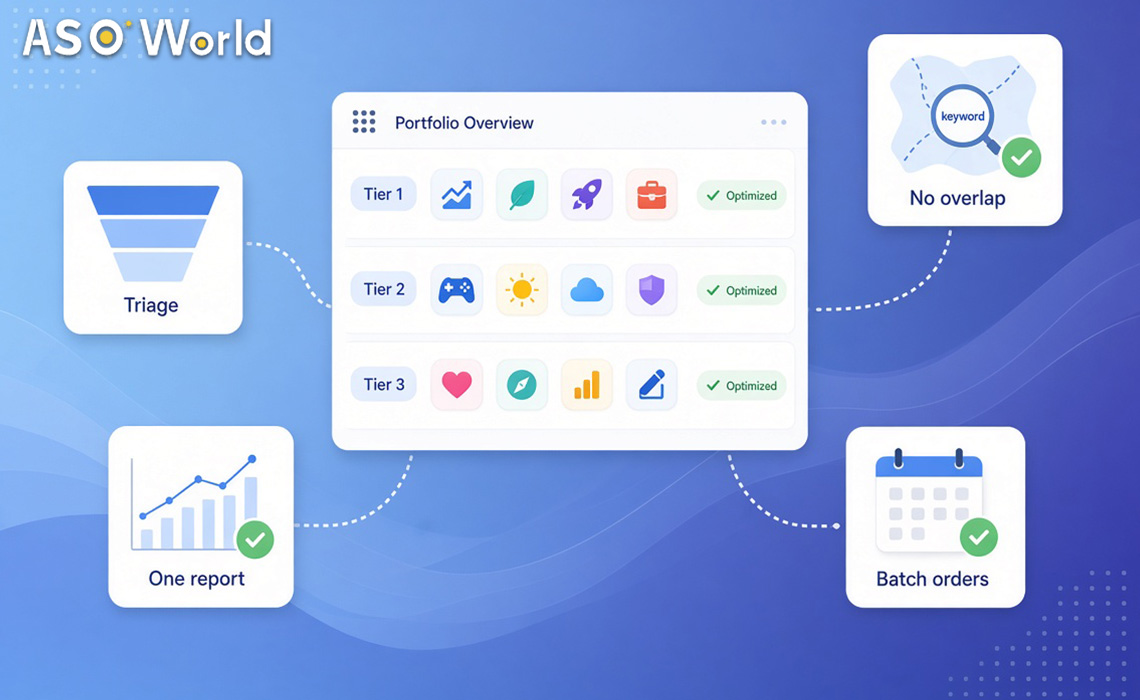
- The fix is a six-step portfolio workflow: triage apps into tiers, allocate keywords without overlap, schedule campaigns centrally, cap volume per app, reconcile weekly, and report on one template.
- At scale, use dashboard order management or API access instead of one-off orders. ASOWorld’s API Services cover apps and keywords in 100+ countries for checking rankings and placing orders.
- Agencies that resell app promotion can work at agent rates through a reseller agreement; agencies that only refer clients can use a referral programme instead.
This guide is for teams running app store optimisation across a portfolio: agencies with many clients, resellers packaging app promotion for their own customers, and publishers with dozens of titles. It assumes you already know what keyword installs, direct installs and ratings campaigns do, and focuses on how to run them across many apps without losing control.
Why does multi-app ASO break down?
| Failure | What it looks like | What it costs |
|---|---|---|
| One plan for every app | Same keyword volume and schedule for new and mature apps | Wasted spend on apps that can’t rank yet |
| Volume not matched to baseline | Small apps receive campaign volumes many times their organic downloads | Unnatural patterns and account risk |
| Keyword overlap | Two of your apps compete for the same term in the same country | You pay to push your own apps down |
| Manual reporting | Spreadsheets rebuilt weekly from five sources | Slow decisions; clients lose confidence |
| Unclear ownership | Apps, logins and billing mixed across clients | Disputes, access problems, shared risk |
What this means for your portfolio: the problems are operational, not tactical. A repeatable workflow fixes most of them before you change a single keyword.
Step 1: Triage every app into a tier
Start each month by sorting the portfolio. Each app gets one tier, and each tier gets a default playbook.
| Tier | Typical situation | Default focus | Review cadence |
|---|---|---|---|
| Launch | New app, few ratings, outside top 250 for most keywords | Metadata, first ratings, direct installs for initial coverage | Weekly |
| Build | Ranks 50–250 for target keywords, rating 4.0+ | Keyword campaigns on 5–10 terms, conversion fixes | Weekly |
| Grow | Ranks 10–50, rating 4.3+ | Keyword campaigns, ratings velocity, chart pushes at peaks | Weekly |
| Maintain | Top 10 for core terms | Maintenance pace, review management, seasonal pushes | Biweekly |
| Fix | Rating below 4.0 or policy notice open | Pause campaigns; fix product, reviews and compliance | Weekly until resolved |
What this means for your portfolio: tiering stops you spending growth budget on apps that need fixing, and keeps maintenance apps from drifting.
Step 2: Allocate keywords without overlap
When several apps in a portfolio share a category, they can end up competing for the same keyword in the same storefront. Build one keyword map for the whole portfolio:
- List target keywords by country for every app in one sheet.
- Flag overlaps: same keyword, same storefront, two or more of your apps.
- Assign one owner per overlap, usually the app with the best rating and relevance, and move the others to adjacent or long-tail terms.
- Re-check monthly, because rankings and app positioning change.
For selecting and scoring the terms themselves, ASOWorld’s metadata and keyword work through its App Store Optimisation service can be scoped per app or per portfolio.
Step 3: Schedule campaigns centrally
At five apps, one-off orders work. At 20 or more, you need a schedule.
| Day | Activity |
|---|---|
| Monday | Pull rankings and acquisition data for all apps; update tiers |
| Tuesday | Approve new campaigns and adjustments; place orders in batch |
| Wednesday–Thursday | Monitor delivery; pause anything abnormal |
| Friday | Reconcile and update client reports |
Two tools make this manageable. ASOWorld’s dashboard lets you manage all campaigns and orders in one place, and its app promotion services include API Services that support API access to apps and keywords in 100+ countries, so you can check keyword rankings and add orders from your own systems instead of by hand.
What this means for your portfolio: batch decisions once a week; daily changes across 30 apps create noise you can’t evaluate.
Step 4: Cap volume for every app
This is the step portfolio teams skip most often, and it carries the most risk. Set a daily cap for each app based on its own organic baseline, not on the portfolio’s average.
| App’s organic daily downloads | Suggested campaign cap (share of organic) | Notes |
|---|---|---|
| Under 100 | Up to ~50% | Build ratings and metadata first |
| 100–1,000 | Up to ~50% | Phase over 2–3 weeks |
| 1,000–10,000 | Up to ~50–70% at peak | Taper after peaks |
| 10,000+ | Plan per campaign | Larger apps absorb more, but still avoid sudden multiples |
For keyword campaigns, ASOWorld’s keyword installs require each app to already appear in the top 250 results for the target keyword, and start from $0.20 per install on Android and $0.30 on iOS (verified 3 November 2026). Apps outside the top 250 belong in the Launch or Build tier until metadata brings them into range.
Keep account ownership clean as well. Each client’s apps should live in that client’s own developer account, with your team given access through the store consoles’ user roles. Avoid sharing keystores, payment profiles or logins across clients; it makes access disputes and shared risk much harder to untangle.
Step 5: Reconcile weekly, not daily
Different sources count installs differently: Play Console reports store listing acquisitions in Pacific Time, App Store Connect counts opted-in users, and campaign dashboards use their own windows. Reconcile once a week:
- Compare campaign delivery against store console trends by country.
- Check rank movement for each target keyword, not just install totals.
- On Google Play, combine Search and Explore when judging generic-keyword campaigns; our guide to Google Play Explore vs Search traffic explains why.
- Flag apps where rank didn’t move after two weeks; move them to a different keyword set or tier.
Step 6: Report on one template
Clients and managers want the same five answers every week: what moved, what it cost, what’s next, what’s at risk, and what you need from them. Use one template for every app so reports take minutes, not hours.
| Section | What to include |
|---|---|
| Summary | Three bullets: wins, issues, next actions |
| Rankings | Target keywords by country: last week vs this week |
| Acquisition | Store console trend by source and country |
| Spend | By campaign type and app |
| Ratings | Average rating, new ratings, notable reviews |
| Next week | Planned campaigns, budget and decisions needed |
Our ASO report template has a ready-made version you can adapt per client.
Worked example: an agency with 24 apps (hypothetical)
A hypothetical agency manages 24 apps for six clients across the US, UK, Brazil and Japan.
| Tier | Apps | Weekly focus | Approx. team time per week |
|---|---|---|---|
| Launch | 4 | Metadata, first ratings | 4 hours |
| Build | 8 | Keyword campaigns on 5–10 terms each | 6 hours |
| Grow | 6 | Keywords, ratings, seasonal pushes | 5 hours |
| Maintain | 4 | Maintenance pace, review replies | 2 hours |
| Fix | 2 | Campaigns paused; reviews and compliance | 3 hours |
Source: hypothetical illustration
With batched ordering on Tuesdays, API-based ranking pulls on Mondays and one report template, the agency spends about 20 hours a week on operations instead of rebuilding plans app by app. The keyword map removed three overlaps where two client apps were competing for the same term in the same country.
Direct client or reseller: which model fits?
| Model | How it works | Best for |
|---|---|---|
| Direct ordering per app | You or your client places orders on the dashboard at standard prices | Small portfolios, in-house publishers |
| API-based operations | Your systems pull rankings and place orders through API access | Larger portfolios with internal tools |
| Reseller agreement | Access ASOWorld services at agent rates, with help setting up a domain and marketing website; requires a top-up threshold and a signed contract | Agencies selling app promotion under their own offer |
| Referral programme | Share a referral link; earn up to $2,000 per referral, cash out from $20 | Consultants and creators who recommend rather than resell |
| Customised solution | A scoped plan for complex goals, multiple markets or high volume | Publishers and agencies with unusual requirements |
If you’re selling app promotion to your own clients, start with the ASOWorld Reseller Programme. If your portfolio needs a plan that standard campaigns don’t cover, request a customised solution.
Pre-launch checklist for a portfolio programme
- Every app has a tier and a default playbook.
- One keyword map covers the whole portfolio, with overlaps resolved.
- Each app has a daily volume cap based on its own organic baseline.
- Client apps sit in client-owned developer accounts with role-based access.
- Orders are batched on a fixed weekday; API or dashboard access is set up.
- One report template is agreed with every client.
- A “Fix” rule is defined: which signals pause campaigns automatically (policy notice, rating drop, abnormal delivery).
FAQ
How do agencies manage ASO for many apps?
With a fixed workflow: tier the apps, allocate keywords without overlap, batch campaign orders weekly, cap volume per app, reconcile weekly and report on one template.
Does ASOWorld offer an API for app promotion?
Yes. ASOWorld’s API Services support API access to apps and keywords in 100+ countries, so teams can view keyword rankings and add orders from their own systems.
What does the ASOWorld Reseller Programme include?
Access to ASOWorld services at agent rates, help with domain setup and a marketing website, subject to a top-up threshold and a reseller contract.
How much campaign volume should each app get?
Base it on each app’s own organic baseline. As a planning rule, keep daily campaign volume to around half of organic downloads for small and mid-size apps, and phase it over weeks.
Should all client apps share one developer account?
No. Keep each client’s apps in the client’s own developer account and use the store consoles’ user roles to give your team access.
How often should portfolio rankings be reviewed?
Weekly for most apps, biweekly for apps in maintenance, with daily checks only during active peak campaigns.