In short
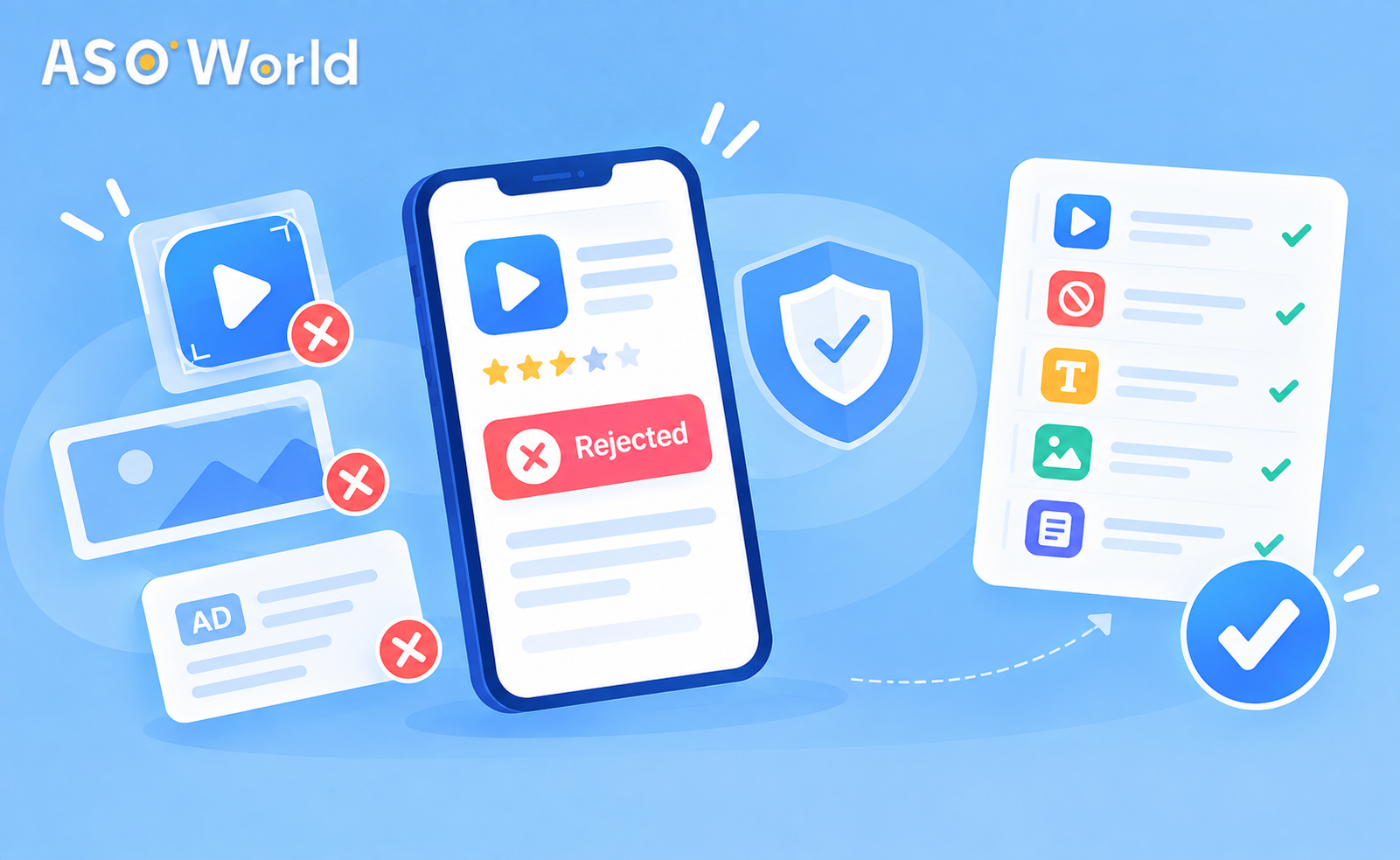
- In 2026, ad platforms are checking app install creatives more strictly. The two reasons for rejection we come across most often at the moment are icons that resemble a well-known brand's logo too closely and ad copy or visuals that come across as gambling, even when the app itself isn't a casino.
- A rejection normally leaves campaigns that are already running untouched. Don't pause or rebuild live campaigns in a panic.
- Fix the asset that caused the problem, record what you changed, then resubmit. If the same asset has been rejected more than once, many teams wait about a fortnight and resubmit with clearly different creative rather than bombarding the review queue.
- Work through the 12-point checklist below before your first install campaign. It takes about 30 minutes and costs far less than a lost launch week.
Why Are App Install Ads Being Rejected More Often?
If your first install campaign was disapproved and you're confident you didn't break any rules, you're far from alone. Over recent weeks we've watched several developers have their very first order rejected. They weren't running dubious apps. A single asset had simply tripped an automated check.
Two things are behind this:
- Automated similarity checks on visual assets. Review systems now compare icons and creatives with huge libraries of registered brand marks. A simple, bold icon (a white letter on a solid red circle, say) can be scored as "too close" to a famous logo even if you never intended that.
- Tighter classification of copy by category. Words and imagery associated with restricted verticals such as gambling, finance and health get flagged before anyone looks at what the app actually does. Under Google's gambling policy, anything that stakes something of value on a chance-based outcome in order to win something of value needs certification. Simulated "social casino" games need their own certification as well, and they must make clear that no real-money prizes are on offer.
The good news is that most of these rejections are asset-level rather than app-level. Change the asset and the problem usually goes away.
What Are the Most Common Reasons for an App Ad Being Disapproved?
| Rejection trigger |
What it looks like in practice |
Typical fix |
| Icon or logo similarity |
A solid-colour circle with a single letter; recognisable colour pairings (red/white, blue/yellow); shapes that echo a famous mark |
Redesign the icon with a distinctive shape, palette or glyph, keeping the brand recognisable but unmistakably your own |
| Gambling-adjacent wording |
"Win big", "jackpot", "bet", "odds", piles of coins, slot reels, even in a trivia or puzzle game |
Strip out the vocabulary and imagery, or obtain the right certification if the app really is gambling |
| Trademark in copy |
Competitor or platform names in headlines ("Better than [Brand]") |
Describe what your app does rather than who it beats |
| Misleading claims |
"#1 app", "guaranteed results", fake UI buttons, fake system alerts |
State benefits that can be verified; drop superlatives you can't prove |
| Store listing mismatch |
The ad promises a feature that the store page doesn't show |
Make sure the ad and the listing tell the same story |
| Restricted-vertical signals |
Loan, crypto or health claims without disclosures |
Add the required disclaimers; check the rules in each country |
Rejected at the First Attempt? What to Do Next
1. Leave Whatever Is Already Running Alone
A new rejection doesn't mean your live campaigns are in jeopardy. Campaigns that have already been approved usually carry on while you fix the new asset. Pausing or editing them sends them back through review, which is the last thing you want in the middle of a launch.
2. Read the Policy Label, Not Just the Red "Disapproved" Badge
The platform tells you which policy the asset fell foul of. "Trademarks" and "Gambling and games" call for very different fixes. Make a note of the label, as you'll need it for your records and for any appeal.
3. Fix the Asset at Source
If the icon is the problem, changing it only in the ad creative won't be enough. Your ad has to match your store listing (see the mismatch row above), so the store icon will usually need to change too. That makes this a good moment to look at the whole first impression: icon, first two screenshots and short description.
4. Decide: Appeal or Resubmit?
- Appeal if you believe the reviewer got it wrong, for example a word-puzzle app flagged as gambling because it uses the word "win".
- Resubmit with new creative if the flag is fair, or if the same asset has been rejected twice. Many teams wait around a fortnight and return with clearly different creative rather than sending slight variations again and again. Repeated near-identical submissions can bring extra scrutiny to the whole account.
5. Keep a Rejection Log
Record the date, the asset, the policy label, the change you made and the outcome. After two or three campaigns you'll have your own library of approved phrases and visuals, and future launches will be approved first time.
The 12-Point Pre-Launch Checklist for App Install Creatives
Run through this before your first install campaign, and again whenever you refresh your creatives.
Icon and visual identity
- Search for your icon visually. Run a reverse image search and study the top app store results in your category. If your icon could be mistaken for a famous brand at thumbnail size, redesign it.
- Avoid relying on a "letter on a solid circle" as your only identifying element. Add a distinctive shape, gradient or symbol.
- Check colour pairings that are strongly associated with well-known brands in your category.
Copy and claims
- Scan for restricted vocabulary: win, bet, jackpot, odds, casino, cash prize, free money, guaranteed. Remove any that don't describe a certified feature.
- Drop superlatives you can't verify ("#1", "best") unless you can point to a source.
- Keep competitor and platform trademarks out of headlines, descriptions and display text.
Store listing alignment
- Ad = listing. Every feature mentioned in the ad should be visible in your store screenshots or description.
- Screenshots shouldn't imitate system UI (fake notifications, fake OS dialogs).
- Localised creatives are reviewed country by country. A phrase that's perfectly fine in English may translate into restricted vocabulary.
Category and account
- Confirm the rules for your vertical. Gambling, social casino, lending, crypto and health apps often need certification or disclaimers, and the rules differ from country to country.
- Make sure your developer account details are accurate and consistent (legal name, address, website, contact). Problems with account information are now among the most common reasons for apps being removed from the stores, and an app that's been removed can't run ads at all.
- Keep your creative history clean. Resubmit assets that are clearly improved, not an endless string of tiny variations.
Does a Rejected Ad Harm Your Organic Rankings?
Not directly. An ad disapproval is a decision about an advertising asset, not a ranking penalty in the store. Your keyword rankings and organic installs carry on responding to their own signals.
There is, however, an indirect cost worth taking seriously: lost launch momentum. New apps depend on early installs and engagement to show that they deserve to rank. A week of blocked install ads means a week of weaker signals, and that can set your ranking curve back.
For that reason, the smartest fix often goes beyond the asset itself. If your icon triggered a similarity flag, it probably wasn't pulling its weight on your store page either, as generic, look-alike icons tend to convert less well in search results. For teams that want this done properly, a professional icon and screenshot redesign deals with the compliance problem and the conversion problem in one go.
How Can You Keep Launch Momentum While Your Ads Are Under Review?
There's no need to halt everything while you wait to resubmit. Build up the signals that don't depend on ad approval:
- Tighten up the store page first. Your icon, first two screenshots and rating determine whether search impressions turn into installs. Store page conversion work keeps paying off long after the ad issue is resolved. Apps rated below 4.0 can lose around half of their potential downloads.
- Keep keyword visibility moving. Organic search is still where most store sessions begin. Keep your metadata indexed for your core terms and build rankings at a steady, gradual pace rather than in a single burst.
- Work out whether you have a visibility problem or a conversion problem. If your app hardly shows up in search, tweaking the creative won't achieve much. If it shows up but nobody taps, extra traffic won't achieve much either. Our visibility-vs-conversion diagnostic shows you where to put your budget first.
- Hand the review churn to someone else. If you'd rather not juggle creative approvals, pacing and ranking at the same time, a managed app promotion campaign runs the growth plan from a single dashboard, with real-time ranking data.
Common Misconceptions About Ad Rejections
"My app must have been banned."
No. An ad disapproval and an app removal are separate systems with different consequences. One flagged asset tells you nothing about your app's standing in the store.
"If I change one word and resubmit ten times, one of them will get through."
This is the quickest way to draw attention to your account. Make one meaningful fix, log it, and resubmit.
"Only gambling apps get flagged for gambling."
Casual games, trivia apps and cashback and rewards apps are flagged all the time, because of their language rather than their function.
"My icon is original, so it can't be a trademark issue."
Similarity checks don't take intent into account. What they look at is how the icon appears at thumbnail size.
FAQ
How long should I wait before resubmitting a rejected app ad?
If you've made a genuine change and believe the asset now complies, you can resubmit straight away. If the same asset or concept has been rejected more than once, it's often better to wait about a fortnight and return with clearly different creative rather than small variations.
Will a rejected ad affect my running campaigns?
Usually not. Campaigns that have already been approved carry on running. Avoid editing them while you sort out the new asset, since edits can trigger another review.
My game isn't gambling but was flagged. What should I change?
Take wording and imagery such as "win", "jackpot", "bet", coins and slot reels out of the ad and the store listing, then appeal. If your game simulates casino mechanics, check whether you need social casino certification in your target countries.
Can an app icon really be rejected for looking like another brand?
Yes. Simple letter-on-circle designs and strong colour pairings are common false positives. A distinctive shape or symbol usually solves the problem and makes your listing easier to recognise.
Does an ad rejection lower my App Store or Google Play ranking?
Not directly. Rankings respond to store signals such as relevance, installs, engagement and ratings. The indirect risk is losing early install momentum, so keep working on your store page and keyword visibility while you fix the ad.
What else should I check besides the creative?
Make sure your developer account details are accurate and consistent. Account-information issues are now a leading cause of app removals, and no creative fix can help an app that has been taken down.
 COVID-19 UPDATE