noticeCOVID-19 UPDATE ASO World entire team is working remotely. we expect no disruptions in our ASO services.
Browser close
1
50% OFF FIRST ORDER
Referral Program
bonusprogram
1
50% OFF FIRST ORDER
Referral Program
bonusprogram
logo
  • 앱 프로모션 서비스
    키워드 설치
    패키지명(직접) 설치
    평점 및 리뷰
    고품질 리뷰 서비스
    키워드 랭킹 서비스 보증
    ASO 제공하다
    맞춤형 솔루션
    더 많은 서비스
  • ASO 도구
    무료 ASO 도구
    키워드 리서치 도구
    키워드 선택 방법
    promote
    모든 시즌을 성장 급증으로 바꾸세요
    FIFA 월드컵부터 여름 성수기, 블랙프라이데이부터 크리스마스까지 — 모든 성수기는 이미 경쟁사들이 공략하고 있는 사용자 확보의 기회입니다. 늦지 마세요.
  • 솔루션
    By vertical
    스포츠
    HOT
    일체 포함
    건강 및 피트니스
    전자상거래
    핀테크
    HOT
    게임
    교육
    데이트
    엔터테인먼트
    여행하다
    소셜 미디어
    레스토랑 및 푸드테크
    생산력
    Lifestyle
    음악
    Utility
    사진 & 비디오
    Casino
    Business
    소식
    NEW
    By Performance
    시즌 및 이벤트 마케팅
    NEW
    FIFA 월드컵 2026 앱 성장 전략
    HOT
    앱 평판 및 부정적 리뷰 관리
    앱 순위 및 사용자 확보 향상
    NEW
    유기적 반응 및 사용자 경험 개선
    NEW
    모바일 앱 출시 마케팅
    NEW
    키워드 순위 및 유기적 다운로드 증가
    NEW
    solution-suffix
    고객 스토리
    영감을 주는 고객 사례를 살펴보고 귀하와 같은 기업이 ASO World를 성공적으로 활용하여 강력한 모바일 앱을 만든 방법을 알아보세요.
    how-to-pick-keywords
    앱스토어와 구글플레이를 위한 올바른 키워드 선택 방법
    스토어 검색을 실제 설치로 전환하는 키워드를 찾고, 분류하고, 검증하는 리서치-투-랭킹 프레임워크와 안전하게 순위를 올리는 실행 플랜을 소개합니다.
  • ASO 아카데미
    블로그
    사례 연구
    가이드 및 통찰력
    일반적인 문제
    용어 사전
    promote
    모든 시즌을 성장 급증으로 바꾸세요
    FIFA 월드컵부터 여름 성수기, 블랙프라이데이부터 크리스마스까지 — 모든 성수기는 이미 경쟁사들이 공략하고 있는 사용자 확보의 기회입니다. 늦지 마세요.
    promote
    iPhone 듀오 ASO 가이드: 스크린샷, 미리보기 및 제품 페이지 최적화
    iPhone Duo를 위한 App Store 등록정보를 준비하세요: 스크린샷 크기, 외부 vs 내부 디스플레이 크리에이티브, PPO/CPP 테스트, 현지화, 지표 및 앱 심사 규정.
  • 가격
로그인 가입
logo
  • 앱 프로모션 서비스
    키워드 설치
    패키지명(직접) 설치
    평점 및 리뷰
    고품질 리뷰 서비스
    키워드 랭킹 서비스 보증
    ASO 제공하다
    맞춤형 솔루션
    더 많은 서비스
  • ASO 도구
  • 솔루션
    By vertical
    스포츠
    일체 포함
    건강 및 피트니스
    전자상거래
    핀테크
    게임
    교육
    데이트
    엔터테인먼트
    여행하다
    소셜 미디어
    레스토랑 및 푸드테크
    생산력
    Lifestyle
    음악
    Utility
    사진 & 비디오
    Casino
    Business
    소식
    By Performance
    시즌 및 이벤트 마케팅
    FIFA 월드컵 2026 앱 성장 전략
    앱 평판 및 부정적 리뷰 관리
    앱 순위 및 사용자 확보 향상
    유기적 반응 및 사용자 경험 개선
    모바일 앱 출시 마케팅
    키워드 순위 및 유기적 다운로드 증가
  • ASO 아카데미
    블로그
    사례 연구
    가이드 및 통찰력
    일반적인 문제
    용어 사전
  • 가격
Important Notice
중요 공지:파트타임 채용이나 ASO 수익 앱 활동을 위해 ASOWorld의 이름을 사용하는 사기에 주의하세요. ASOWorld는 파트타임 직원을 채용하지 않습니다. ASOWorld가 게시한 공식 정보만 신뢰하세요.
Close the Important Notice

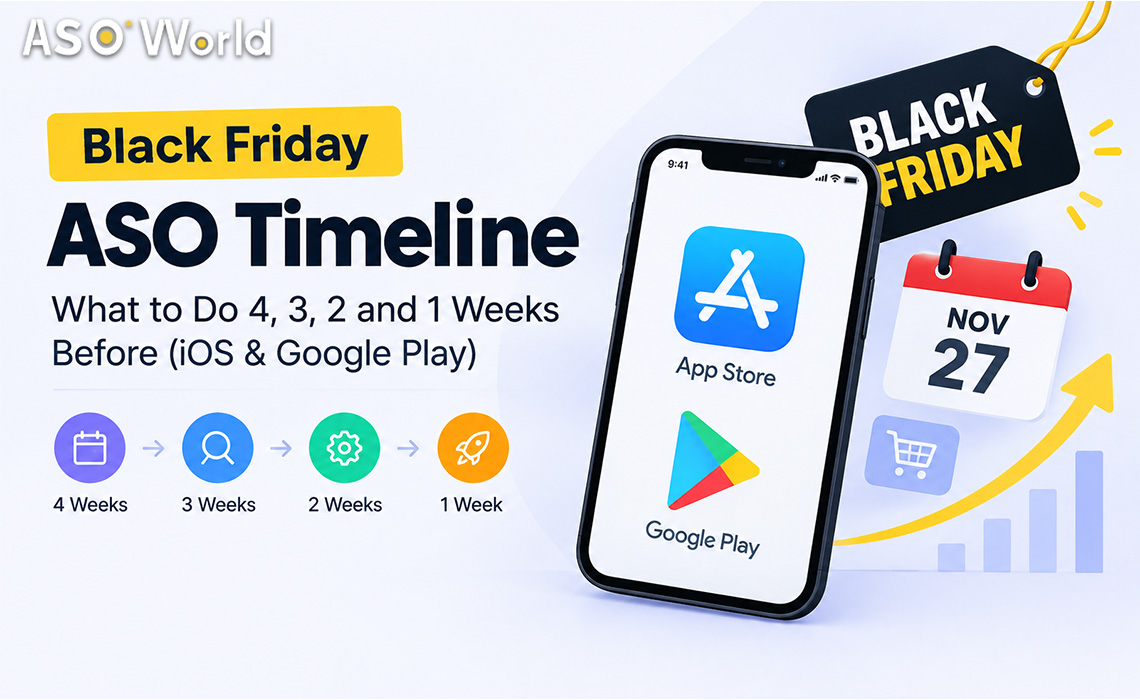
Black Friday ASO Timeline: What to Do 4, 3, 2 and 1 Weeks Before (iOS & Google Play)

Black Friday is Nov 27. See what to do 4, 3, 2 and 1 weeks out on iOS and Google Play: keyword lead times, review timing, chart pushes and budget splits.

공개 날짜: Yesterday
업데이트 날짜: Today

홈페이지 블로그 ASO 가이드 Black Friday ASO Timeline: What to Do 4, 3, 2 and 1 Weeks Before (iOS & Google Play)

In twitter faceBook rss

Black Friday ASO Timeline

TL;DR

  • Black Friday 2026 falls on Friday, November 27, with Cyber Monday on November 30. Counting back, the planning window opens in the last days of October.
  • Google Play rankings usually need about 7–9 days of steady signals to settle, while the App Store reacts within days but fades quickly once activity stops. Start Google Play earlier; keep iOS continuous.
  • Ratings and reviews lag: Apple may take around three days to show new ratings, and Google Play filters a share of reviews. Build social proof in weeks 3–2, not in the final week.
  • Use the final week to hold positions, not to start new campaigns.
  • Plan beyond Cyber Monday: the Christmas new-device window starts right after and rewards apps that are still ranked.


Most Black Friday ASO advice focuses on what to change — seasonal keywords, festive icons, promotional text. Far less of it tells you when. Yet timing is where most holiday budgets are won or lost: an iOS campaign that starts too early burns budget before demand peaks, while a Google Play campaign that starts too late never stabilises in time. This guide lays out a week-by-week plan for both stores.


When should you start Black Friday ASO?

Start the research phase four weeks out (late October) and the execution phase two to three weeks out. The exact moment depends on the store and the asset:


Asset or action Google Play lead time App Store lead time Why
Keyword research and metadata changes 4 weeks 4 weeks Indexing and review cycles take time; you want data before you commit budget
Seasonal screenshots and promotional text 2–3 weeks 2–3 weeks (promotional text can change without review) Gives store listing experiments time to produce a winner
Keyword ranking campaigns Start ~3 weeks out Start ~10–14 days out, run continuously GP needs 7–9 days to settle; iOS responds fast but fades when activity stops
Ratings and reviews Complete by 2 weeks out Complete by 10 days out Display delays and filtering mean late reviews may not be visible in time
Top-chart pushes 1–3 days before the peak 1–3 days before the peak Chart positions depend on very recent download velocity

The pattern is simple: the slower and less predictable a signal is, the earlier it needs to start.

Week 4 (October 28 – November 3): research and prepare

This week has no visible results, and it decides everything that follows.

  1. Audit last year. Which keywords, countries and creatives drove Q4 installs? Which ones fell away in December?
  2. Build a seasonal keyword list in three layers: evergreen core terms you already rank for, seasonal modifiers ("deals", "sale", "gift", "holiday"), and competitor-adjacent terms your audience searches during the season.
  3. Filter for relevance before volume. A high-traffic "black friday" keyword is useless if your app is a habit tracker. Score each term on traffic, difficulty and relevance; ASO World's guide on how to pick the right keywords walks through that five-step filter in detail.
  4. Check eligibility. Keyword ranking campaigns generally require your app to already appear in the first 250 results for the term in the target country. Terms where you do not appear yet need metadata work first.
  5. Pick your countries. The US is the obvious battleground, but do not assume it is out of reach — check current competition with data rather than reputation. Smaller storefronts with less-crowded results often deliver faster, cheaper first-page positions.


Week 3 (November 4 – 10): ship metadata and start Google Play

Now the work becomes visible.

  • Ship metadata updates on both stores. On iOS, decide which seasonal terms go into the title, subtitle and keyword field; on Google Play, weave them naturally into the short and full description without stuffing.
  • Launch seasonal creative tests. Use Google Play store listing experiments and Apple product page optimisation to test a seasonal screenshot set against your evergreen one.
  • Start Google Play keyword campaigns at a moderate daily pace. Because Google Play rankings typically need about a week to stabilise, starting now leaves a buffer for adjustments. Keep daily volumes in proportion to your organic baseline — an app that normally gets a few dozen installs a day should not suddenly show thousands.
  • Begin ratings and reviews. Prioritise the official in-app review prompts, triggered after a positive moment (a completed order, a level win, a saved result). Any review campaign should be paced over days, not dropped in a batch.


Week 2 (November 11 – 17): start iOS and scale what is working

By the middle of week 2 you have enough data to make decisions.

  • Read your Google Play rankings. Keywords that moved into the top 10–20 and are stable deserve more budget; keywords still outside the top 50 after a full week probably need a different term or a stronger listing.
  • Start iOS keyword campaigns on your strongest terms and plan to run them continuously through Cyber Monday. App Store rankings respond within days, but they also fade quickly when daily activity stops — gaps cost more on iOS than on Google Play.
  • Finish your ratings push on both stores. Apple may take about three days to show new ratings, and Google Play currently filters a meaningful share of reviews, so anything added after this week may not be visible during the peak.
  • Lock your budget. Developers who decide budgets in the final week usually spend more for less. If you are using keyword installs to lift specific search terms, confirm daily volumes and end dates now, with prices starting from $0.20 per install on Android and $0.30 on iOS (check the page for current rates).


Week 1 (November 18 – 27): hold positions and push charts

The final week is for defending ground, not taking new ground.

  • Do not start new keyword campaigns. There is not enough time for Google Play to stabilise, and new iOS campaigns compete with every other seasonal advertiser.
  • Hold your rankings with a maintenance pace. Lower daily volumes on keywords that have reached the top positions, but do not stop — a sudden drop to zero is a common reason rankings slide right before the peak.
  • Time top-chart pushes for the last 1–3 days. Category and top charts reflect very recent download velocity. Direct install campaigns are designed for that kind of short window; package (direct) installs start from $0.15 per install on Android and $0.30 on iOS, but they should support, not replace, your keyword plan.
  • Monitor daily. Check rankings, conversion rate and new reviews every morning; pause anything that looks abnormal relative to your organic baseline.


Cyber Monday and after: don't switch off on November 30

Two things happen right after Cyber Monday. Competitors who front-loaded their budget go quiet, and the Christmas new-device season begins, when millions of people set up phones and tablets and browse the stores. Apps that remain ranked through December inherit that traffic cheaply.

  • Keep a maintenance pace on your best keywords through the first two weeks of December.
  • Swap Black Friday creatives for gift and new-device messaging.
  • Review results within a week while the data is fresh, and document which keywords and countries to repeat next year.


How should you split a Black Friday ASO budget?

The right split depends on your budget and on how your app is positioned today:


Situation Metadata and creative Keyword ranking Ratings and reviews Chart pushes
Small budget, app ranks 50–250 for key terms 30% 50% on 2–3 low-competition terms 20% 0%
Mid budget, app ranks 10–50 20% 50% 15% 15%
Large budget, app already ranks top 10 15% 35% (maintenance) 15% 35%
New app with no ratings 30% 30% 40% (in-app prompts first) 0%


Treat these as starting points, not rules. If your Google Play rankings have been unstable recently, shift part of the keyword budget to iOS, where many developers currently report more predictable results, and to formats that build rankings gradually. If you want a single plan that combines installs, reviews and ASO across both stores, the app promotion service overview lists the campaign types available, and first orders currently get 50% off.


Which app categories need a different Black Friday timeline?


Category Peak demand window Timeline adjustment
Shopping and e-commerce Mid-November to Cyber Monday Start everything one week earlier; promotional text changes on launch day
Games Black Friday weekend and the Christmas holiday Split budget across two peaks; keep chart pushes for the holiday break
Finance (budgeting, payments, loans) Late November to January bills season Compliance first: confirm disclosures and policy requirements before any campaign; avoid aggressive volumes
Utilities and VPN Steady, with deal-driven spikes Focus on conversion; red-ocean terms need longer runways
AI tools Driven by launches and trends rather than one day Use the season as a reason to launch features; target long-tail AI terms
Health and fitness January resolution season Use November to build ratings; save the big keyword push for late December


Common Black Friday ASO mistakes

  • Starting everything in the same week. Different signals need different lead times.
  • Changing metadata in the final week. Indexing and review delays mean late changes can land after the peak.
  • Stopping campaigns on Black Friday. Rankings often slide just as Cyber Monday traffic arrives.
  • Buying volume far above your organic baseline. Sudden spikes look unnatural and invite scrutiny.
  • Leaving reviews until last. Display delays and filtering make late reviews invisible when they matter most.
  • Ignoring December. The new-device season is often cheaper and longer than the Black Friday spike itself.


FAQ

When is Black Friday 2026?
Black Friday 2026 is on Friday, November 27, the day after US Thanksgiving. Cyber Monday is November 30.


How long does it take to rank for a keyword before Black Friday?
On Google Play, plan for about 7–9 days of steady activity before rankings settle. On the App Store, rankings often move within a few days but need continuous activity to hold.


Should I add "Black Friday" to my app title?
Only if your app genuinely offers Black Friday deals. For most apps, seasonal terms fit better in promotional text, descriptions and screenshots than in the title.


Is it too late to start ASO for Black Friday in November?
Not if you start in the first half of November. Prioritise iOS keyword campaigns, ratings and creative updates, and use Google Play for terms where you already rank in the top 50.


Should I focus on iOS or Google Play this season?
Run both if your audience is on both, but adjust the timing: start Google Play earlier, keep iOS continuous. If Google Play has been volatile for your app, weight more budget toward iOS.


What should I do after Cyber Monday?
Keep a maintenance pace on your best keywords, switch creatives to gift and new-device messaging, and review your results within a week.


ASO Topic 모바일 성장,사용자 획득,

SHARE THIS POST

In twitter faceBook

Get FREE Optimization Consultation

Let's Grow Your App & Get Massive Traffic!


All content, layout and frame code of all ASOWorld blog sections belong to the original content and technical team, all reproduction and references need to indicate the source and link in the obvious position, otherwise legal responsibility will be pursued.

스토어 랭킹 취득 능력 검출 시작
ASO 도구로 한 단계씩 모든 앱 스토어 최적화 작업 측정
목차

    Categories

    • 앱 마케팅
    • 앱 프로모션 전략
    • 앱 프로모션 사례 연구
    • 모바일 게임 및 앱 인사이트
    • 앱 스토어 뉴스
    • ASO 가이드
    • 초보자를 위한 ASO 기초
    • 앱 스토어 순위
    • 사용자 획득
    • 모바일 앱 시장 동향
    • 게임 커뮤니티
    • iOS 17 ASO 허브
    • 아소월드 뉴스
    • ASO World Platform 가이드라인
    ASOWorld
    App Store Optimization service provider
    Follow ASOWorld:
    Boost your app via App Installs, Keyword Installs, App Reviews & Ratings & Guaranteed App Ranking.

    댓글

    아직 로그인하지 않았습니다. 먼저 로그인 / 회원가입 해주세요.

    관련 블로그
    캠페인 종료 후 키워드 순위 하락? 이를 유지하기 위한 30일 계획
    ASO 가이드

    캠페인 종료 후 키워드 순위 하락? 이를 유지하기 위한 30일 계획

    Today
    Google Play 앱 삭제 또는 계정 경고? 의미와 향후 조치 방법
    ASO 가이드

    Google Play 앱 삭제 또는 계정 경고? 의미와 향후 조치 방법

    3 days ago
    프로모션 지금 바로 시작, 당신의 앱 탐색 여행을 시작하세요!
    고객님이 대기업이든 소규모 신생기업이든 Google Play, App Store, Galaxy Store 와 RuStore 에서 더 저렴한 가격으로 고객님의 앱을 홍보할 수 있도록 도와드립니다.
    프로모션 지금 바로 시작, 당신의 앱 탐색 여행을 시작하세요!
    • ASO
    • Email [email protected]
    • Contact Contact Us
    • twitter facebook linkedin instagram
    • 제공하다
    • 키워드 설치
    • 패키지명(직접) 설치
    • 평점 및 리뷰
    • 고품질 리뷰 서비스
    • 키워드 랭킹 서비스 보증
    • ASO 제공하다
    • 더 많은 서비스
    • ASO 도구
    • 무료 ASO 도구
    • 키워드 리서치 도구
    • 키워드 선택 방법
    • ASO 아카데미
    • 블로그
    • 사례 연구
    • 가이드 및 통찰력
    • 일반적인 문제
    • 용어 사전
    • 마케팅 뉴스
    • 회사
    • ASO World를 선택하는 이유
    • 우리에 관해
    • 문의하기
    • 리셀러 프로그램
    • 시작하기
    • LLM & AI 정보
    ASO World © 2020-2026 all rights reserved
    개인정보 처리 방침 서비스 약관

    당사는 웹사이트에서 쿠키를 사용하여 귀하의 기본 설정과 반복 방문을 기억하여 가장 관련성 높은 경험을 제공합니다. "수락"을 클릭하면 모든 쿠키 사용에 동의하는 것입니다.