COVID-19 UPDATE
Industry
Productivity


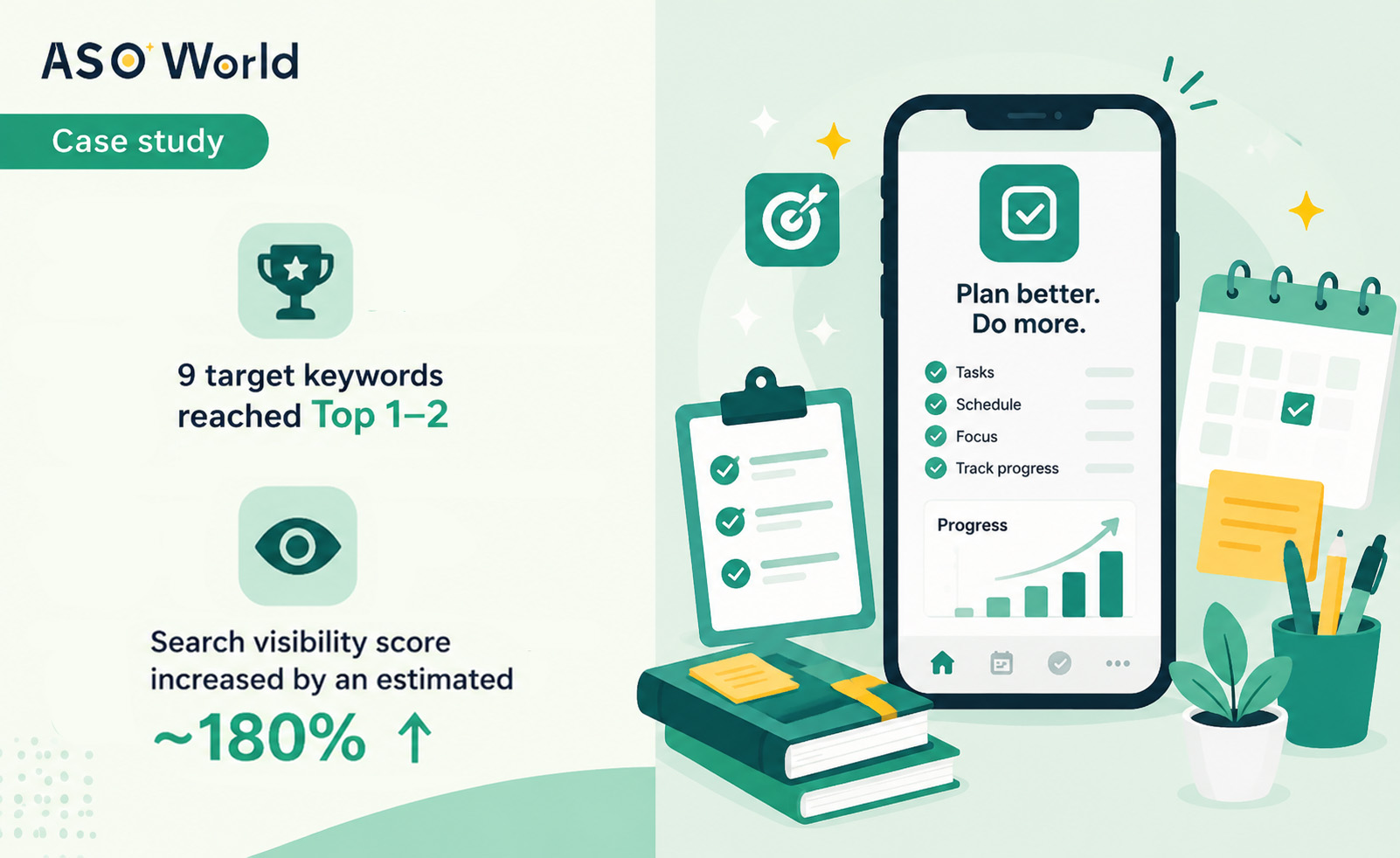
The client is an established productivity app used mainly by working professionals and small teams. Unlike an early-stage app, they arrived with a healthy foundation already in place: mature metadata, an existing ratings base, and keyword coverage across several dozen relevant search terms. Roughly a dozen of those terms were already ranking around position 10, pulling a steady flow of search impressions.
In short, they had already solved the hard part most apps never finish — being indexed,
Their ASO work had plateaued at exactly the point where it should have started paying off.
Page one wasn't converting like page one. Sitting around position 10 meant appearing at the bottom of the visible results, or requiring a scroll. The first two results absorb the overwhelming majority of taps for any given term; everything below competes for the remainder.
Metadata had run out of room. Title, subtitle and keyword field were already optimized. That work had earned coverage and mid-page rankings — and then stopped producing gains. Metadata determines whether you're eligible to rank for a term. It doesn't determine where you land within that eligible pool.
Entrenched competitors held the top slots. The apps above them were well-known productivity tools with years of accumulated ranking authority. Waiting for organic momentum to overtake them wasn't realistic on any useful timeline.
A previous attempt hadn't held. An earlier short promotional burst produced a brief ranking spike that decayed within days. The client needed positions that would stay — not a spike to screenshot.
The diagnosis: this was a ranking problem, not a coverage problem. Store search works in two stages — coverage decides if you're eligible to appear for a term, ranking decides where you sit inside that eligible pool. Because this client already had coverage, they didn't need indexing work. They needed install signal directed at positions they already held.
Rather than starting from a blank keyword list, ASOWorld pulled every term the app already had coverage for using keyword ranking tools and sorted them into three tiers: covered and close (Rank 3–15) — the highest-ROI targets in ASO, since the algorithm already treats the app as relevant; covered but distant (Rank 16–250) — eligible, but deferred to a later phase; and zero coverage — excluded entirely, a job for metadata or guaranteed ranking instead.
This reframed the whole campaign. The opportunity wasn't "improve ASO broadly" — it was a dozen terms sitting at the edge of the top, and nothing else. Each candidate was then scored on volume, difficulty, and chance — how likely this specific app was to break the top, given its existing rank and rating base.
The client initially wanted to put everything behind two high-volume head terms. ASOWorld advised against it: those terms were dominated by category leaders with years of entrenched ranking, and concentrating spend there would have produced a smaller, less durable result. The final shortlist landed on 9 keywords — core terms plus longer-tail workflow phrases — all sharing one trait: an existing rank close enough to the top that a realistic volume of install signal could close the distance.
Everything below is what we actually did, in order. Because the entire growth story here rests on keyword rankings, we've documented the complete keyword workflow — selection, auditing, allocation, pacing, delivery and defence — rather than listing generic best practices.
Volume was set per keyword, based on how far each term needed to travel and how contested its top slots were: 20 installs/day for keywords needing a 1–5 position lift, 25 installs/day for the single most contested term, run as 3-day continuous cycles with volume split evenly across all three days — no front-loading.
Keyword installs were kept within 30% of the app's total daily installs, and delivery stayed flat day over day rather than spiking. An app with real organic traffic doesn't need a surge — it needs a steady signal the algorithm reads as sustained demand. The 3-day minimum mattered too: single-day bursts are exactly what had produced the client's earlier spike-then-drop.
With the plan set, execution followed the standard campaign setup flow: app and market added by store URL, Keyword Installs selected as the service, all nine terms imported directly from the research tool to avoid exact-match typos, daily volumes allocated in one pass across the 3-day window, then reviewed in preview before launch.
Not Sure Where to Begin?
Skip the guesswork — launch your first campaign with ASOWorld in 3 steps.
Delivery and rank movement were monitored side by side on the same timeline, so any underperforming keyword could be diagnosed as either "needs more signal" or "wrong target." Delivery ran clean: every task completed at 100%, 75/75 on the highest-volume term and 60/60 across the rest.
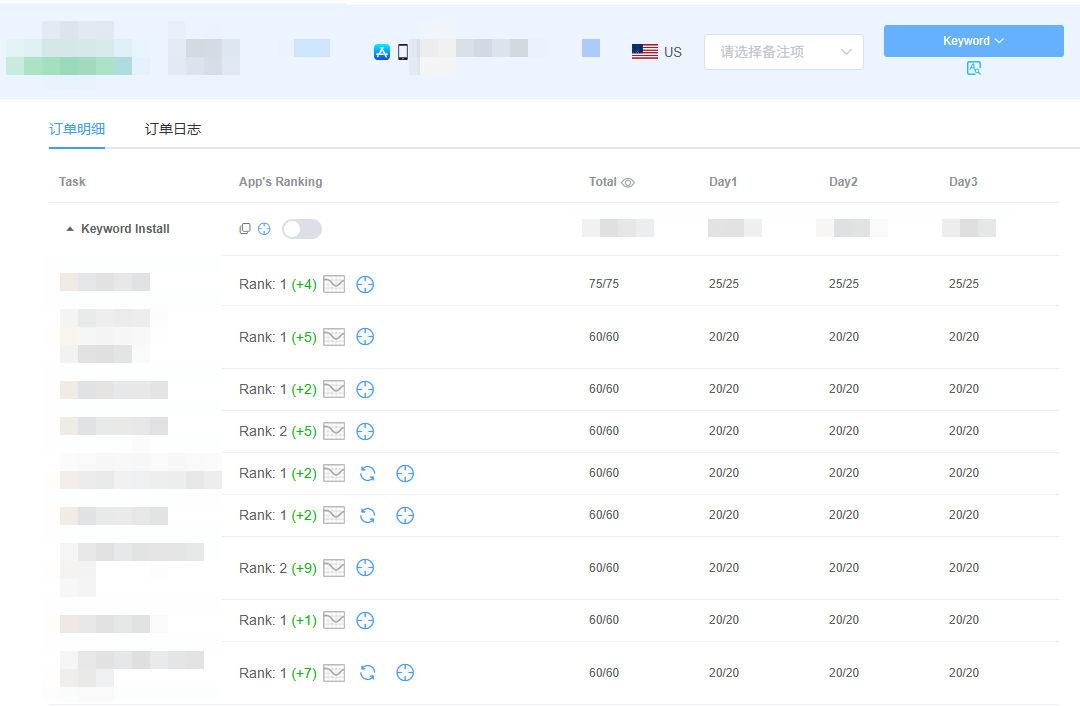
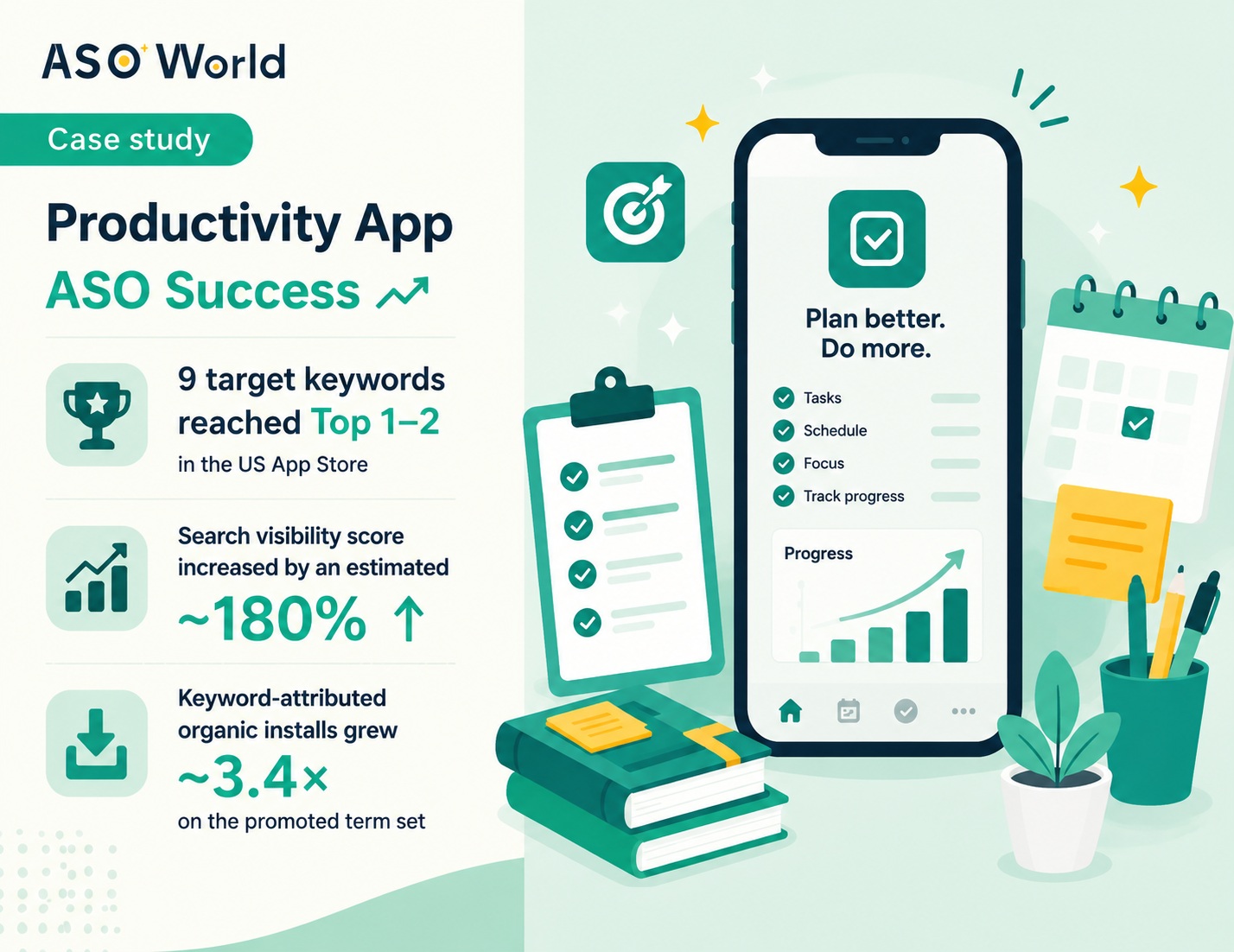
All 9 keywords fully delivered, landing at Rank 1 or Rank 2 — with gains ranging from +1 to +9 positions.
A +1 gain meant a keyword already at Rank 2 needing only a nudge. A +9 gain meant a term near position 10 — the client's exact plateau — carried to the top on 60 installs over three days. Neither outcome is available to an app without existing coverage: the starting position is the leverage.
Reaching Rank 1 is the easier half of the job. After delivery ended, ASOWorld kept tracking the promoted terms without further spend — and the rankings did not decay.
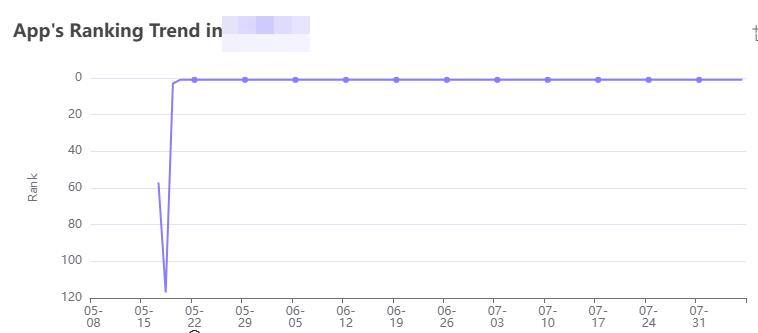
One keyword's ranking climbed from ~position 60 to Rank 1 in mid-May — and held flat through the end of July.
Once the app occupied the top slot, it captured the tap share that comes with it — and those organic installs supplied the ongoing signal to defend the position. The campaign didn't rent the ranking; it moved the app into a position its own performance could sustain.
The work required to reach position 10 is not the work required to reach position 1. Metadata gets you eligible — install signal decides where you land. If you've already done the first part properly, the second part is a smaller job than it looks.
Categories