In short
- Many developers report that a large share of new Google Play reviews either vanishes or never appears. Reviews that look unnatural (sudden bursts, new accounts, repeated wording) are the most likely to be filtered out.
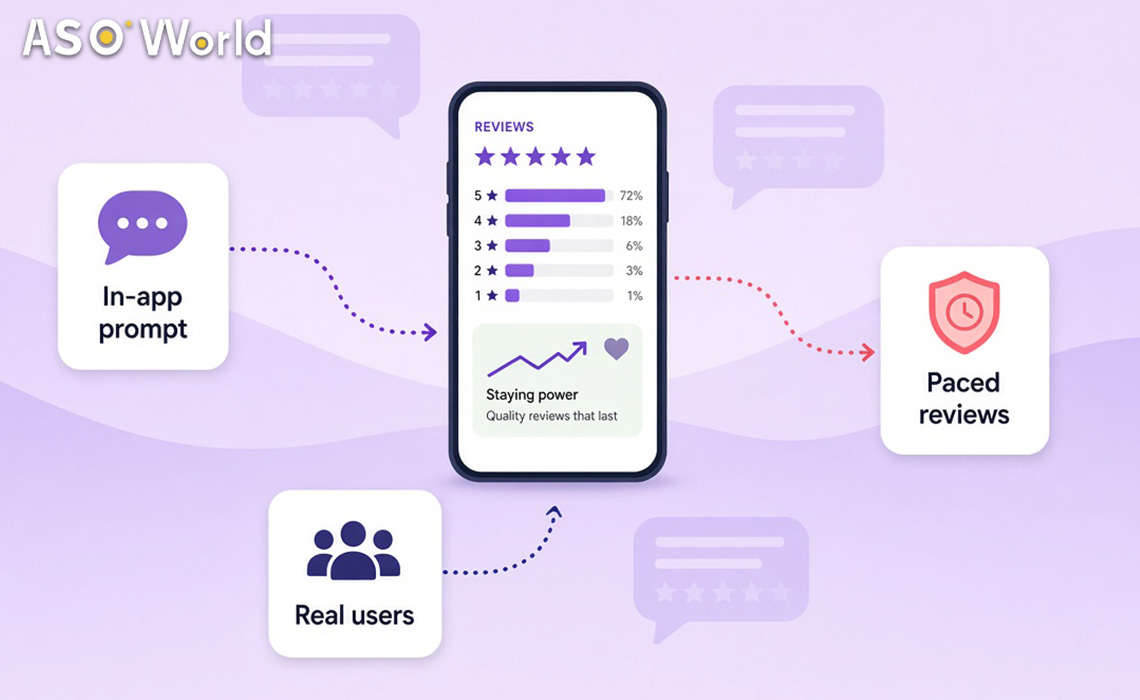
- The reviews most likely to last come from real users who installed through search or campaigns and were prompted at a good moment. That's why many teams now build ratings through keyword installs or CPI traffic together with the official in-app review prompt.
- Paid reviews are the quickest route but carry the most risk: Google Play's policies prohibit the manipulation of ratings, and bursts are filtered first. If you do use them, choose a provider with a written commitment on retention and pace the reviews over several weeks.
- For most apps, the best answer is a mix: in-app prompts as the foundation, installs from campaigns to widen the pool of reviewers, replies to reviews to lift sentiment, and paced paid reviews only to fill particular gaps.
If your count of Google Play reviews isn't growing as fast as you'd hoped, you're not alone. Retention of reviews has become one of the most common frustrations among Android developers this quarter. The question isn't only "how do I get more reviews?" but "which reviews will still be there next month?"
Why Do Google Play Reviews Disappear?
Reviews on Google Play must follow Google's policies on ratings and reviews, and Google removes or filters reviews that it regards as spam, fake or incentivised. Google doesn't publish its rules for detection, but the reviews that disappear tend to have certain patterns in common:
- Bursts: many reviews in a short space of time relative to the app's normal pace
- Accounts with little history: reviewers who have done little else on Google Play
- Repetitive text: similar phrasing across many reviews
- A mismatch with installs: reviews arriving faster than the app's real user base could produce them
Reviews can also appear after a delay, so a review that seems to be missing today may show up later.
What this means for your app: the more closely your reviews resemble what your real user base would produce naturally, the more of them will stay. Volume without a believable source is the main reason that reviews vanish.
Five Ways to Build Google Play Ratings, Compared
| Method |
How it works |
Speed |
Typical retention |
Cost |
Policy risk |
| In-app review prompt (Google Play In-App Review API) |
Real users rate your app from inside it, after a positive moment |
Slow to medium |
Highest |
Development time only |
Lowest, provided you follow Google's rules on prompts |
| Replying to reviews |
Fixes and replies lead some users to update their rating |
Slow |
High |
Team time |
None |
| Installs from campaigns (keyword installs / CPI) + prompts |
More real users come into the app, and a share of them rate it |
Medium |
High |
Campaign budget |
Low to medium, depending on the quality and pacing of the traffic |
| Paced paid reviews with a commitment on retention |
Reviews delivered gradually, with a refund if retention falls short |
Fast |
Medium |
Per review |
Higher, as Google prohibits manipulated ratings |
| Bulk low-cost reviews |
Many reviews at once from unknown sources |
Very fast |
Low |
Low per review, high in losses |
Highest |
Source: Google Play policy and Android Developers documentation; ASOWorld campaign observations | checked 3 November 2026
Two rules matter for the in-app prompt. Google limits how often the review dialogue can appear, so calling it repeatedly won't make it show up more often. And Google's guidelines tell you not to ask users questions about their opinion before or while the prompt is shown (for example, "Do you like the app?" followed by the review card only for those who are pleased).
What this means for your app: the first three methods build reviews out of real usage, and they last the longest. Paid reviews can fill a gap more quickly, but they should be a small, paced share of your total and never the foundation.
Why Do Reviews From Campaign Installs Last?
Reviews survive when they come from real users. A campaign that brings real users into the app (through keyword search or paid acquisition) enlarges the pool of people who can be prompted to leave a rating. Their reviews have a believable source, arrive at a natural pace and keep in step with the growth in the app's installs.
This is why many teams have moved part of their review budget into installs. Keyword installs improve rank for target terms while adding users who can rate the app, and CPI campaigns add users who chose of their own accord to install from an ad. Neither method writes the review for you, which is precisely why the result tends to last.
Keyword installs on Google Play start from $0.20 per install, with options that include ratings, and your app must already appear in the top 250 results for the keyword (verified 3 November 2026).
What this means for your app: if most of your paid reviews are disappearing, moving part of the budget into installs from campaigns, together with a well-timed prompt, usually produces a rating that builds more slowly but lasts longer.
When Should You Trigger the In-App Review Prompt?
Because Google limits how often the review dialogue appears, timing decides how many real reviews you collect. Trigger it just after a moment when the user has got something out of the app, not at first launch or after an error.
| App type |
A good moment to prompt |
A moment to avoid |
| Utility / tools |
After a task has completed successfully (file converted, scan saved) |
Straight after a failed task or a paywall |
| Games |
After winning a level or earning a reward |
After a defeat or during a tutorial |
| Shopping |
After the order is confirmed or delivery tracking shows "delivered" |
During checkout or after a failed payment |
| Health & fitness |
After a completed workout or a logged streak |
At first launch, before any activity |
| Finance / budgeting |
After a goal is reached or a report is viewed |
After a declined transaction |
Source: ASOWorld recommendations based on Android in-app review guidance
What this means for your app: one well-timed prompt usually collects more lasting reviews than any paid batch, because the reviewer is a real and satisfied user.
When Do Paid Reviews Make Sense?
Paid reviews can be useful in a few narrow situations:
- A new app with very few reviews, where the first reviews to be seen shape conversion
- A specific country where your app has users but almost no reviews in the local language
- Recovering from a short burst of negative reviews after a bug has been fixed
In those cases, choose a provider that states its commitment on retention in writing and paces its delivery. ASOWorld's guaranteed reviews start from $1.50 per review on Google Play, with a commitment that more than 80% of ordered reviews will stay for 30 days or longer, or the difference is refunded. Keep daily volumes small relative to your volume of installs, and stop if a policy notice appears.
What this means for your app: treat paid reviews as a targeted tool with a clear purpose and a limit, not as your strategy for ratings.
Which Mix Suits Your App?
| Your situation |
Recommended mix |
| New app, fewer than 50 ratings |
In-app prompt from day one + installs from campaigns; a small, paced batch of reviews to help conversion at first impression |
| Established app, rating of 4.3+ |
In-app prompt + replies to reviews; campaigns for growth; no paid reviews needed |
| Rating below 4.0 after a bad release |
Fix the bug, reply to every recent negative review, then prompt satisfied users |
| Strong in one country, no reviews in another |
Installs from campaigns in the new country + a localised prompt; paced reviews in the local language only if needed |
| A policy notice or warning is open |
Stop all paid review activity; concentrate on fixes and organic prompts |
For apps with a problem with their rating rather than a problem with volume, a structured plan for app reputation and negative review management usually helps more than adding reviews.
A 30-Day Plan for Reviews That Last
| Week |
Focus |
Actions |
| 1 |
Foundation |
Implement, or fix, the In-App Review API trigger so that it follows a positive moment; reply to every review from the last 30 days |
| 2 |
Growth in real users |
Start keyword or CPI campaigns at volumes in proportion to organic installs |
| 3 |
Targeted gaps |
If needed, add a small, paced batch of reviews in one country or for one feature |
| 4 |
Measure |
Compare the reviews submitted with those visible; shift the mix towards whatever stayed |
Source: ASOWorld planning framework
How Do You Measure Retention of Reviews?
Track three numbers every week:
- Visible reviews added (from the ratings and reviews pages in Play Console), not reviews ordered or prompted.
- Visibility rate: visible reviews ÷ the reviews you expected from each source.
- Rating trend: your average rating over the last 30 days, which Google Play emphasises in what users see.
If one source has a much lower visibility rate than the others, move budget away from it. Providers that report openly on visibility and deletion rates make this easier. For a broader view of rating services and options, see ASOWorld's ratings and reviews page.
FAQ
Why are my Google Play reviews disappearing?
Google filters or removes reviews that it regards as spam, fake or incentivised. Reviews that arrive in bursts, come from accounts with little history or don't match your volume of installs are the most likely to go. Some reviews also appear after a delay.
Is it against Google Play policy to buy reviews?
Google Play's policies prohibit the manipulation of ratings and reviews, including through incentivised or fraudulent reviews. Paid reviews carry a risk to your policy standing and should never be your main strategy for ratings.
What's the safest way to get more Google Play reviews?
Use the official In-App Review API after a positive moment, reply to existing reviews, and grow your real user base through search and campaigns so that more real users can rate the app.
How often can I show the Google Play in-app review prompt?
Google limits how often the dialogue appears to each user, so calling it more often won't make it show more often. Trigger it after meaningful positive actions instead.
Do keyword installs help with reviews?
Indirectly. They bring real users into the app through search, which increases the number of people who can be prompted to rate it, and their reviews tend to stay.
How should I judge a review service?
Look for a written commitment on retention, paced delivery, transparent reporting of visible reviews against those delivered, and a policy on refunds. Steer clear of offers of large volumes delivered in a single day.
 COVID-19 UPDATE