COVID-19 UPDATE


Important Notice:Beware of scams using ASOWorld's name for part-time recruitment or ASO earning app activities. ASOWorld is not hiring any part-time staff. Trust only official information posted by ASOWorld.

Google Play keywords climbing without installs, or slipping back within days? Keep your core terms ticking over, trial three to five iOS keywords for a week, and scale only what your data backs up.


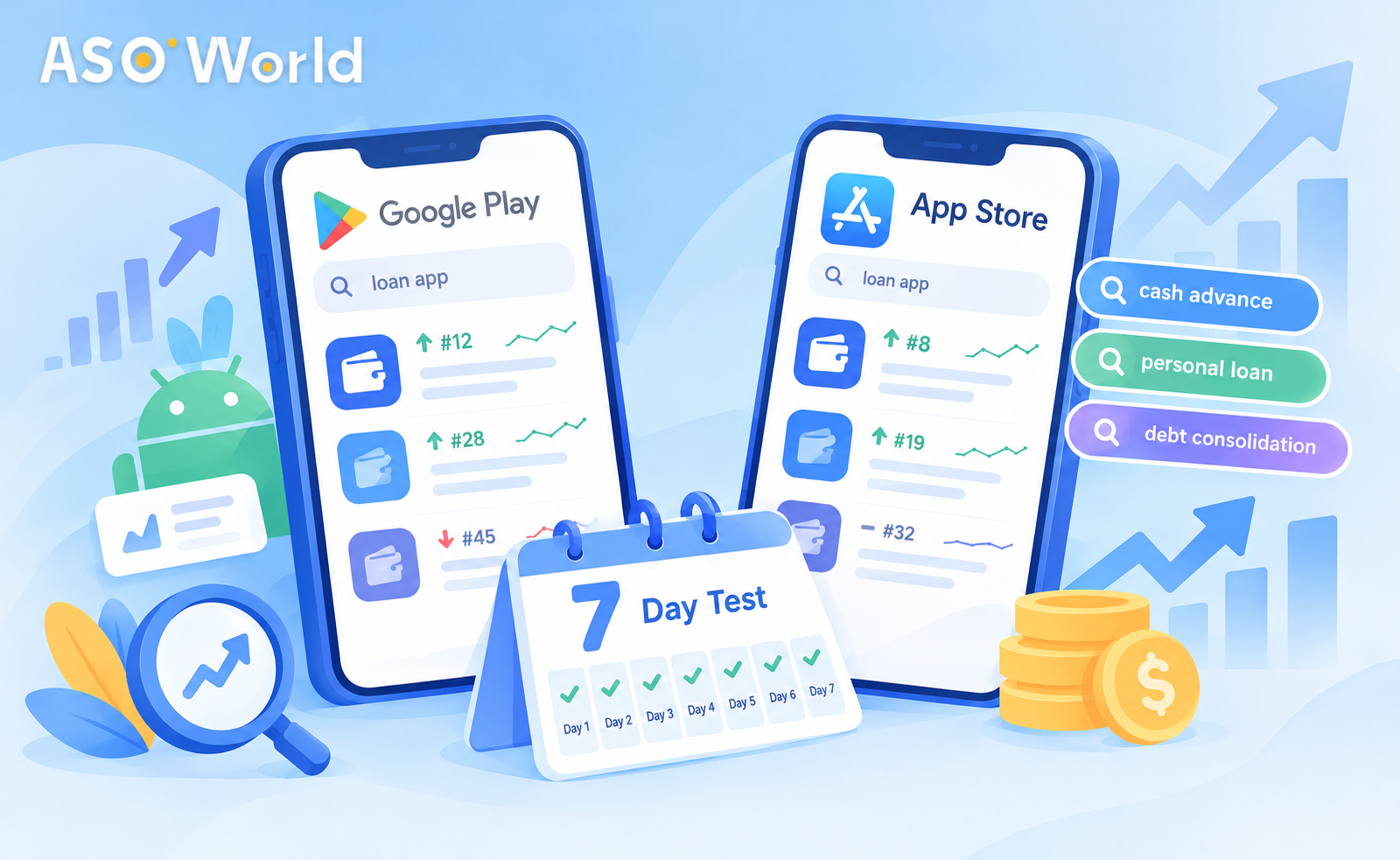
In short: This autumn, a good number of developers have noticed odd keyword behaviour on Google Play. Rankings climb but installs don't follow, and terms that reach the top slip back within days. There's no need to walk away from Google Play, and no need to shift your entire budget on a gut feeling. Keep your core Android terms ticking over at a lighter pace, then run a small seven-day trial on three to five iOS keywords, with a clear pass-or-fail rule agreed beforehand. Only scale what your own data backs up.
When a channel that once delivered starts to wobble, most teams either throw more money at it or abandon it altogether. Both can prove costly. A far better route is a short, well-controlled test that shows you, using your own figures, whether moving some budget to the App Store makes sense for your app at this moment.
In this guide, we look at what developers are noticing on Google Play, where the two stores differ in ways that affect your spend, and a day-by-day test plan you could start this week.
In recent weeks, the same three patterns have cropped up repeatedly in our conversations with developers:
Nobody outside Google can say for certain what lies behind this. Ranking systems are tweaked all the time, competition tends to heat up ahead of the festive period, and a degree of category-level turbulence is simply part of life on the stores. For your budget, the cause matters less than two questions: is your app actually affected, and does another channel offer a steadier return right now?
No, not completely. Stopping suddenly can let hard-won rankings erode, and Android still accounts for a large share of the world's installs, particularly in markets such as India, Indonesia and Brazil.
A more sensible approach is to sort your Android keywords into two groups:
| Group | Description | Action |
|---|---|---|
| Core terms | Keywords that already sit in the top positions and still deliver installs | Keep going at a lighter, maintenance level |
| Unstable terms | Keywords that rose and then fell, or that rank well but bring no installs | Hold off on new spend and watch them for a week or two |
Doing this frees up funds for a trial while leaving what already works intact.
Knowing where the two stores part ways will help you set realistic expectations for the trial.
| Factor | App Store (iOS) | Google Play |
|---|---|---|
| Indexed metadata | Title, subtitle and a hidden 100-character keyword field | Title, short description and full description |
| How quickly it reacts | Changes can often be seen within a few days | Typically takes around seven to nine days to settle |
| Fall-off once support ends | Quicker, as gains fade once activity stops | Slower, though harder to predict this season |
| Planning rhythm | Steady, uninterrupted effort over at least several days | Plan in weekly blocks; don't draw conclusions on day three |
| Requirement before running keyword campaigns | Your app should already sit within the top 250 for the term in that country | Same |
In practical terms, iOS gives you a quicker read on whether a keyword responds, which makes it a good fit for short trials. That speed works in both directions, though: you need consistent effort, not a single burst on one day.
The aim is to answer one question using your own numbers: does a modest, steady push on iOS improve rankings and installs for my app?
Pick three to five iOS keywords that meet two criteria:
Check that your app already appears somewhere in the top 250 for each term in your target country. If it doesn't, sort out your metadata first, as no campaign can lift an app for a keyword the store doesn't yet link to it.
Note down a starting position for every keyword: current rank, daily impressions and daily organic installs.
Rather than placing one large order, run a small daily volume for seven days in a row. As a rough guide, many developers begin with around a hundred installs a day across the test keywords, adjusted according to how competitive the terms are. Keyword installs on iOS start from $0.30 each (please see the page for up-to-date pricing), so a full week's trial remains small next to a typical monthly budget.
| Day | Action | What to record |
|---|---|---|
| 0 | Choose keywords; log starting rank, impressions and installs | Baseline spreadsheet |
| 1–2 | Begin a steady daily volume on every test keyword | Check rank once a day, at the same time |
| 3 | First checkpoint: has anything started to move? | Change in rank against the baseline |
| 4–5 | Leave volume as it is and ignore day-to-day fluctuations | Impressions and organic installs |
| 6–7 | Take the final reading | Rank, impressions and organic installs against the baseline |
Two rules count above all: never skip a day, and never alter the volume part-way through. Gaps cause iOS gains to fade, and mid-trial changes make the results impossible to interpret.
| Outcome | What it means | Next step |
|---|---|---|
| Rank up, organic installs up | The keyword responds and converts | Scale up gradually and add one or two related terms |
| Rank up, installs unchanged | Visibility improves, but conversion lags | Improve your icon, screenshots and rating before scaling |
| Rank unchanged | The term is too competitive, or its relevance is too weak | Swap in a longer-tail alternative |
| Rank rose, then slipped back by day 7 | Support was too light for this term | Retest with steadier volume, or drop it |
Once a keyword reaches a strong position, don't carry on at the same intensity. Ease back to a lighter maintenance level, which protects your budget and keeps the movement looking natural.
Here's how the plan might unfold for a hypothetical local-services app that has been running Android keyword campaigns in Brazil:
The exact figures will vary from app to app. What matters is the structure: protect what works, test on a small scale, read the results honestly, and only then scale up.
ASOWorld First Order Discount
Get 50% off on your first order to start your app growth!
Don't leave them forgotten. After a week or two of observation, see whether the paused terms recovered by themselves, stayed put, or dropped out of the rankings altogether. Those that held their position without support deserve a light maintenance level again. Those that fell out entirely can be retested later in the season, ideally once your rating and listing conversion have improved, since a stronger listing makes every keyword easier to hold.
Keyword campaigns are built to improve search ranking. They won't necessarily produce a visible jump in your overall install count, which catches many teams out. If your immediate goal is download volume, for instance to climb a category chart before Christmas, direct installs are the better-suited tool.
Package (direct) app installs raise your total downloads, which can help your overall chart position. Plenty of developers use the two together: direct installs for chart momentum, and keyword installs to defend priority search terms.
There's no one-size-fits-all ratio, but the following starting points reflect what we're seeing work this season:
| Situation | Suggested starting split | Rationale |
|---|---|---|
| Strong Android rankings, but shaky recent results | Maintain Android core terms; trial iOS with 20–30% of your keyword budget | Safeguard the ranks you've earned while you test |
| Android campaigns haven't converted for several weeks | Move towards an iOS-led budget, with Android kept at maintenance level | Direct spend to where results can be measured |
| New app with no track record on either store | Begin on the store where your audience is; run small trials on both | Avoid relying on assumptions |
| Strong iOS trial results | Scale iOS gradually; retain a modest Android presence | Spread your risk rather than concentrating it |
Review the split every fortnight, and leave around 14 days after any change before reallocating again, as anything shorter mostly measures noise.
For a wider look at how rankings, chart position and user acquisition work together across both stores, take a look at our approach to boosting app rankings and user acquisition.
Ranking and conversion are two separate things. A higher position on a low-volume or poorly matched term may deliver very few installs. Look at the term's search volume and your listing's conversion rate.
Many developers say they're seeing steadier results on iOS this season, and that they're quicker to interpret, but this varies by app and category. That's why a seven-day trial using your own data is a better guide than a wholesale switch.
Three to five. Fewer gives you too little data, while more spreads a small budget too thinly.
Keep it modest. Many developers begin at around a hundred installs a day across the test terms, then adjust for how competitive each keyword is. Consistency matters more than scale.
Yes. Keyword campaigns only work on terms the store already associates with your app.
Yes. Direct installs support your total downloads and chart position, whereas keyword installs target search ranking. Use each for its own purpose.
Not sure where to begin? Our team can help you select test keywords, set a pacing plan for both stores and interpret the results. Take a look at our full app promotion service – new customers receive 50% off their first order.
Get FREE Optimization Consultation
Let's Grow Your App & Get Massive Traffic!
All content, layout and frame code of all ASOWorld blog sections belong to the original content and technical team, all reproduction and references need to indicate the source and link in the obvious position, otherwise legal responsibility will be pursued.