COVID-19 UPDATE


TL;DR
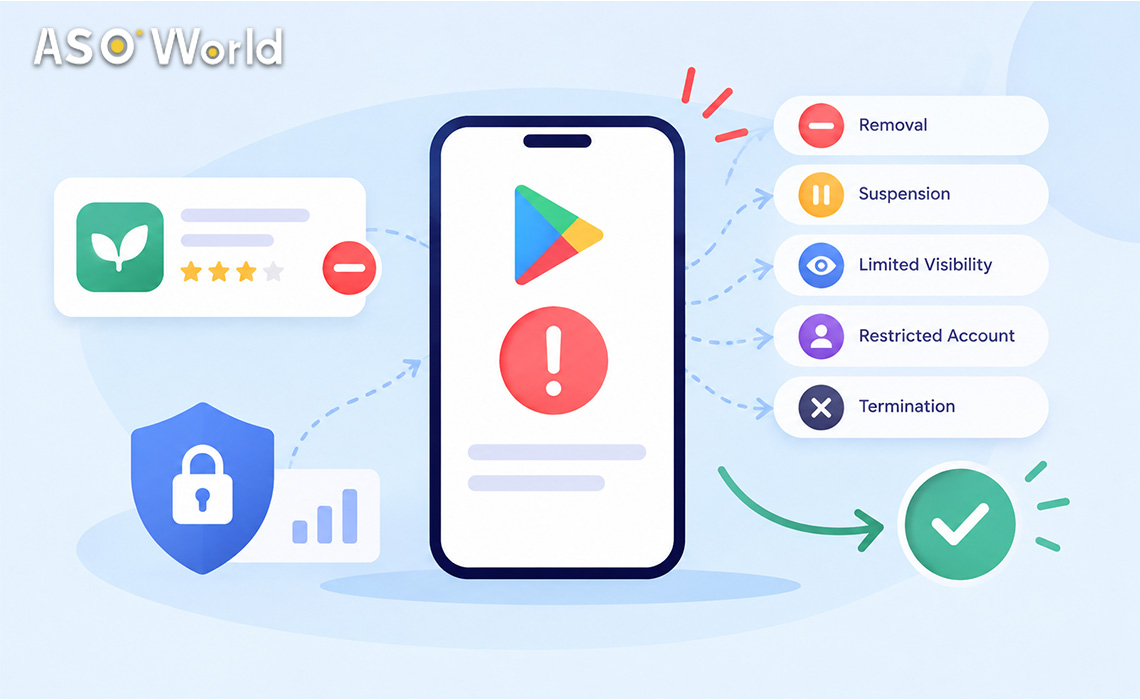
- Google Play uses seven different enforcement outcomes — rejection, removal, suspension, limited visibility, limited regions, restricted account and termination. They are not equally serious, and the right response depends on which one you received.
- Removal is recoverable: fix the violation and submit a compliant update, and your listing, users and ratings come back. Suspension counts as a strike against your developer account and requires an appeal.
- In the first 72 hours: read the email and the Policy status page, pause every non-organic growth activity on the affected app, audit all apps in the account, and file one well-documented appeal only if you believe the decision was wrong.
- Never open a new developer account while one is terminated — Google links related accounts.
- After reinstatement, rebuild discoverability slowly with a compliant listing, genuine ratings and conversion fixes.
Many developers have told us the same thing over the past few weeks: a policy email arrives, an app disappears from search, and nobody is sure whether it is a warning, a temporary removal or the end of the account. This guide explains what each Google Play enforcement action actually means, what usually triggers it, and a calm, step-by-step plan for the first 72 hours and the following 30 days.
What do Google Play’s enforcement actions actually mean?
Google’s own Enforcement Process documentation lists several distinct actions. Most panic comes from treating them as one thing. Here is how they differ in practice:
| Enforcement action | Is the app visible on Google Play? | Impact on your developer account | What brings it back |
|---|---|---|---|
| Rejection | Previous approved version stays live | None | Fix the issue, resubmit the update |
| Removal | No — listing hidden, no new downloads | Not immediate, but repeated removals can lead to suspension | Submit a policy-compliant update; listing, users and ratings are restored |
| Suspension | No — app and all versions removed | Counts as a strike; multiple strikes can terminate the account | Appeal; the suspended APK/app bundle cannot be reused |
| Limited visibility | Yes, by direct link, but discoverability is restricted | None | Fix the cited issue |
| Limited regions | Only in certain countries | None | Fix the cited issue |
| Restricted developer account | All apps removed; Play Console still accessible | Account restricted, cannot publish | Fix all violations, then republish |
| Account termination | All apps removed permanently | Account and related accounts terminated | One appeal; reversals are uncommon |
Two details matter more than they look. First, Google notes that an enforcement email may not list every violation in your app or catalogue, and that you are responsible for checking the rest. Second, a suspended app forfeits its users, statistics and ratings, while a removed app keeps them once a compliant update is approved. That difference alone should decide how fast and how carefully you act.
Is it a warning, a removal or a suspension? How to check in 5 minutes
Before you write to anyone, confirm exactly what happened:
- Open Play Console → select the app → Policy status. If it says “No issues found”, there is no active enforcement and the problem is elsewhere (a technical crash, a country availability change, or a normal ranking fluctuation).
- Read the enforcement email word by word. Note the policy name, the cited issue, any deadline (“your app will be removed after X days”), and whether it mentions the app or the whole account.
- Check the Inbox in Play Console, which sometimes carries more detail than the email.
- Look at every other app in the account. Multiple removals can escalate to suspension, so a “single app” problem is often a catalogue problem.
- Verify the email is genuine. Real notices come from Google Play addresses and match what you see in Play Console. If an email asks you to “verify” your account through an outside link, treat it as phishing.
If you received a warning with a deadline rather than an action, you still have time to fix the issue before anything is removed — use it.
What usually triggers a Google Play removal or suspension?
Google does not publish a full list of triggers per case, but the policy categories behind most notices fall into five buckets.
1. Store listing and metadata problems
Misleading titles, keyword stuffing in the short or full description, unverifiable claims (“#1 app”, “guaranteed results”), or screenshots that show features the app does not have. These are among the easiest issues to fix and frequently result in rejection or removal rather than suspension.
2. Permissions, data safety and SDK behaviour
Requesting sensitive permissions without a core-feature reason, an inaccurate Data safety form, or a third-party SDK that collects data you did not disclose. Google explicitly holds developers responsible for the SDKs they ship, so an outdated ad or analytics library can trigger enforcement even if your own code is clean.
3. Ratings, reviews and install manipulation
Google Play’s Store Listing and Promotion policies prohibit manipulating an app’s placement — including inflating ratings, reviews or install counts through illegitimate means such as fraudulent or incentivised activity. Aggressive spikes that look nothing like an app’s organic baseline (for example, hundreds of daily installs or reviews on an app that normally sees a handful) are exactly the pattern this policy is designed to catch. If your notice mentions this area, treat it as the most urgent item on your list.
4. Deceptive behaviour, impersonation and intellectual property
Using another brand’s name or icon style, copying content you do not own, or functionality that does something different from what the listing promises.
5. Account-level history and association
Google considers past violations and related accounts. Sharing access, keystores, payment profiles or team members with an account that has enforcement history can pull a clean account into the same outcome. This is why accounts that host many unrelated apps, or that were bought or inherited, carry more risk.
What should you do in the first 72 hours?
Speed matters, but accuracy matters more — you generally get one appeal per enforcement action.
Hour 0–6: stop the bleeding
- Pause every non-organic growth activity on the affected app: paid install campaigns, review requests outside the official in-app review flow, incentive offers, and any third-party traffic you cannot fully explain. You need a clean, stable baseline while Google reviews the app.
- Do not republish the same build. Google is explicit: don’t resubmit a rejected or removed app until the violation is fixed.
- Do not create a new developer account. Any new account linked to a terminated one will be terminated as well, without a refund of the registration fee.
Hour 6–24: diagnose properly
- Map the cited policy to concrete evidence: which permission, which screenshot, which description line, which SDK version, which traffic source.
- Audit the rest of the catalogue against the same policy, because notices may not list every issue.
- Export what you will need later: install and rating trends from Play Console, campaign records, SDK versions, and dates of listing changes.
Hour 24–72: fix, then decide whether to appeal
- For rejections and removals, the fastest path is usually a compliant update, not an appeal. Fix the issue, document the change in the release notes, and resubmit.
- For suspensions and terminations, file an appeal only if you can explain clearly why the decision is wrong or exactly what you have changed. Be specific: what happened, what you removed or rewrote, which vendors you stopped working with, and what controls you now have in place.
- Keep the appeal factual and short. Emotional or generic appeals (“we did nothing wrong, please restore”) rarely help.
How should you rebuild over the next 30 days?
Once the app is back — or while you wait — use the time to remove the reasons the app was vulnerable in the first place.
| Week | Focus | Actions |
|---|---|---|
| Week 1 | Compliance baseline | Rewrite metadata without superlatives or stuffed keywords; correct the Data safety form; update or remove risky SDKs |
| Week 2 | Reputation | Reply to recent negative reviews; switch to the official in-app review API, triggered after a positive moment; fix the bugs reviewers mention most |
| Week 3 | Conversion | Refresh screenshots and the first three lines of the description; A/B test with store listing experiments |
| Week 4 | Measured re-growth | Reintroduce marketing gradually, at volumes that stay close to your organic baseline, and track every source |
Reputation is usually the slowest piece to recover. If your rating took a hit during the downtime, a structured plan for responding to negative reviews and rebuilding app reputation — diagnosis, recovery, sentiment work and long-term maintenance — is more effective than chasing star counts.
Conversion work matters just as much. An app that returns from removal often has fewer impressions for weeks; making every visit count through better screenshots, clearer value propositions and faster load times is how you improve organic conversions and user experience without adding risk.
What are the most common misconceptions?
- “A removal means my account is gone.” No. Removal does not immediately affect account standing; suspension and termination do.
- “I’ll just upload it under a new account.” This is the fastest way to turn one problem into a permanent one. Google ties suspensions to the developer, not just the login.
- “The email only mentioned one app, so the others are fine.” Google states that notices may not cover every violation. Audit everything.
- “Appealing several times improves my odds.” You typically get one appeal per enforcement action. Use it when your fix and evidence are ready.
- “My rankings will snap back as soon as the app is live.” Rankings, especially on Google Play, take time to stabilise. Expect a recovery curve, not a switch.
How does this change your ASO budget?
An enforcement event is a signal to re-plan, not just to wait. Three practical rules:
- Separate “compliance spend” from “growth spend.” Metadata rewrites, SDK updates and review management come first; volume-driven tactics wait until the app has a clean baseline again.
- Diversify your growth mix. If almost all of your installs came from one channel, the app’s ranking will look abnormal the moment that channel stops. Balanced growth — search optimisation, conversion work, genuine ratings and paid channels such as Apple Search Ads or Google App Campaigns — is more resilient.
- Re-check where your budget actually goes. If you are unsure whether your keywords are failing because of relevance, conversion or competition, a quick ASO budget diagnostic for badly ranked or unranked apps helps you decide what to fix before spending again.
If you manage several apps and do not have the bandwidth to rewrite metadata, review localisations and rebuild conversion assets at the same time, a structured App Store Optimisation service can take the listing work off your plate while you handle the policy side.
Pre-appeal checklist
Before you click “Appeal”, confirm each item:
- You know the exact policy and the exact evidence behind it.
- The violation is fixed in the build, the listing, the Data safety form and any SDK.
- You have checked every other app in the account against the same policy.
- All non-organic growth activity on the app is paused, and you can describe your traffic sources.
- Your appeal states what happened, what you changed and how you will prevent it — in under 300 words.
- You have not created or used any other developer account in the meantime.
FAQ
How long does a Google Play appeal take?
Google does not publish a fixed timeline. Developers commonly report anything from a few days to several weeks, and some community reports describe much longer waits for account-level cases. Plan your release calendar as if the app will be unavailable for a while, and avoid filing duplicate requests.
Will I lose my ratings and reviews if my app is removed?
Not if it is a removal. Google says users, statistics and ratings are retained once you submit a compliant update. A suspended app, however, forfeits its users, statistics and ratings.
Can I create a new developer account if mine is terminated?
No. Google warns that any new account linked to a terminated one will also be terminated, and the registration fee is not refunded.
Does “limited visibility” hurt my developer account?
No. Limited visibility restricts discoverability but does not affect the standing of your developer account, and the app stays reachable by direct link.
Should I stop all marketing after a policy email?
Pause anything non-organic on the affected app until you understand the cause and the fix is live. Brand, content and community marketing that points to a compliant listing can continue.
What if I think the decision is a mistake?
Use the official appeal form linked from the enforcement email or Policy status page, explain specifically why you believe the decision is wrong, and include evidence. One clear, evidence-based appeal is worth more than several vague ones.
This article is for general information and is not legal advice. Always follow the latest Google Play Developer Program Policies and the instructions in your enforcement notice.