COVID-19 UPDATE


Important Notice:Beware of scams using ASOWorld's name for part-time recruitment or ASO earning app activities. ASOWorld is not hiring any part-time staff. Trust only official information posted by ASOWorld.

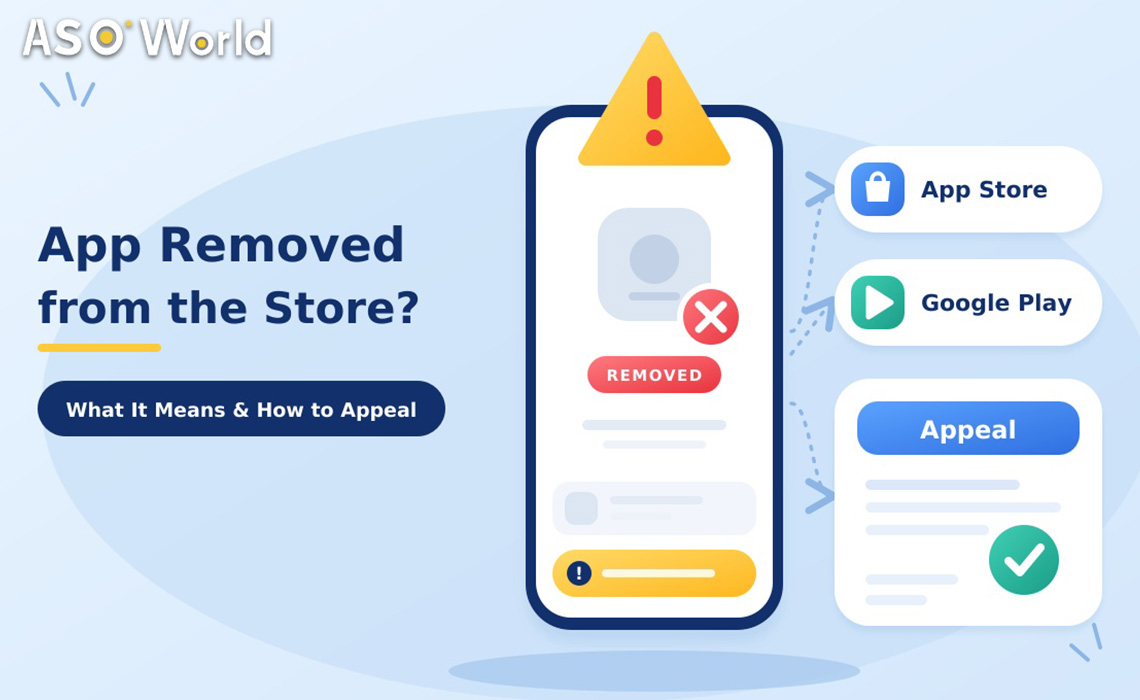
App removed or suspended? Learn what each enforcement action means on the App Store and Google Play, a 72-hour checklist, and how to write an appeal that works.


TL;DR
Read the email and the console notice slowly. The wording tells you how serious it is.
| Status | Google Play | App Store | Is the app live? | Long-term risk |
|---|---|---|---|---|
| Rejected | An update wasn't approved; previous version stays live | A submission didn't pass review | Yes (previous version) | Low. On Google Play, rejections don't affect account standing |
| Warned | App will be removed after the stated number of days unless fixed | Notice of a guideline issue to address | Yes, for now | Medium. Act before the deadline |
| Removed | Live app pulled; account standing not immediately affected, but multiple removals can lead to suspension | App taken off the store | No | Medium–high |
| Suspended | Counts as a strike against your developer account; users, statistics and ratings are lost | (Apple uses removal and termination instead) | No | High |
| Account terminated | Account and its apps removed | Developer Program membership ended | No | Highest |
Google Play definitions summarized from Play Console Help, "My app has been removed from Google Play" (checked November 10, 2026).
Why it matters: a rejection can usually be solved by fixing and resubmitting. A removal or suspension needs a fix on every release track and, often, an appeal. A termination notice needs a careful appeal straight away.
There is no single new rule. Developers are reporting a broad tightening, and it shows up most in these areas:
Several of these often apply to one app, so check the whole app against the policies, not just the one clause in the notice. Google explicitly advises reviewing the app against all Developer Program Policies, because further enforcement can follow.
Hours 0–12: understand
Hours 12–48: fix or document
Hours 48–72: respond
After a suspension, the app's users, statistics and ratings are lost. If your developer account is still in good standing, Google says you may publish a new compliant version. Don't try to bring back the same non-compliant app under a new listing. That breaks the policies and puts the whole account at risk.
Don't use an appeal to ask for a status update, an expedited review, or to reinstate an account that has already been terminated. Apple handles those through its Contact Us forms.
| Weak appeal | Strong appeal | |
|---|---|---|
| Opening | "Please take another look; this app is important to my business." | "Our app was removed under [policy / guideline X]. Below is how the current version complies." |
| Evidence | None, or unrelated screenshots | Screenshots, demo account, licence numbers, links to the privacy policy and in-app disclosures |
| Structure | One emotional paragraph | Point-by-point answer, one point per requirement |
| Changes | "We didn't do anything wrong." | "We removed the contacts permission, updated the loan disclosure screen, and corrected the store description." |
| Tone | Urgent, repeated, threatening | Brief, factual, polite |
Apple's own example of a complete appeal names the guideline (for example, 2.1) and points to exactly where the reviewer can find the missing information. Copy that approach.
Even a complete appeal isn't guaranteed to succeed. Both stores say so. Some developers do get reinstated after patient, well-documented replies, so a careful first appeal matters more than a fast one.
Getting back on the store is only half the job. The listing usually comes back with less visibility and, after a Google Play suspension, without its old ratings.
Avoid any growth tactic that the cited policy prohibits. A second enforcement action is far harder to recover from than the first.
Treat compliance as a routine check, not something you only do after a removal:
What's the difference between an app being rejected and removed on Google Play?
A rejection means an update wasn't approved, and the previous version stays live. A removal takes the live app off Google Play. Rejections don't affect account standing, but multiple removals can lead to a suspension.
Does a suspension affect my Google Play developer account?
Yes. Suspensions count as strikes against account standing, and the suspended app loses its users, statistics and ratings. Repeated or serious violations can lead to account termination.
How many times can I appeal?
Google Play allows one appeal per enforcement action. Apple allows one appeal per rejected or removed app. Prepare the first appeal carefully.
Where do I appeal an App Store removal?
Reply to the removal message in App Store Connect first. If that doesn't resolve it, submit an appeal to the App Review Board through Apple's appeal form.
How long does an appeal take?
Neither store commits to a fixed timeline, and developers report anything from a few days to several weeks. Keep replies short and factual, and don't file duplicates.
Can I publish the same app again under a new account or package name?
No. Re-publishing a removed app to get around an enforcement action breaks both stores' policies and can lead to account termination. Fix the issue, appeal if you disagree, and publish only compliant versions.
 App Store Optimisation,Customer Retention,
Get FREE Optimization Consultation
Let's Grow Your App & Get Massive Traffic!
All content, layout and frame code of all ASOWorld blog sections belong to the original content and technical team, all reproduction and references need to indicate the source and link in the obvious position, otherwise legal responsibility will be pursued.